Turn on suggestions
Auto-suggest helps you quickly narrow down your search results by suggesting possible matches as you type.
- Canon Community
- Discussions & Help
- Camera
- EOS DSLR & Mirrorless Cameras
- T6i won't turn on
Options
- Subscribe to RSS Feed
- Mark Topic as New
- Mark Topic as Read
- Float this Topic for Current User
- Bookmark
- Subscribe
- Mute
- Printer Friendly Page
T6i won't turn on

Options
- Mark as New
- Bookmark
- Subscribe
- Mute
- Subscribe to RSS Feed
- Permalink
- Report Inappropriate Content
04-27-2020 09:54 AM
This past weekend, I accidetally unhinged the battery cover and was able to just push it back in. What has happened, now, however is that it won't turn on. Occassionally it will turn on but then go off so I'm sure I've done something with that cover but not sure what. Is this something I could diagnose on my own or should I just send it into Canon.
3 REPLIES 3


Options
- Mark as New
- Bookmark
- Subscribe
- Mute
- Subscribe to RSS Feed
- Permalink
- Report Inappropriate Content
04-27-2020 10:15 AM
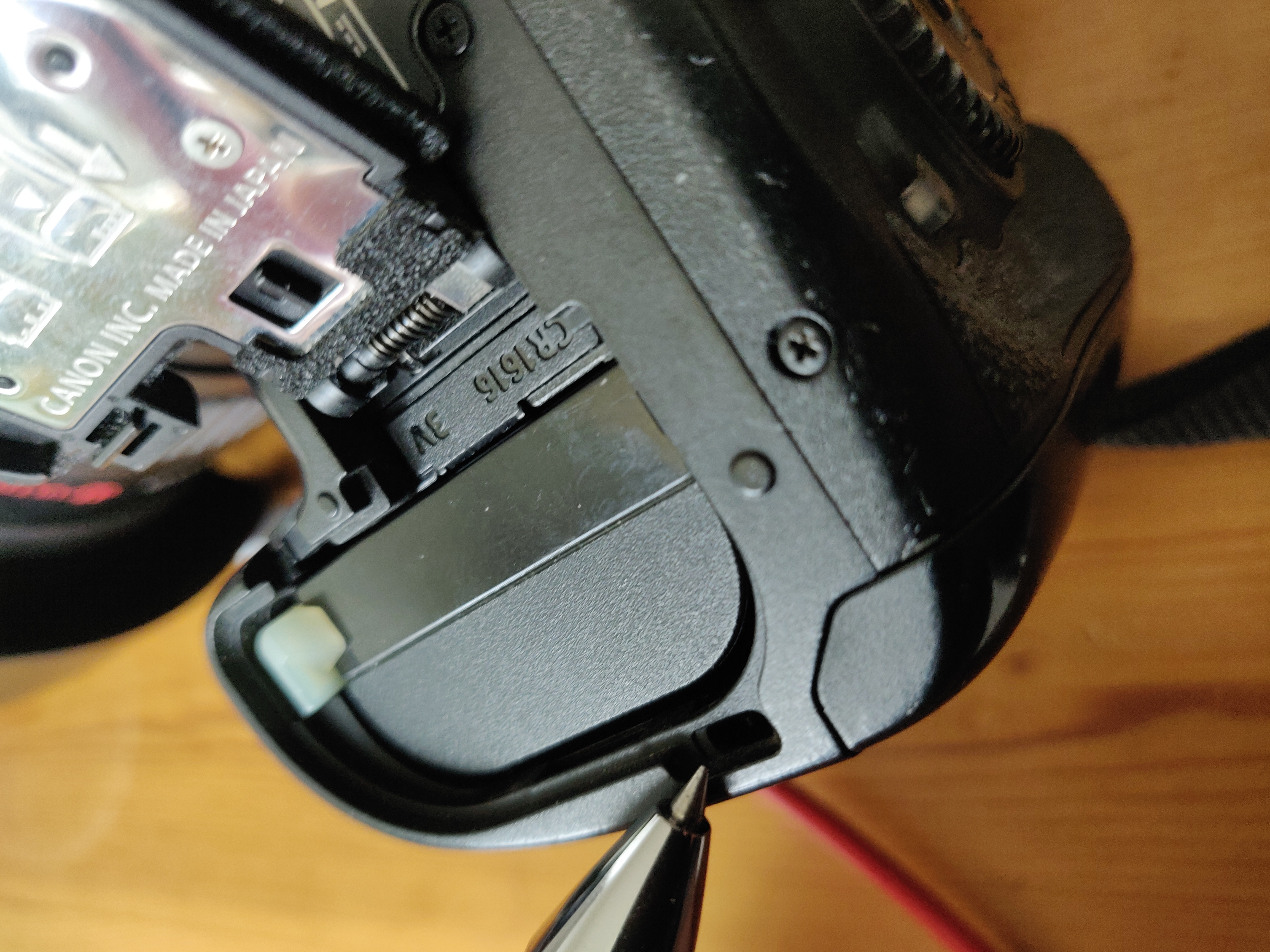
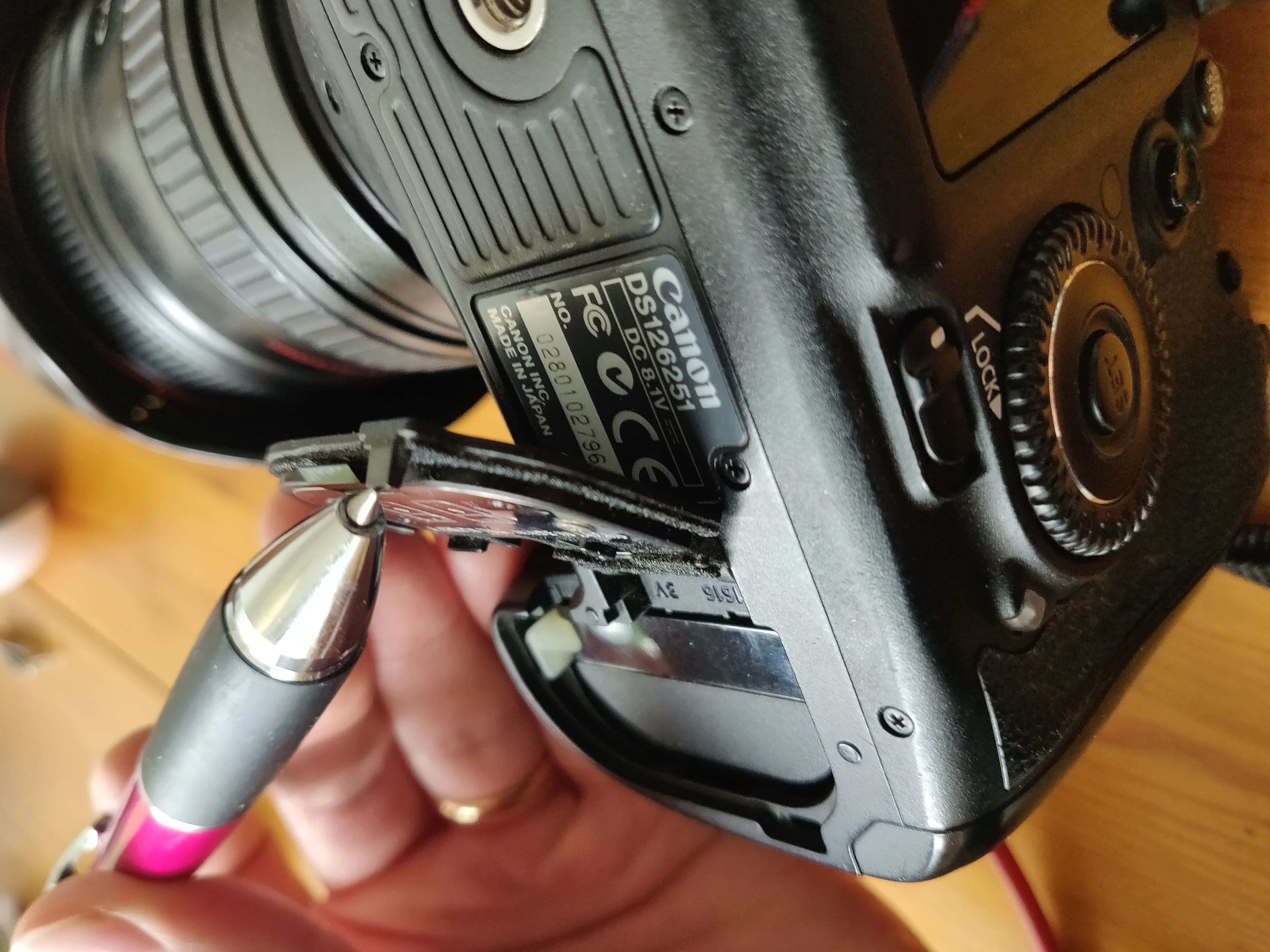
Check the micro switch.
Options
- Mark as New
- Bookmark
- Subscribe
- Mute
- Subscribe to RSS Feed
- Permalink
- Report Inappropriate Content
04-27-2020 10:58 AM
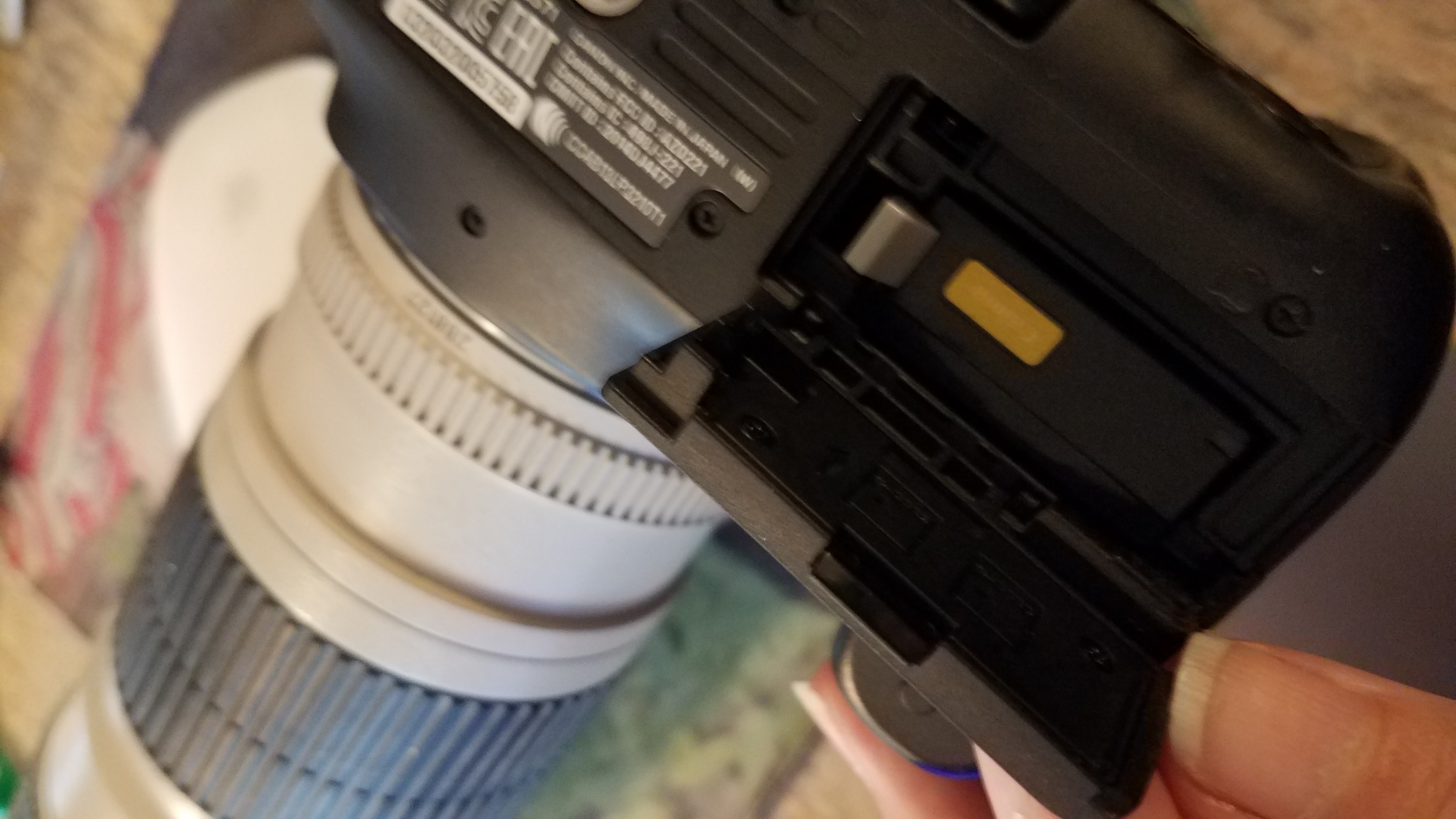
Thank you! That top portion is there but should the switch inside the camera be a certain way?

Options
- Mark as New
- Bookmark
- Subscribe
- Mute
- Subscribe to RSS Feed
- Permalink
- Report Inappropriate Content
04-27-2020 11:31 AM
Once you locate the switch inside that little hole try reaching in there with something small like a toothpick or paper clip and press on it...while pressing on it try turning the camera on. Try that a few times see if that brings it back to life. When you open the battery door the switch should be sticking out a little bit till it is pressed in or down by the battery door actuator thingy

Announcements
07/22/2026: New firmware updates are available.
EOS R6 Mark III - Version 1.1.0
05/13/2026: New firmware updates are available.
EOS R5 Mark II - Version 1.3.0
EOS R6 Mark II - Version 1.7.0
04/28/2026: Service Notice: Caution Concerning use of Lithium Batteries
03/17/2026: New firmware updates are available.
SELPHY CP1500 - Version 1.0.7.0
02/23/2026: New firmware update is available for EOS C50- Version 1.0.3.1
01/23/2026: New firmware update is available for RF 24-105mm F4 IS USM- Version 2.0.7
01/20/2026: New firmware updates are available.
10/21/2025: Service Notice: To Users of the Compact Digital Camera PowerShot V1
10/15/2025: New firmware updates are available.
Speedlite EL-5 - Version 1.2.0
Speedlite EL-1 - Version 1.1.0
Speedlite Transmitter ST-E10 - Version 1.2.0
07/28/2025: Notice of Free Repair Service for the Mirrorless Camera EOS R50 (Black)
05/21/2025: New firmware update available for EOS C500 Mark II - Version 1.1.5.1
Related Content
- Dropped my canon powershot elph360 A in Point & Shoot Digital Cameras
- PLEASE HELP!!! PowerShot ELPH 300 HS turns itself on and glitching in Point & Shoot Digital Cameras
- EOS R6 V "Touch to Focus" via external monitor? in Camera Accessories
- EOS R5 Animal Eye AF focusing on wrong horse at races in EOS DSLR & Mirrorless Cameras
- Trouble Using Prefocus Setting EF600 f/4 USM III and Canon R5 Mk II in EF & RF Lenses

Ⓒ 2026
Canon U.S.A Inc. All Rights Reserved. Reproduction in whole or part without permission is prohibited.
