Turn on suggestions
Auto-suggest helps you quickly narrow down your search results by suggesting possible matches as you type.
- Canon Community
- Discussions & Help
- Camera
- EOS DSLR & Mirrorless Cameras
- EOS Rebel T7, Noob trying get back to the regular ...
Options
- Subscribe to RSS Feed
- Mark Topic as New
- Mark Topic as Read
- Float this Topic for Current User
- Bookmark
- Subscribe
- Mute
- Printer Friendly Page
EOS Rebel T7, Noob trying get back to the regular live view screen

Options
- Mark as New
- Bookmark
- Subscribe
- Mute
- Subscribe to RSS Feed
- Permalink
- Report Inappropriate Content
08-12-2026
07:40 PM
- last edited on
08-12-2026
11:01 PM
by
 Tiffany
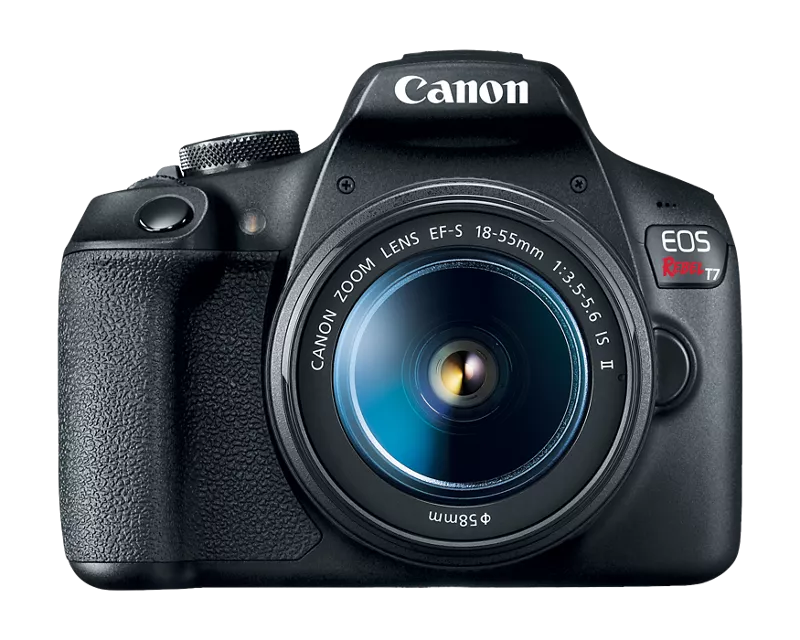
Be kind and help a lady out. I am brand new and want to jump in to photography. I recently purchased this bundle and am starting to play with it. I cannot get the camera off magnify...it's zoomed in so close on the live view screen. I have done everything Google has told me to do and I cannot get it back to regular view. I am positive its the operator...are there any 10 year old that can help me out?
7 REPLIES 7


Options
- Mark as New
- Bookmark
- Subscribe
- Mute
- Subscribe to RSS Feed
- Permalink
- Report Inappropriate Content
08-12-2026 07:46 PM
Options
- Mark as New
- Bookmark
- Subscribe
- Mute
- Subscribe to RSS Feed
- Permalink
- Report Inappropriate Content
08-12-2026 08:13 PM
Thank you but I did all that prior to posting my question and still in the zoomed in magnification.

Options
- Mark as New
- Bookmark
- Subscribe
- Mute
- Subscribe to RSS Feed
- Permalink
- Report Inappropriate Content
08-12-2026 08:42 PM
Sharing,
Have you tried turning your camera off and then back on to see if it resets itself?
Steve Thomas
Options
- Mark as New
- Bookmark
- Subscribe
- Mute
- Subscribe to RSS Feed
- Permalink
- Report Inappropriate Content
08-12-2026 08:45 PM
I have...I appreciate the effort.. I have a friend that is gonna take a look...thank you so much for trying to help. I literally have read...googled...you tube and nothin
Options
- Mark as New
- Bookmark
- Subscribe
- Mute
- Subscribe to RSS Feed
- Permalink
- Report Inappropriate Content
08-12-2026 08:52 PM
Sharing,
Have looked at page 156 of your Manual?
Steve Thomas

Options
- Mark as New
- Bookmark
- Subscribe
- Mute
- Subscribe to RSS Feed
- Permalink
- Report Inappropriate Content
08-12-2026 10:55 PM
It should be the button with the little ‘+’ magnifying glass. Keep pushing it until the magnification goes away.
That said, you should really get used to using the viewfinder. That is a much better way to take still photos, if only because of the extra stability it provides to steady the camera.
Options
- Mark as New
- Bookmark
- Subscribe
- Mute
- Subscribe to RSS Feed
- Permalink
- Report Inappropriate Content
08-12-2026 11:19 PM
Shari,
If you haven't done so yet, I'd encouage you to download your manual in pdf form.
Using the search functions of a pdf Reader like Adobe Acrobat, you can find the answers to specific questions. I know it has made my life a lot easier.
Steve Thomas


Announcements
07/22/2026: New firmware updates are available.
EOS R6 Mark III - Version 1.1.0
05/13/2026: New firmware updates are available.
EOS R5 Mark II - Version 1.3.0
EOS R6 Mark II - Version 1.7.0
04/28/2026: Service Notice: Caution Concerning use of Lithium Batteries
03/17/2026: New firmware updates are available.
SELPHY CP1500 - Version 1.0.7.0
02/23/2026: New firmware update is available for EOS C50- Version 1.0.3.1
01/23/2026: New firmware update is available for RF 24-105mm F4 IS USM- Version 2.0.7
01/20/2026: New firmware updates are available.
10/21/2025: Service Notice: To Users of the Compact Digital Camera PowerShot V1
10/15/2025: New firmware updates are available.
Speedlite EL-5 - Version 1.2.0
Speedlite EL-1 - Version 1.1.0
Speedlite Transmitter ST-E10 - Version 1.2.0
07/28/2025: Notice of Free Repair Service for the Mirrorless Camera EOS R50 (Black)
05/21/2025: New firmware update available for EOS C500 Mark II - Version 1.1.5.1
Related Content
- PowerShot SX620 HS Zoom and other functions limited via Canon Connect in Point & Shoot Digital Cameras
- EOS M10 "Memory Card Error" & Corrupted Files – Found a Bent Pin in the SD Slot. in EOS DSLR & Mirrorless Cameras
- PowerShot A590 LCD screen not working right in Point & Shoot Digital Cameras
- EOS R5 Mark II died after month of using in EOS DSLR & Mirrorless Cameras

Ⓒ 2026
Canon U.S.A Inc. All Rights Reserved. Reproduction in whole or part without permission is prohibited.
