Turn on suggestions
Auto-suggest helps you quickly narrow down your search results by suggesting possible matches as you type.
- Canon Community
- Discussions & Help
- Camera
- EOS DSLR & Mirrorless Cameras
- Re: EOS R6 & R6 Mark II: Weird "grain" on photos d...
Options
- Subscribe to RSS Feed
- Mark Topic as New
- Mark Topic as Read
- Float this Topic for Current User
- Bookmark
- Subscribe
- Mute
- Printer Friendly Page

Options
- Mark as New
- Bookmark
- Subscribe
- Mute
- Subscribe to RSS Feed
- Permalink
- Report Inappropriate Content
04-17-2026
08:23 PM
- last edited on
04-18-2026
10:24 AM
by
 Danny
Danny
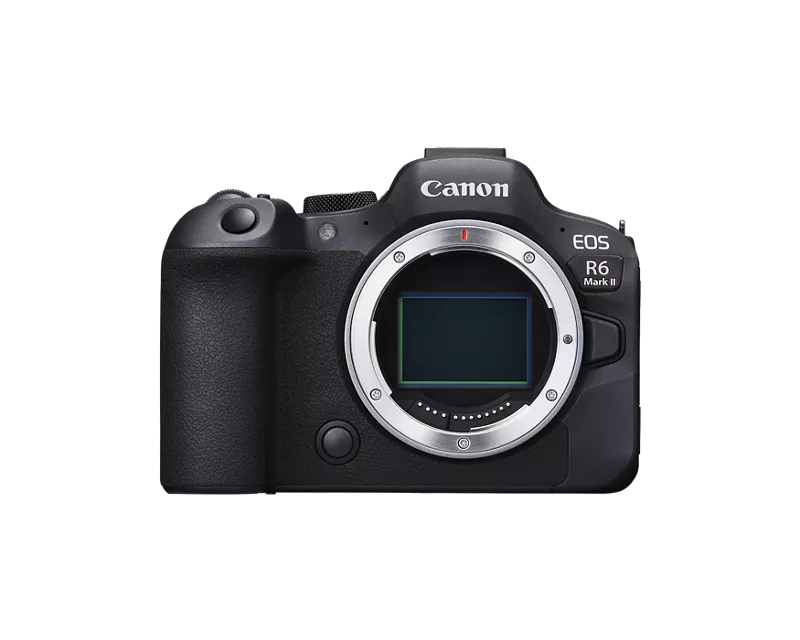
I have a bit of a mystery I cannot seem to sort out. Over the course of several shoots in several different lighting scenarios with two cameras and two lenses my camera is giving me random photos that seem to focus when I am taking them and they don't look blurry, but look like they have a weird grain...but not ISO grain. If I take four photos in a row without changing anything, one of them will have this weird effect. I rarely have my ISO over 2k and none of the photos below have a high ISO. Firmware is up to date on both camera bodies. It happens with both my 85mm 1.2 and my 28-70 2.0. I have cleaned lenses on both sides with lens wipes. I have the shutter on mechanical, I've cleaned the sensors. Since it is on both cameras with both lenses I am worried its an issue with both camera's sensors somehow? I have an R6 and R6 mark ii. I am at a loss as to what it could be. I have been doing this full time for 15 years and never seen photos that looked like this. It also happens when I am shooting at F2, instead of a nice bokeh, it will have this weird grain. Lenses are pristine, no scratches


Solved! Go to Solution.
1 ACCEPTED SOLUTION
Accepted Solutions


Options
- Mark as New
- Bookmark
- Subscribe
- Mute
- Subscribe to RSS Feed
- Permalink
- Report Inappropriate Content
04-18-2026 12:39 PM - edited 04-18-2026 12:52 PM
Samantha wrote,
” I have cleaned lenses on both sides with lens wipes. I have the shutter on mechanical, I've cleaned the sensors. Since it is on both cameras with both lenses I am worried it’s an issue with both camera's sensors somehow? “
——————
- I suggest that you send your gear to Canon for a Clean & Checkup. The common denominator is your cleaning the gear.
[EDIT] Enroll in Canon Professional Services
--------------------------------------------------------
"Enjoying photography since 1972."
"Enjoying photography since 1972."
7 REPLIES 7

Options
- Mark as New
- Bookmark
- Subscribe
- Mute
- Subscribe to RSS Feed
- Permalink
- Report Inappropriate Content
04-17-2026 09:32 PM
https://cam.start.canon/en/C004/manual/html/UG-03_Shooting-1_0070.html
"
- Noise may increase and apparent resolution may change, under some shooting conditions.
- If the effect of Auto Lighting Optimizer is too strong and results are not at your preferred brightness, set to [Low] or [Disable].
- If a setting other than [Disable] is set and you use exposure compensation or flash exposure compensation to darken the exposure, the image may still come out bright. If you want a darker exposure, set this function to [Disable].
"
https://support.usa.canon.com/kb/s/article/ART177849
Peripheral Illumination Correction
Corrects vignetting (dark corners in images).
Caution: Noise may appear on image edges, especially at higher ISO speeds.
Note: Automatic correction occurs in  johnrmoyer_0-1776475865723.jpeg
johnrmoyer_0-1776475865723.jpeg
mode if correction data is registered.
Diffraction Correction
Corrects sharpness loss due to aperture diffraction.
Caution: Noise may increase with correction, especially at higher ISO speeds.
Note: Effective for wide-open aperture exposures, but not displayed when [Digital Lens Optimizer] is set to [Standard] or [High].
General Cautions: Lens aberration correction is not applicable to existing JPEGs. Non-Canon lenses should have corrections set to [Disable].
General Notes: Effects vary by lens and conditions. If results are unclear, magnify the image for better evaluation. Corrections apply even with extenders or converters attached.

Options
- Mark as New
- Bookmark
- Subscribe
- Mute
- Subscribe to RSS Feed
- Permalink
- Report Inappropriate Content
04-18-2026 10:20 AM
First thing to do is reset both camera back to factory setup. Now try the same shots without you make any setting changes except for exposure. And you know correct exposure is essential as grain becomes worse if the exposure is off.
Personally, I would stop doing all that cleaning. Use your gear with common sense and a Rocket blower should remove most dust. And, you know dust (particles) that are on the lens are OOF and generally do not interfere with the image.
I would get DPP4 if you don't already have it only shoot raw and let DPP4 apply lens correction. Try the reset and DPP4 and get back here.
EB
EOS 1DX and many lenses.
EOS 1DX and many lenses.
Options
- Mark as New
- Bookmark
- Subscribe
- Mute
- Subscribe to RSS Feed
- Permalink
- Report Inappropriate Content
04-18-2026 12:39 PM - edited 04-18-2026 12:52 PM
Samantha wrote,
” I have cleaned lenses on both sides with lens wipes. I have the shutter on mechanical, I've cleaned the sensors. Since it is on both cameras with both lenses I am worried it’s an issue with both camera's sensors somehow? “
——————
- I suggest that you send your gear to Canon for a Clean & Checkup. The common denominator is your cleaning the gear.
[EDIT] Enroll in Canon Professional Services
--------------------------------------------------------
"Enjoying photography since 1972."
"Enjoying photography since 1972."
Options
- Mark as New
- Bookmark
- Subscribe
- Mute
- Subscribe to RSS Feed
- Permalink
- Report Inappropriate Content
04-18-2026 12:43 PM
The sensors were professionally cleaned, I just knew the trolls would jump in with a "do you ever clean your lenses" comment. I wiped them down with a cleaner speficially for lenses and the cameras go to a professional. If it was that it would seem that it would be across every photo, not every 15th I would think but maybe not. Either way, I truly do not think it has anything to do with either.

Options
- Mark as New
- Bookmark
- Subscribe
- Mute
- Subscribe to RSS Feed
- Permalink
- Report Inappropriate Content
04-18-2026 11:35 PM
First I'm assuming you're shooting RAW. If not then the JPEG algorithm will have to become a consideration.
I'm gonna be the like the kid saying the emperor had no clothes. Thank for the pics, but I cannot see what you're talking about and think that I need more clues. I think I'm not seeing the grain you're speaking of. I used a 4K monitor and zoomed in all I could Here's what I see. I see softness and some banding, but for my eyes I'm not interpreting the softness as noise, just the effect of shallow DOF and perhaps the focus point not being exactly what you were expecting.
The two kids in a chair the focus point seems to be on grey sweater. so everything else is a bit soft. Where is there grain? Is it the banding on the wall? That looks like banding to me, not grain and softness due to focus. The bald guy pic has him tack sharp. Where is there grain?. Basketball net front seems to be the focal point, so soft focus on the child. Mom's cheek in focus, everything else a bit soft. Her left hand is a bit blurry as though she moved it. Spaghetti kid's left fingers are the focal point, everything else a tad soft (GREAT shot setup on that one!). The power rack is focal point and everything else is soft.
Again, I see very shallow DOF and focal points not being where you might want them - think you suggested that you were aiming for shallow DOF and shooting at f/2.0. I don't see the grain issue - likely you're not able to upload the full-res image and/or I'm just missing it and need you're help to point it out for me. Perhaps if you show two side by side it might be easier to see? Or have two images on a shared site with the RAW images?
>> Owns/Owned both Canon EOS mirrorless full-frame and APS-C cameras and associated RF, RF-S and EF adapted lenses - inventory tends to change on short notice. Same for flashes, tripods, bags, straps, etc.
Plus>> Canon imagePROGRAF PRO-1100 Printer. My photos are edited using no Adobe products.
>>The opinions and assistance are my own. Please don't blame Canon for any mistakes on my part.
Options
- Mark as New
- Bookmark
- Subscribe
- Mute
- Subscribe to RSS Feed
- Permalink
- Report Inappropriate Content
04-19-2026 10:49 AM
"I suggest that you send your gear to Canon for a Clean & Checkup. The common denominator is your cleaning the gear."
This is a great idea if nothing more than piece of mind.
EB
EOS 1DX and many lenses.
EOS 1DX and many lenses.

Options
- Mark as New
- Bookmark
- Subscribe
- Mute
- Subscribe to RSS Feed
- Permalink
- Report Inappropriate Content
04-20-2026 01:30 PM
In nearly 50 years of photography I've never needed to clean a mirror, a sensor, a rear element, or a front element. Every lens I have--except for my fisheye--has a filter because filters are cheap insurance. I have bought film cameras where someone has obviously cleaned the lens and left a smear. If any of my equipment needed a cleaning, it would be done professionally.
-----
Digital via Canon R100 and R8. Analog via Pentax, Nikon, and Minolta 35mm SLRs and via Mamiya RB67 and 645, not to mention the persnickety Pentax 17.

Announcements
07/22/2026: New firmware updates are available.
EOS R6 Mark III - Version 1.1.0
05/13/2026: New firmware updates are available.
EOS R5 Mark II - Version 1.3.0
EOS R6 Mark II - Version 1.7.0
04/28/2026: Service Notice: Caution Concerning use of Lithium Batteries
03/17/2026: New firmware updates are available.
SELPHY CP1500 - Version 1.0.7.0
02/23/2026: New firmware update is available for EOS C50- Version 1.0.3.1
01/23/2026: New firmware update is available for RF 24-105mm F4 IS USM- Version 2.0.7
01/20/2026: New firmware updates are available.
10/21/2025: Service Notice: To Users of the Compact Digital Camera PowerShot V1
10/15/2025: New firmware updates are available.
Speedlite EL-5 - Version 1.2.0
Speedlite EL-1 - Version 1.1.0
Speedlite Transmitter ST-E10 - Version 1.2.0
07/28/2025: Notice of Free Repair Service for the Mirrorless Camera EOS R50 (Black)
05/21/2025: New firmware update available for EOS C500 Mark II - Version 1.1.5.1
Related Content
- Upgrade for Canon Rebel T7 - issues with flash in EF & RF Lenses
- PowerShot V1 file name numbers? in Point & Shoot Digital Cameras
- Tips for safely changing lenses outside? in EOS DSLR & Mirrorless Cameras
- Struggling with HDR: Edit highlights and shadows in RAW image before merging in DPP4? in Camera Software
- PLEASE HELP!!! PowerShot ELPH 300 HS turns itself on and glitching in Point & Shoot Digital Cameras

Ⓒ 2026
Canon U.S.A Inc. All Rights Reserved. Reproduction in whole or part without permission is prohibited.
