Turn on suggestions
Auto-suggest helps you quickly narrow down your search results by suggesting possible matches as you type.
- Canon Community
- Discussions & Help
- Camera
- EOS DSLR & Mirrorless Cameras
- Re: EOS R6 Mark III S&F vs M video size; P vs M wh...
Options
- Subscribe to RSS Feed
- Mark Topic as New
- Mark Topic as Read
- Float this Topic for Current User
- Bookmark
- Subscribe
- Mute
- Printer Friendly Page
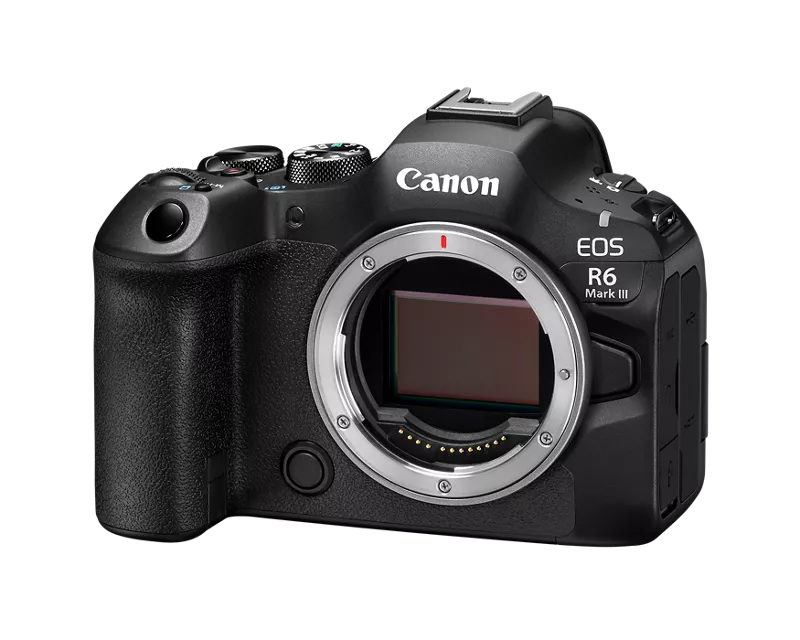
EOS R6 Mark III S&F vs M video size; P vs M when switching to stills

Options
- Mark as New
- Bookmark
- Subscribe
- Mute
- Subscribe to RSS Feed
- Permalink
- Report Inappropriate Content
02-10-2026
07:44 AM
- last edited on
02-10-2026
09:22 AM
by
 Danny
Danny
Is there a reason 120fps video takes up less space when shot in M mode, even though it includes sound, compared to S&F mode when shot at the same resolution and codec etc?
Also, regarding S&F mode: is there a way to change the mode it switches to when changing over to stills? Right now it defaults to P mode, but I would prefer it to switch to M mode, or at least have a way to choose the preferred mode. If this isn’t currently possible, could it be addressed in a future firmware update?
2 REPLIES 2


Options
- Mark as New
- Bookmark
- Subscribe
- Mute
- Subscribe to RSS Feed
- Permalink
- Report Inappropriate Content
02-10-2026 10:20 AM - edited 02-10-2026 10:22 AM
Greetings,
Check your settings. When you shoot in 120fps, the camera uses IBP compression by default. In manual mode IBP lite is used so the captured movie quality is lower. (smaller file)
When the camera is mode dial is set to S&F this option only works in movie mode. If you change the camera to stills mode the S&F setting on the mode dial is ignored and the camera activates the last used still shooting mode Fv, P, Tv, Av or M.
~Rick
Bay Area - CA
~R5 C (1.1.2.1), ~RF Trinity, ~RF 100 Macro, ~RF 100~400, ~RF 100~500, ~RF 200-800, ~RF 1.4x TC, BG-R10, 430EX III-RT ~DxO PhotoLab Elite ~DaVinci Resolve Studio ~ImageClass MF644Cdw MF656Cdw ~Pixel 10 ~CarePaks Are Worth It
Options
- Mark as New
- Bookmark
- Subscribe
- Mute
- Subscribe to RSS Feed
- Permalink
- Report Inappropriate Content
02-10-2026 10:39 AM - edited 02-10-2026 10:46 AM
Compression method is set to Standard LGOP on both modes.
Also, the camera doesn't activate the last used still shooting mode – it just defaults to P.


Announcements
05/13/2026: New firmware updates are available.
EOS R5 Mark II - Version 1.3.0
EOS R6 Mark II - Version 1.7.0
04/28/2026: Service Notice: Caution Concerning use of Lithium Batteries
03/17/2026: New firmware updates are available.
SELPHY CP1500 - Version 1.0.7.0
02/23/2026: New firmware update is available for EOS C50- Version 1.0.3.1
01/23/2026: New firmware update is available for RF 24-105mm F4 IS USM- Version 2.0.7
01/20/2026: New firmware updates are available.
12/22/2025: New firmware update is available for EOS R6 Mark III- Version 1.0.2
10/21/2025: Service Notice: To Users of the Compact Digital Camera PowerShot V1
10/15/2025: New firmware updates are available.
Speedlite EL-5 - Version 1.2.0
Speedlite EL-1 - Version 1.1.0
Speedlite Transmitter ST-E10 - Version 1.2.0
07/28/2025: Notice of Free Repair Service for the Mirrorless Camera EOS R50 (Black)
05/21/2025: New firmware update available for EOS C500 Mark II - Version 1.1.5.1
Related Content
- EOS R5 Mark II question (mode movie still switching) in EOS DSLR & Mirrorless Cameras
- Canon R6mkii random glitching / switching between modes in EOS DSLR & Mirrorless Cameras
- RF-s 18-150mm control ring doesn't 'control' on EOS R7 in EF & RF Lenses
- shutter speed settings for video R5 mk2 in EOS DSLR & Mirrorless Cameras
- EOS R6 Mark III S&F vs M video size; P vs M when switching to stills in EOS DSLR & Mirrorless Cameras

Ⓒ 2026
Canon U.S.A Inc. All Rights Reserved. Reproduction in whole or part without permission is prohibited.
