Turn on suggestions
Auto-suggest helps you quickly narrow down your search results by suggesting possible matches as you type.
- Canon Community
- Discussions & Help
- Camera
- EOS DSLR & Mirrorless Cameras
- Re: Canon r6 mark II card slot problem "Card canno...
Options
- Subscribe to RSS Feed
- Mark Topic as New
- Mark Topic as Read
- Float this Topic for Current User
- Bookmark
- Subscribe
- Mute
- Printer Friendly Page
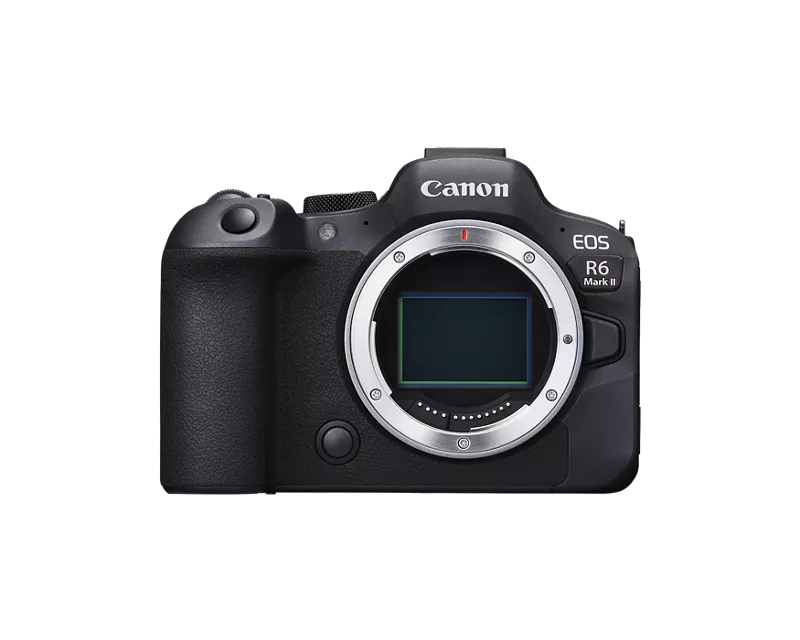
EOS R6 Mark II card slot problem "Card cannot be accessed"

Options
- Mark as New
- Bookmark
- Subscribe
- Mute
- Subscribe to RSS Feed
- Permalink
- Report Inappropriate Content
06-30-2024
10:41 AM
- last edited on
10-15-2024
08:06 AM
by
 James_C
I really can't figure this one out, so maybe someone has some ideas.
About a year and change ago, I went from a Canon 5D Mark IV to a canon R6 mark II. Things went fine at first, but then I recently noticed I am having a bunch of SD card problems. I was getting the "card cannot be accessed" error
But its' frustratingly weird how the error happens:
It only happens in slot 1.
It only happens on cards larger than 64 GB. My 64 GB cards work just fine. I have a couple of different kinds of 128 GB cards in terms of manufacturers and they all act the same way. Any card larger than 64GB doesn't work in slot 1.
So if I take a 128 GB card and put it in slot 1, it gives me the error. I put that same card in slot 2, and it seems to work fine.
If I put one of my 64GB cards into slot 1 it seems to work fine.
I've tried formatting the cards, regular and low level format, to no avail. I've tried formatting the cards on a computer. No luck there.
And it is just slot 1. Slot 2, the 128GB cards work normal. Slot 1, "card cannot be accessed". But 64 GB cards work in slot 1, no issues. (and of course Slot 2, the 64GB cards work normal)
I even toggled the write protection switch on the cards back and forth. No dice.
It's as if my R6 Mark II can't "handle" a 128GB card in Slot 1. But Slot 1 can handle 64 GB cards. And the 128 GB card works in Slot 2.
I downloaded the latest firmware in hopes that would help. No dice.
Ideas?
25 REPLIES 25


Options
- Mark as New
- Bookmark
- Subscribe
- Mute
- Subscribe to RSS Feed
- Permalink
- Report Inappropriate Content
06-30-2024 02:54 PM
Hi Stephen. No, I was replying to princejvstin ( the OP). Never saw his problem before.
I have noticed a number of posts that appear to be AI. As you say, they tend to be generic and lack specific details of the problem.
John Hoffman
Conway, NH
R6 Mark III, M200 (converted to infrared), RF lenses, Pixma PRO-100, Pixma TR8620a, Lr Classic
Conway, NH
R6 Mark III, M200 (converted to infrared), RF lenses, Pixma PRO-100, Pixma TR8620a, Lr Classic

Options
- Mark as New
- Bookmark
- Subscribe
- Mute
- Subscribe to RSS Feed
- Permalink
- Report Inappropriate Content
06-30-2024 04:06 PM
When you suspect something is AI, please report it so we can moderate accordingly. 😊
Options
- Mark as New
- Bookmark
- Subscribe
- Mute
- Subscribe to RSS Feed
- Permalink
- Report Inappropriate Content
07-06-2024 08:10 AM
Update:
I bought a new 128 GB card.
This card worked and works just fine in the slot, none of the card cannot be accessed errors. Took some photos with it (4th of July fireworks). Yes, I also had a 64 GB card in slot 2 just in case this one was going to choke on me.
So...is this a case of a whole set of cards that got semi corrupted? I...don't know. I am going to keep watching and keeping watch on this new card to see if it "Corrupts" as well

Options
- Mark as New
- Bookmark
- Subscribe
- Mute
- Subscribe to RSS Feed
- Permalink
- Report Inappropriate Content
07-06-2024 09:58 AM
Greetings ,
I believe I posted about something similar recently. R62 and card requirements for recording high quality video. Recording media can be very important for reliability and performance.
Although the R62 is backwards compatible with UHS-I, I would recommend UHS-II v60 and v90 cards. It's more important for video , but this way you don't have to watch what you're putting into which slot. It might be wise to retire your aging stable of cards. You can watch for sales at B&H, Adorama or your local Best Buy. 64 and 128 GB. UHS-II cards are more affordable than you might think. Hopefully this will put an end to your strange card/slot behavior.
~Rick
Bay Area - CA
~R5 C (1.1.3.1), ~RF Trinity, ~RF 100 Macro, ~RF 100~400, ~RF 100~500, ~RF 200-800, ~RF 1.4x TC, BG-R10, 430EX III-RT ~DxO PhotoLab Elite ~DaVinci Resolve Studio ~ImageClass MF644Cdw MF656Cdw ~Pixel 10 ~CarePaks Are Worth It
Options
- Mark as New
- Bookmark
- Subscribe
- Mute
- Subscribe to RSS Feed
- Permalink
- Report Inappropriate Content
10-14-2024 08:59 PM
I started having this same exact issue this week with my R6 mark I. Did you ever come to a conclusion or a solution for 128 GB cards? Did all new cards work?
Options
- Mark as New
- Bookmark
- Subscribe
- Mute
- Subscribe to RSS Feed
- Permalink
- Report Inappropriate Content
10-15-2024 05:35 AM
Unfortunately, no, the slot now seems it doesn't work period
Options
- Mark as New
- Bookmark
- Subscribe
- Mute
- Subscribe to RSS Feed
- Permalink
- Report Inappropriate Content
10-15-2024 09:16 AM
Greetings ,
It's time for the camera to visit Canon.
~Rick
Bay Area - CA
~R5 C (1.1.3.1), ~RF Trinity, ~RF 100 Macro, ~RF 100~400, ~RF 100~500, ~RF 200-800, ~RF 1.4x TC, BG-R10, 430EX III-RT ~DxO PhotoLab Elite ~DaVinci Resolve Studio ~ImageClass MF644Cdw MF656Cdw ~Pixel 10 ~CarePaks Are Worth It
Options
- Mark as New
- Bookmark
- Subscribe
- Mute
- Subscribe to RSS Feed
- Permalink
- Report Inappropriate Content
10-15-2024 11:09 AM
Does the second slot work well enough for it to function? I have a back to back sessions over the next month and don't really have time to send it off to Canon yet. Right now it's working ok with a handful of cards, but worried it will give out on me in the middle of something important.
Options
- Mark as New
- Bookmark
- Subscribe
- Mute
- Subscribe to RSS Feed
- Permalink
- Report Inappropriate Content
02-27-2025 05:02 PM
hi there! I recently came across this same issue a couple of times. Im wondering if youve found a solution since then? Thank you!!
Options
- Mark as New
- Bookmark
- Subscribe
- Mute
- Subscribe to RSS Feed
- Permalink
- Report Inappropriate Content
04-11-2025 05:37 AM
I have had the same issue with my R6 M2 in the same way with slot 1. To the point that when I first received the camera it wouldn't recognize anything in slot 1 (while slot 2 was empty), I bought a set of new cards and it only worked when i set it into slot 2.
Now I have 3 brand new cards:
- Lexar Professional 64GB V60, SDXC II (1667x speed)
- 2x Lexar Professional 128GB, SDXC II (1800x speed)
I still have issues with slot 1.
When I set both 128GB cards in, it takes long time to start the camera up and the card reading/writing indicator led is lighting up at the same time. When it is done it allows me to open the menu or take pictures.
It works fine with only 1 card in slot 2.
64GB card works fine. Until I mix it with 128GB card and more specifically set the 128GB card into slot 1.
Sometimes I get card access errors. Sometimes it just takes a long time to fire it up. But it is always related to card slot 1.


Announcements
07/22/2026: New firmware updates are available.
EOS R6 Mark III - Version 1.1.0
05/13/2026: New firmware updates are available.
EOS R5 Mark II - Version 1.3.0
EOS R6 Mark II - Version 1.7.0
04/28/2026: Service Notice: Caution Concerning use of Lithium Batteries
03/17/2026: New firmware updates are available.
SELPHY CP1500 - Version 1.0.7.0
02/23/2026: New firmware update is available for EOS C50- Version 1.0.3.1
01/23/2026: New firmware update is available for RF 24-105mm F4 IS USM- Version 2.0.7
01/20/2026: New firmware updates are available.
10/21/2025: Service Notice: To Users of the Compact Digital Camera PowerShot V1
10/15/2025: New firmware updates are available.
Speedlite EL-5 - Version 1.2.0
Speedlite EL-1 - Version 1.1.0
Speedlite Transmitter ST-E10 - Version 1.2.0
07/28/2025: Notice of Free Repair Service for the Mirrorless Camera EOS R50 (Black)
05/21/2025: New firmware update available for EOS C500 Mark II - Version 1.1.5.1
Related Content
- Will there be another firmware update for the R5 Mark 2 that includes Micro-adjustment of focus? in EOS DSLR & Mirrorless Cameras
- EOS Rebel T7 shows "Busy" icon and runs slow, especially with flash in EOS DSLR & Mirrorless Cameras
- Canon AF35M II/Autoboy 2 flash not working in Point & Shoot Digital Cameras
- USB-C not charging my EOS R50 V in EOS DSLR & Mirrorless Cameras
- Canon PowerShot V1 and Hot and Stuck pixels issue in Point & Shoot Digital Cameras

Ⓒ 2026
Canon U.S.A Inc. All Rights Reserved. Reproduction in whole or part without permission is prohibited.
