Turn on suggestions
Auto-suggest helps you quickly narrow down your search results by suggesting possible matches as you type.
- Canon Community
- Discussions & Help
- Camera
- EOS DSLR & Mirrorless Cameras
- Re: EOS R5 Mark II Firmware 1.0.3 focus issues
Options
- Subscribe to RSS Feed
- Mark Topic as New
- Mark Topic as Read
- Float this Topic for Current User
- Bookmark
- Subscribe
- Mute
- Printer Friendly Page
EOS R5 Mark II Firmware 1.0.3 focus issues

Options
- Mark as New
- Bookmark
- Subscribe
- Mute
- Subscribe to RSS Feed
- Permalink
- Report Inappropriate Content
04-24-2025
01:56 PM
- last edited on
04-24-2025
01:57 PM
by
 James_C
After updating to firmware 1.0.3 I noticed I was missing shots where I knew the focus spot was correct. This seemed to happen more times then in the past. Then I came across this Youtube video in which he noticed the same thing.
Unfortunately one can't re-install 1.0.2 so have others seen this issue?
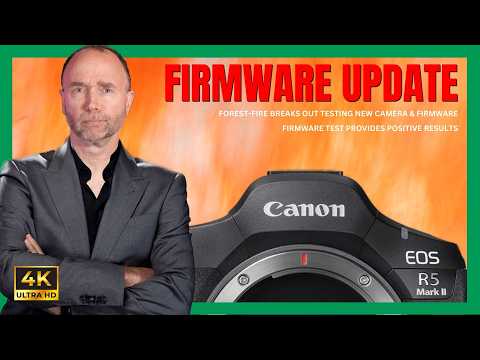
Firmware 1.0.2 Wins-But You'll Never Guess What Happened Next Deals of the YEAR 🛒$3,999 for the Canon R5 II at B&H: https://bhpho.to/3y7lGEv * 🛒$3,999 for the Canon R5 II at Adorama: https://howl.link/x1q5lmiq1ycd5 * 🛒$2,999 for the Canon R5 I at B&H: https://bhpho.to/3STyhRJ * 🛒$2,999 for th...
23 REPLIES 23

Options
- Mark as New
- Bookmark
- Subscribe
- Mute
- Subscribe to RSS Feed
- Permalink
- Report Inappropriate Content
05-05-2025 07:38 PM
I hate to tell you but this so called issue with firmware 1.0.3 is NOT universal. I just got a new R5MkII and the first thing I did was update to ver. 1.0.3 before doing anything. I have a 24-105 f4L and 100-500L and BOTH work flawlessly. The 100-500L has rendered some amazing birding shots I've never gotten before. My 100-500L locks on in the blink of an eye for fast moving birds or taking off, and never loses them. This is for 2 weeks running now without fail. I'm finding the focus system on this camera to exceed a Z9 and A1MkII I've used which is nothing to sneeze at. NO lockups, NO loss of focus tracking or acquisition. Simply stunning. I'm typically shooting at 12fps electronic shutter exclusively. I have my shutter set to actuate metering AND taking the shot. I have my AF-On on the back set to Eye Detection on/off and the Star set to locked focus point just in case. I'm not using what might be considered the more exotic back button setups. So perhaps I'm bypassing the issues. One things for sure, it nails what I aim and and never lets go branches, lake or not.
Options
- Mark as New
- Bookmark
- Subscribe
- Mute
- Subscribe to RSS Feed
- Permalink
- Report Inappropriate Content
05-06-2025 01:08 PM
Hi
Just out of curiosity, how do you know the difference between 1.0.2 and 1.0.3 if you never tried pre 1-0.3 firmware. No-one said auto-focus didn’t work w/1.0.3, but the keeper rate for tracking fast moving objects e.x. birds in flights, are way down.
Chris
Options
- Mark as New
- Bookmark
- Subscribe
- Mute
- Subscribe to RSS Feed
- Permalink
- Report Inappropriate Content
05-06-2025 02:10 PM
Over this last year I got particularly into birding. I had a Z9 with a 100-400Z lens, then a Sony A6700 with a 200-600G lens. The results with tracking fast moving birds was increased using the A6700, but still by no means perfect. The first outing I had with the R5MkII having loaded 1.0.3 as soon as the battery was charged and going out shooting fast moving gulls, pelicans and blackbirds, it shocked me how it would immediately lock onto the head rendering a blue box on the eye of the birds and never let go. It was also the first camera I'd used that allowed me to get shots of herons that were in their nests in back of branches. The other cameras struggled, but the R5MkII surgically nailed the eye of birds hiding in branches I didn't even see in some cases. I am more convinced that certain settings and certain lenses might cause some tracking issues. But NOT in my case that's for SURE! This thing is a find and lock on beast. I never experienced this virtual AI capability of any camera to date. I hope just for the heck of it Canon brings another 1.0.4 update to keep the others happy. Right now I'm perfectly happy and couldn't ask for more.


Options
- Mark as New
- Bookmark
- Subscribe
- Mute
- Subscribe to RSS Feed
- Permalink
- Report Inappropriate Content
05-06-2025 08:22 PM - edited 05-06-2025 08:25 PM
Hi stevec331,
I agree with dcisive: "I hate to tell you but this so-called issue with firmware 1.0.3 is NOT universal. I just got a new R5MkII and the first thing I did was update to ver. 1.0.3 before doing anything. I have a 24-105 f4L and 100-500L and BOTH work flawlessly. The 100-500L has rendered some amazing birding shots I've never gotten before."
I was one of the first to receive my R5 Mark II, as I purchased it on 7-18-2024. It came with firmware 1.0.1 and it worked as publicized, awesome! Then the firmware was updated to 1.0.2 and my R5 continued to perform spectacularly. When the new 1.0.3 firmware came out, I uploaded it without any problems and took my R5 Mark II out for a spin, and it worked just as awesome as before if not better then when it had firmware 1.0.2. I am sorry to hear that you are having trouble with your R5 Mark II not focusing as fast as it did with firmware 1.0.2. I suggest that you go over your AF settings and make sure nothing has changed, as sometimes setting get changed inadvertently, I know because it has happened to me. Also make sure that your RF lens AF settings are set accordingly. I'm happy to say that my R5 Mark II is working just as great as before if not better, it's an AWESOME camera. One other thing, if there is a glitch with the firmware 1.0.3 that you downloaded, then I would wait for Canon to update the firmware to 1.0.4 and all issues will be cleared. Another thing that I would try is going to the Canon website and re-downloading firmware 1.0.3 and see if that will clear it.
Cheers,
Joe
Ancora Imparo
"A good photograph is knowing where to stand."
--- Ansel Adams >
"You don’t take a photograph, you make it."
--- Ansel Adams
Joe
Ancora Imparo
"A good photograph is knowing where to stand."
--- Ansel Adams >
"You don’t take a photograph, you make it."
--- Ansel Adams
Options
- Mark as New
- Bookmark
- Subscribe
- Mute
- Subscribe to RSS Feed
- Permalink
- Report Inappropriate Content
05-06-2025 10:05 PM
I doubt one could RE load an already existing current version of firmware. Once it's done I suspect it's done with no alternatives. New or old.
Options
- Mark as New
- Bookmark
- Subscribe
- Mute
- Subscribe to RSS Feed
- Permalink
- Report Inappropriate Content
05-06-2025 10:49 PM - edited 05-06-2025 11:09 PM
dcisive,
Yes you can re-install firmware 1.0.3 on your R5 Mark II camera. If you are experiencing issues and want to reinstall the 1.0.3 firmware , you need to follow Canon's official update process. I recommend fully re-formatting your SD card. Some users have found that fully formatting the SD card on a computer (rather than in the camera) can resolve issues. You can check Canon's Official support page for firmware downloads and troubleshooting steps. I have re-installed firmware on my Canon cameras before, so you can do it. I download the firmware to my laptop than from my laptop to the SD card using a SanDisk Extreme Pro SD UHS-II USB-C Reader/Writer since my Surface Pro doesn't have an SD card slot. Also don't touch any part of the camera while the 1.0.3 firmware is downloading.
Cheers,
Joe
Ancora Imparo
"A good photograph is knowing where to stand."
--- Ansel Adams >
"You don’t take a photograph, you make it."
--- Ansel Adams
Joe
Ancora Imparo
"A good photograph is knowing where to stand."
--- Ansel Adams >
"You don’t take a photograph, you make it."
--- Ansel Adams
Options
- Mark as New
- Bookmark
- Subscribe
- Mute
- Subscribe to RSS Feed
- Permalink
- Report Inappropriate Content
05-07-2025 09:21 AM
Thanks for posting that. Good info as a just in case scenario. I suppose it's possible for an initital load of firmware to get corrupted.
Options
- Mark as New
- Bookmark
- Subscribe
- Mute
- Subscribe to RSS Feed
- Permalink
- Report Inappropriate Content
05-07-2025 11:37 AM - edited 05-07-2025 11:37 AM
dcisive,
Your welcome
Cheers,
Joe
Ancora Imparo
"A good photograph is knowing where to stand."
--- Ansel Adams >
"You don’t take a photograph, you make it."
--- Ansel Adams
Joe
Ancora Imparo
"A good photograph is knowing where to stand."
--- Ansel Adams >
"You don’t take a photograph, you make it."
--- Ansel Adams
Options
- Mark as New
- Bookmark
- Subscribe
- Mute
- Subscribe to RSS Feed
- Permalink
- Report Inappropriate Content
06-08-2025 12:39 PM
I used my R5II on an extended birding trip to Mexico and was blown away with how improved the AF was compared to my R5. But, that was on 1.0.2. When I "upgraded" to 1.0.3 I immediately noticed AF issues. I took everything back to default and manually reset all my settings.. This seemed to help for a short time but then bad again. My keeper rate was dismal compared to before.. When I did get a reasonable focus it seemed accidental. I saw a post to turn off all power saving. I turned off everything in that menu AND turned off my cooling fan on my grip. My AF seemed to return to normal! I'll do more testing over time but that seems to be the solution until 1.0.4
Options
- Mark as New
- Bookmark
- Subscribe
- Mute
- Subscribe to RSS Feed
- Permalink
- Report Inappropriate Content
06-08-2025 03:12 PM
The R5II requires higher power output so R5 batteries will cause some features to be disabled. In addition, the problems people have with 1.0.3 may be related to power. There are indications that for some cameras 1.0.3 causes there not to be enough power throughput to power AF adequately. Obviously using batteries without as high a power output could exacerbate the problem.

Announcements
07/22/2026: New firmware updates are available.
EOS R6 Mark III - Version 1.1.0
05/13/2026: New firmware updates are available.
EOS R5 Mark II - Version 1.3.0
EOS R6 Mark II - Version 1.7.0
04/28/2026: Service Notice: Caution Concerning use of Lithium Batteries
03/17/2026: New firmware updates are available.
SELPHY CP1500 - Version 1.0.7.0
02/23/2026: New firmware update is available for EOS C50- Version 1.0.3.1
01/23/2026: New firmware update is available for RF 24-105mm F4 IS USM- Version 2.0.7
01/20/2026: New firmware updates are available.
10/21/2025: Service Notice: To Users of the Compact Digital Camera PowerShot V1
10/15/2025: New firmware updates are available.
Speedlite EL-5 - Version 1.2.0
Speedlite EL-1 - Version 1.1.0
Speedlite Transmitter ST-E10 - Version 1.2.0
07/28/2025: Notice of Free Repair Service for the Mirrorless Camera EOS R50 (Black)
05/21/2025: New firmware update available for EOS C500 Mark II - Version 1.1.5.1
Related Content
- Aperture communication issues between Canon EOS R8 and sigma 150-600mm f/5-6.3 DG OS HSM C in EOS DSLR & Mirrorless Cameras
- Canon R6V AF grayed out. in EOS DSLR & Mirrorless Cameras
- CFexpress 128GB capacity error on Canon R6 V – Shows "Full" but only 6GB are used in EOS DSLR & Mirrorless Cameras
- RF24-70mm f2.8 L IS USM does not focus reliably with my R5 Mark II in EF & RF Lenses
- EOS R5 Mark II minor Firmware Update, Version 1.3.1 in Camera Software

Ⓒ 2026
Canon U.S.A Inc. All Rights Reserved. Reproduction in whole or part without permission is prohibited.
