Turn on suggestions
Auto-suggest helps you quickly narrow down your search results by suggesting possible matches as you type.
- Canon Community
- Discussions & Help
- Camera
- EOS DSLR & Mirrorless Cameras
- Re: Problems with flash sync
Options
- Subscribe to RSS Feed
- Mark Topic as New
- Mark Topic as Read
- Float this Topic for Current User
- Bookmark
- Subscribe
- Mute
- Printer Friendly Page
EOS 6D not getting data back from off-camera flash via iShoot transmitter

Options
- Mark as New
- Bookmark
- Subscribe
- Mute
- Subscribe to RSS Feed
- Permalink
- Report Inappropriate Content
02-19-2018
08:31 AM
- last edited on
01-25-2024
10:18 AM
by
 Danny
Danny
Hey guys,
Happy Monday 🙂
I have a Canon 6D and a Canon Speedlight 580 (works great when on camera - no problems at all)
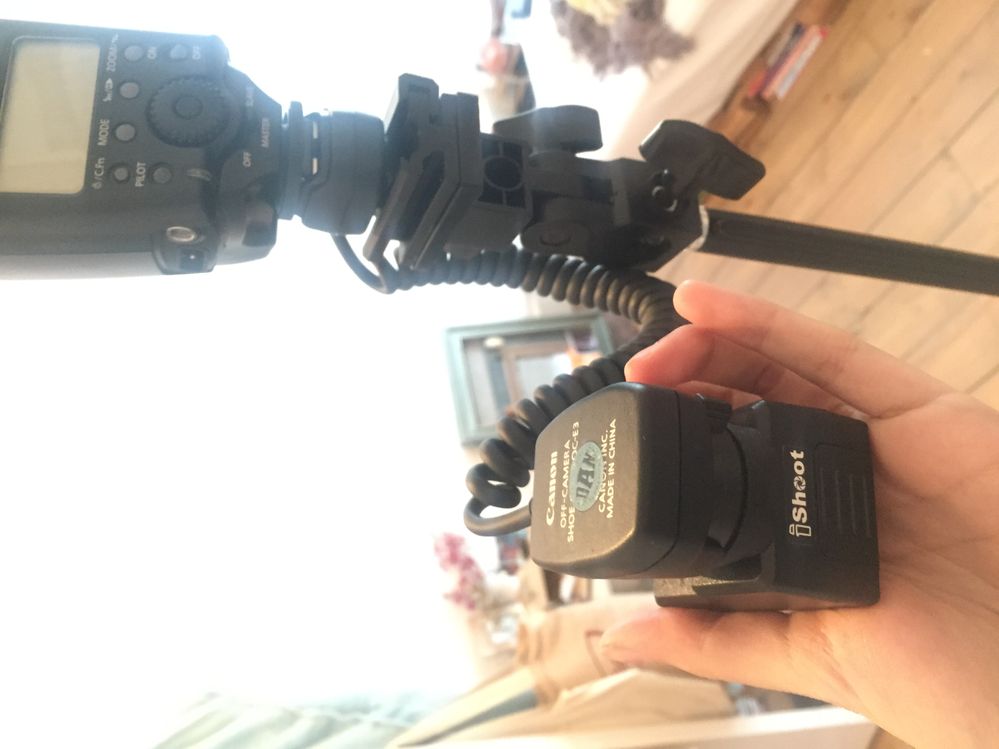
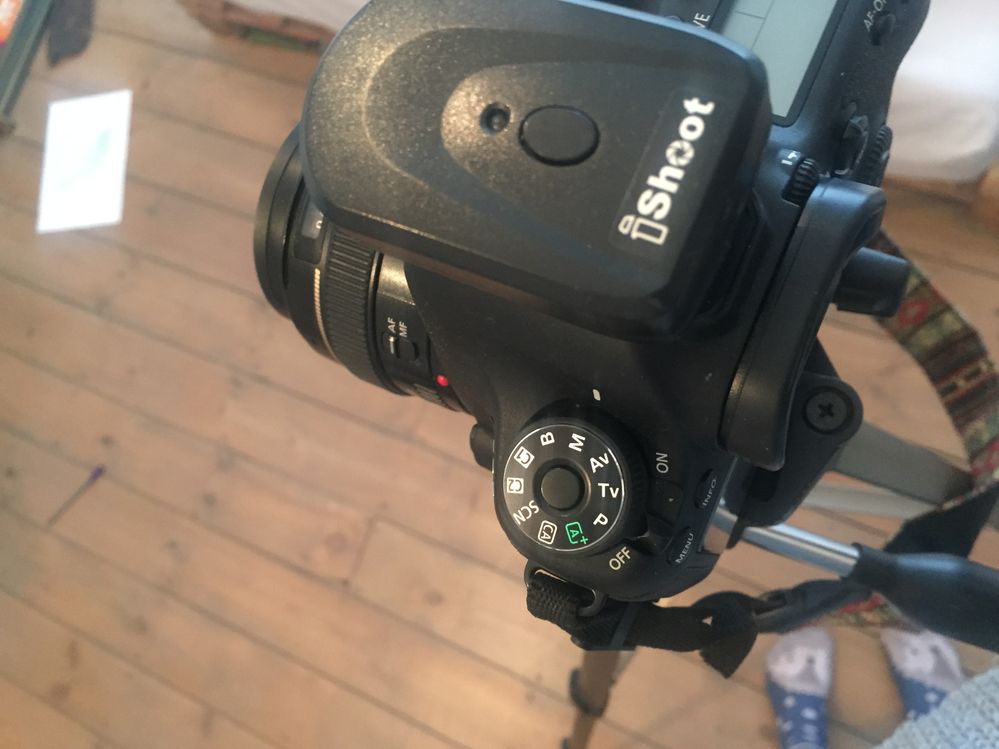
I am now trying to set up a make-do studio situation and am using an 'iShoot' trigger and receiver for the flash.
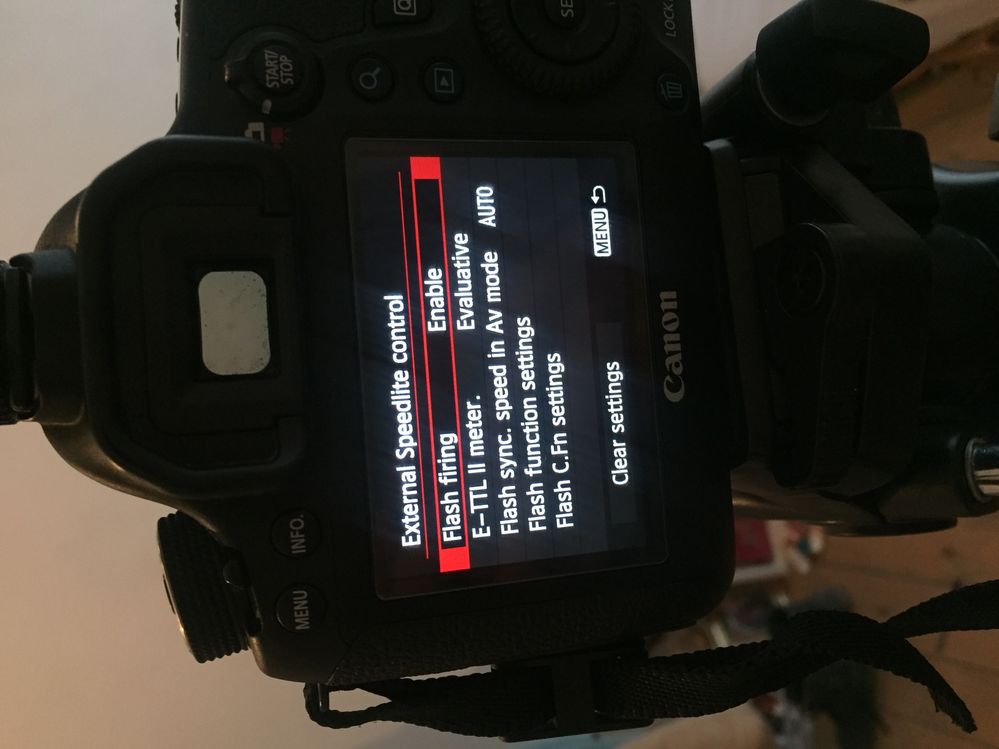
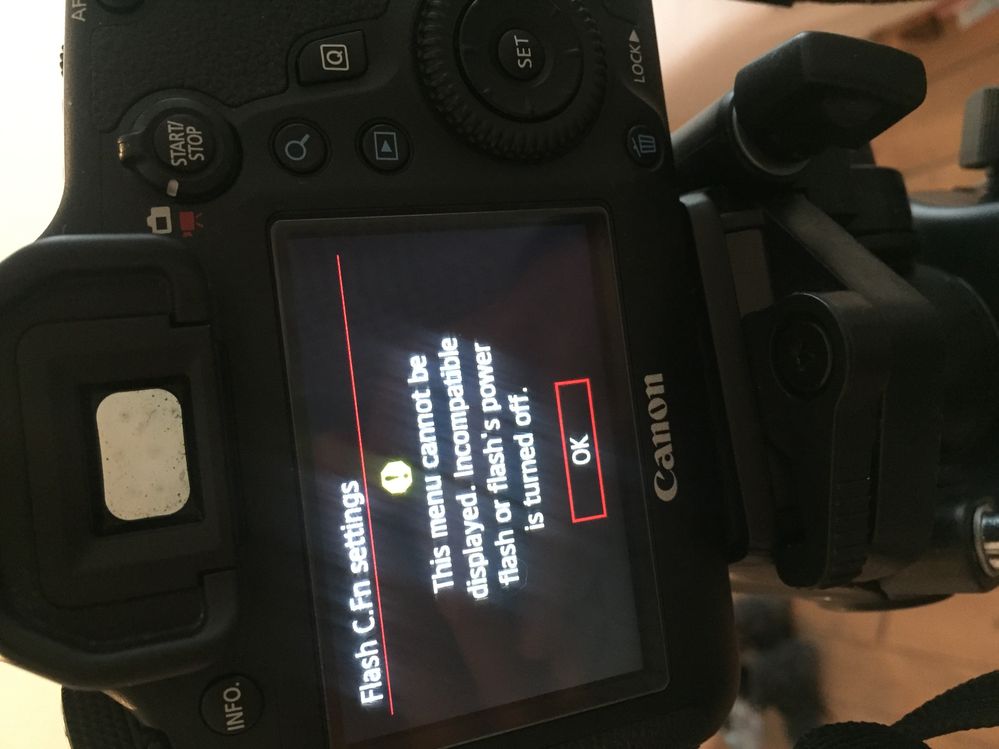
I have it all set up and when I attach the trigger to my camera and click the 'test' button (on the actual trigger), everything fires and syncs great...so I know the trigger and receiver and flash are all working together. However, my camera is not reading or receiving data from the flash, so when I press the shutter on the camera, the flash doesn't go off.
Does anyone know what I am doing wrong?
I have attached a few photos to help explain what is going on - and a video here
https://www.dropbox.com/sh/q6szv5iol0irjs3/AAB_ssYfeeRIzo69DmRYgeINa?dl=0
THANK YOU
Natasa
11 REPLIES 11


Options
- Mark as New
- Bookmark
- Subscribe
- Mute
- Subscribe to RSS Feed
- Permalink
- Report Inappropriate Content
02-19-2018 12:34 PM
I guess these units have never worked for you. I did a quick online search and it seems these are not the best quality and you may have a bad one.
Mike Sowsun
Options
- Mark as New
- Bookmark
- Subscribe
- Mute
- Subscribe to RSS Feed
- Permalink
- Report Inappropriate Content
02-19-2018 02:32 PM - edited 02-19-2018 02:34 PM
With the transmitter unit off-camera short out either of the 2 side metal contacts with the centre pin contact of the foot with a piece of wire or a paper clip, if it is working then the led on top of the transmitter will flash briefly and the remote flash will fire. If this works then you will know that the unit is operating correctly and the fault must be that it isn't connecting properly with the camera shoe.
Are you sure that you haven't broken any wires inside the unit when you fitted the battery because that is very easily done.
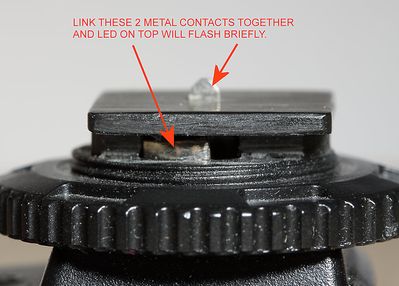
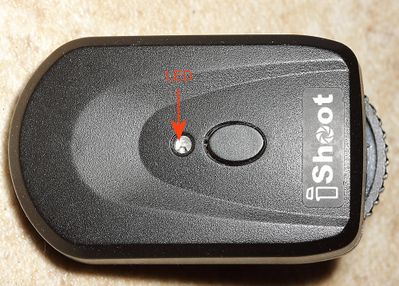
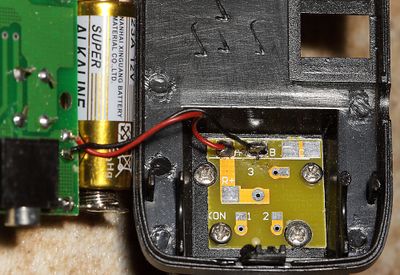
If your unit is like this one with only one central pin on the foot then it is made to be used in manual flash mode only and ETTL control will not work.

- « Previous
-
- 1
- 2
- Next »
- « Previous
-
- 1
- 2
- Next »
Announcements
07/22/2026: New firmware updates are available.
EOS R6 Mark III - Version 1.1.0
05/13/2026: New firmware updates are available.
EOS R5 Mark II - Version 1.3.0
EOS R6 Mark II - Version 1.7.0
04/28/2026: Service Notice: Caution Concerning use of Lithium Batteries
03/17/2026: New firmware updates are available.
SELPHY CP1500 - Version 1.0.7.0
02/23/2026: New firmware update is available for EOS C50- Version 1.0.3.1
01/23/2026: New firmware update is available for RF 24-105mm F4 IS USM- Version 2.0.7
01/20/2026: New firmware updates are available.
10/21/2025: Service Notice: To Users of the Compact Digital Camera PowerShot V1
10/15/2025: New firmware updates are available.
Speedlite EL-5 - Version 1.2.0
Speedlite EL-1 - Version 1.1.0
Speedlite Transmitter ST-E10 - Version 1.2.0
07/28/2025: Notice of Free Repair Service for the Mirrorless Camera EOS R50 (Black)
05/21/2025: New firmware update available for EOS C500 Mark II - Version 1.1.5.1
Related Content
- EOS R50 won't sync with Neewer TT560 flash in Speedlite Flashes
- Canon eos RP Err70 in EOS DSLR & Mirrorless Cameras
- Black shutter bar even when synced at 1/125th or slower with Einstein flash head + Canon 5D mark III in EOS DSLR & Mirrorless Cameras
- Flash NOT working on my Canon SX740 HS in Point & Shoot Digital Cameras
- EOS R5 Mark II Is this horizontal flash banding? in EOS DSLR & Mirrorless Cameras

Ⓒ 2026
Canon U.S.A Inc. All Rights Reserved. Reproduction in whole or part without permission is prohibited.
