Turn on suggestions
Auto-suggest helps you quickly narrow down your search results by suggesting possible matches as you type.
- Canon Community
- Discussions & Help
- Camera
- EOS DSLR & Mirrorless Cameras
- Re: Does EOS RP continue to function normally when...
Options
- Subscribe to RSS Feed
- Mark Topic as New
- Mark Topic as Read
- Float this Topic for Current User
- Bookmark
- Subscribe
- Mute
- Printer Friendly Page
Does EOS RP continue to function normally when connected to PC via USB?

Options
- Mark as New
- Bookmark
- Subscribe
- Mute
- Subscribe to RSS Feed
- Permalink
- Report Inappropriate Content
01-03-2025
04:17 PM
- last edited on
01-03-2025
04:22 PM
by
 Danny
Danny
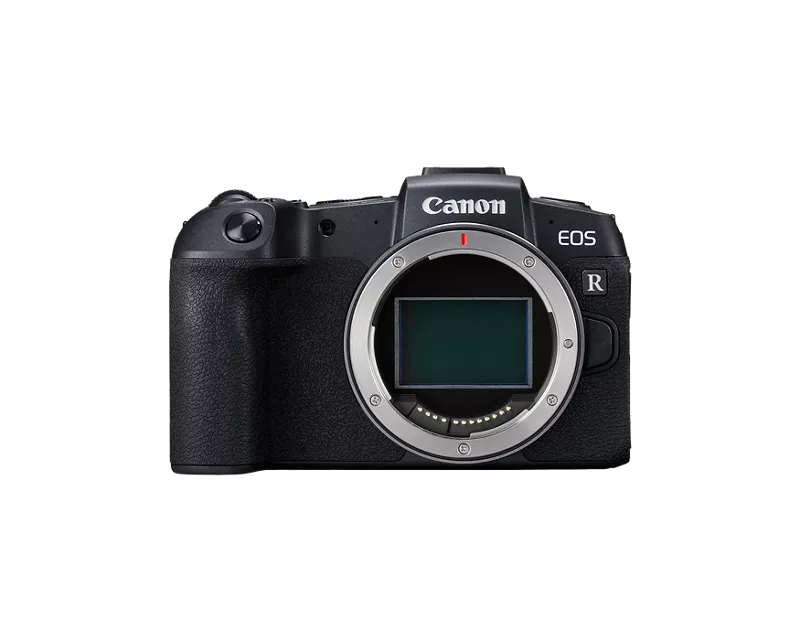
- I'm creating a solution with automatic photo transfer immediately after the photo is taken to the Pc. Question: does the camera continue to function normally when constantly connected to a PC and transferring photos at the same time? And will the remote control work the same way when connected to a pc and transferring files?
5 REPLIES 5


Options
- Mark as New
- Bookmark
- Subscribe
- Mute
- Subscribe to RSS Feed
- Permalink
- Report Inappropriate Content
01-03-2025 04:57 PM
klipson,
It kind of sounds like to are asking the camera to do two different processes at the same time.
Have you thought about using EOS Utility to do remote shooting? In that scenario I think the photos go immediately to your computer.
Steve Thomas

Options
- Mark as New
- Bookmark
- Subscribe
- Mute
- Subscribe to RSS Feed
- Permalink
- Report Inappropriate Content
01-03-2025 05:32 PM
“ I’m creating a solution with automatic photo transfer immediately after the photo is taken to the PC. “
Welcome!
You made no mention of what app you are using. It doesn’t feel like it’s the Canon EOS Utility.
Are you trying to develop your own app?
--------------------------------------------------------
"Enjoying photography since 1972."
"Enjoying photography since 1972."
Options
- Mark as New
- Bookmark
- Subscribe
- Mute
- Subscribe to RSS Feed
- Permalink
- Report Inappropriate Content
01-04-2025 02:49 AM - edited 01-04-2025 02:55 AM
Yes, I just want to connect to the camera as a storage medium and use a third party script to download only the photos taken. But I couldn't find in the manual whether I can continue taking photos while the photo transfer is in progress. I only found that if you connect via WiFi and transfer photos, you can't take new photos at the same moment
Want use rapsberry pi. For Energy efficient solution. To provide autonomy when there is no light. Unfortunately, we have to resort to such workarounds for the time being. But if there is no choice, then you have to think of something with a Windows system
Its autophotostudio without photograph. Client have remote control and just press 1 button. But i don't know this camera can do photo and transfer file same time)
Options
- Mark as New
- Bookmark
- Subscribe
- Mute
- Subscribe to RSS Feed
- Permalink
- Report Inappropriate Content
01-04-2025 12:01 PM
Congratulations on your innovation.
This forum is a social media platform for end users. The standard User Guide for cameras do not include the answers you need.
The Canon SDK should contain the information you want. It should also include links to additional information and resources.
--------------------------------------------------------
"Enjoying photography since 1972."
"Enjoying photography since 1972."
Options
- Mark as New
- Bookmark
- Subscribe
- Mute
- Subscribe to RSS Feed
- Permalink
- Report Inappropriate Content
01-16-2025 08:43 AM - edited 01-16-2025 09:48 AM
When usb connected to Canon i can't do remote control and charge battery :(((

Announcements
07/22/2026: New firmware updates are available.
EOS R6 Mark III - Version 1.1.0
05/13/2026: New firmware updates are available.
EOS R5 Mark II - Version 1.3.0
EOS R6 Mark II - Version 1.7.0
04/28/2026: Service Notice: Caution Concerning use of Lithium Batteries
03/17/2026: New firmware updates are available.
SELPHY CP1500 - Version 1.0.7.0
02/23/2026: New firmware update is available for EOS C50- Version 1.0.3.1
01/23/2026: New firmware update is available for RF 24-105mm F4 IS USM- Version 2.0.7
01/20/2026: New firmware updates are available.
10/21/2025: Service Notice: To Users of the Compact Digital Camera PowerShot V1
10/15/2025: New firmware updates are available.
Speedlite EL-5 - Version 1.2.0
Speedlite EL-1 - Version 1.1.0
Speedlite Transmitter ST-E10 - Version 1.2.0
07/28/2025: Notice of Free Repair Service for the Mirrorless Camera EOS R50 (Black)
05/21/2025: New firmware update available for EOS C500 Mark II - Version 1.1.5.1
Related Content
- New Firmware Available For All R5 Mark II Owners... in EOS DSLR & Mirrorless Cameras
- EOS R50 Failed Bluetooth Connection in EOS DSLR & Mirrorless Cameras
- Where to download Canon Camera Connect v3 for Windows 11 in Camera Software
- Best way to transfer/back up photo and video files to external SSD in EOS DSLR & Mirrorless Cameras
- Trouble using hot shoe on EOS R6 V in EOS DSLR & Mirrorless Cameras

Ⓒ 2026
Canon U.S.A Inc. All Rights Reserved. Reproduction in whole or part without permission is prohibited.
