Turn on suggestions
Auto-suggest helps you quickly narrow down your search results by suggesting possible matches as you type.
- Canon Community
- Discussions & Help
- Video
- Professional Video
- EOS R5 C Can i enforce auto iso for a mode like Av...
Options
- Subscribe to RSS Feed
- Mark Topic as New
- Mark Topic as Read
- Float this Topic for Current User
- Bookmark
- Subscribe
- Mute
- Printer Friendly Page
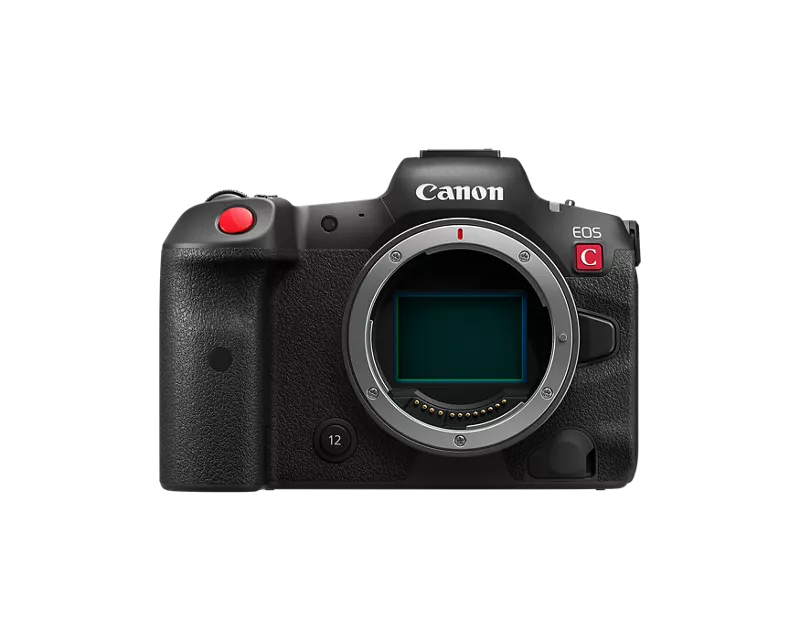
EOS R5 C Can i enforce auto iso for a mode like Av, after switch from a Custom mode?

Options
- Mark as New
- Bookmark
- Subscribe
- Mute
- Subscribe to RSS Feed
- Permalink
- Report Inappropriate Content
05-15-2026
04:31 PM
- last edited on
05-16-2026
09:00 AM
by
 Danny
Danny
Not your typical Auto ISO question...
Canon R5C... I usually use A priority, with auto-iso. Shooting in school auditorium with varying lighting throughout.
I have C1 programed for Manual mode, mechanical shutter, manual iso (usually low), for intermittent flash photography at events.
When I turn off flash and switch from C1 back to Aperture, the iso does not revert to Auto. I don't notice for awhile, and I take a bunch of photos in dark areas and shutter speed drops low, blurring photos. Taking a lot of photos quickly, I don't notice in Review, or the settings shown in viewfinder, till too late.
Is there a setting to to tie a specific ISO setting, in my case Auto, to Aperture mode, so it gets recalled? I don't need a button defined to make iso selection easier, etc.
2 REPLIES 2


Options
- Mark as New
- Bookmark
- Subscribe
- Mute
- Subscribe to RSS Feed
- Permalink
- Report Inappropriate Content
05-15-2026 06:55 PM
I would suggest powering down the camera after powering down the flash. Once done, remove the flash from the hot shoe, and then power up the camera.
--------------------------------------------------------
"Enjoying photography since 1972."
"Enjoying photography since 1972."

Options
- Mark as New
- Bookmark
- Subscribe
- Mute
- Subscribe to RSS Feed
- Permalink
- Report Inappropriate Content
05-15-2026 08:25 PM
I have never used a R5C so it may be different with these bodies but with my 1DX III bodies I toggle frequently between C1 and my standard mode. I shoot high school sports which means fast shutter speed with the aperture wide open but for post score celebrations and similar I need greater depth of field so I have C1 programmed for 1/250, f 5.6, and I will either use auto ISO for it or an ISO I choose based upon the field illumination.
So I shoot in manual with auto ISO, 1/1,000, and f2.8 and use one of the assignable MFN buttons to toggle between C1 and manual mode. Using this method, all of the manual mode parameters remain the same when I toggle back including going from fixed to auto ISO.
Rodger
EOS 1DX M3, 1DX M2, 1DX, 5DS R, M6 Mark II, 1D M2, EOS 650 (film), many lenses, XF400 video


Announcements
05/13/2026: New firmware updates are available.
EOS R5 Mark II - Version 1.3.0
EOS R6 Mark II - Version 1.7.0
04/28/2026: Service Notice: Caution Concerning use of Lithium Batteries
03/17/2026: New firmware updates are available.
SELPHY CP1500 - Version 1.0.7.0
02/23/2026: New firmware update is available for EOS C50- Version 1.0.3.1
01/23/2026: New firmware update is available for RF 24-105mm F4 IS USM- Version 2.0.7
01/20/2026: New firmware updates are available.
12/22/2025: New firmware update is available for EOS R6 Mark III- Version 1.0.2
10/21/2025: Service Notice: To Users of the Compact Digital Camera PowerShot V1
10/15/2025: New firmware updates are available.
Speedlite EL-5 - Version 1.2.0
Speedlite EL-1 - Version 1.1.0
Speedlite Transmitter ST-E10 - Version 1.2.0
07/28/2025: Notice of Free Repair Service for the Mirrorless Camera EOS R50 (Black)
05/21/2025: New firmware update available for EOS C500 Mark II - Version 1.1.5.1
Related Content
- R5C - Slow & Fast mode keeps resetting frame rate in Professional Video
- Questions about G70 firmware update, Looks, and CP. in Camcorders
- Ready For Independance Day Festivities - Canon Releases Firmware v1.0.5.1 for the Canon EOS R5 C in Professional Video
- Canon Releases Firmware v1.0.4.1 for the Canon EOS R5 C in Professional Video

Ⓒ 2026
Canon U.S.A Inc. All Rights Reserved. Reproduction in whole or part without permission is prohibited.
