Turn on suggestions
Auto-suggest helps you quickly narrow down your search results by suggesting possible matches as you type.
- Canon Community
- Discussions & Help
- Camera
- EOS DSLR & Mirrorless Cameras
- Re: Bokeh looks like someone doodled over it with ...
Options
- Subscribe to RSS Feed
- Mark Topic as New
- Mark Topic as Read
- Float this Topic for Current User
- Bookmark
- Subscribe
- Mute
- Printer Friendly Page
Bokeh looks like someone doodled over it with the liquify function in photoshop. R5 with rf 100-500

Options
- Mark as New
- Bookmark
- Subscribe
- Mute
- Subscribe to RSS Feed
- Permalink
- Report Inappropriate Content
04-15-2021 04:10 PM
So I got a new r5 and an rf 100-500 in anticipation of going to Africa later this year. I am a professional photographer that normally used 5d mk4s for my day-to-day workflow.
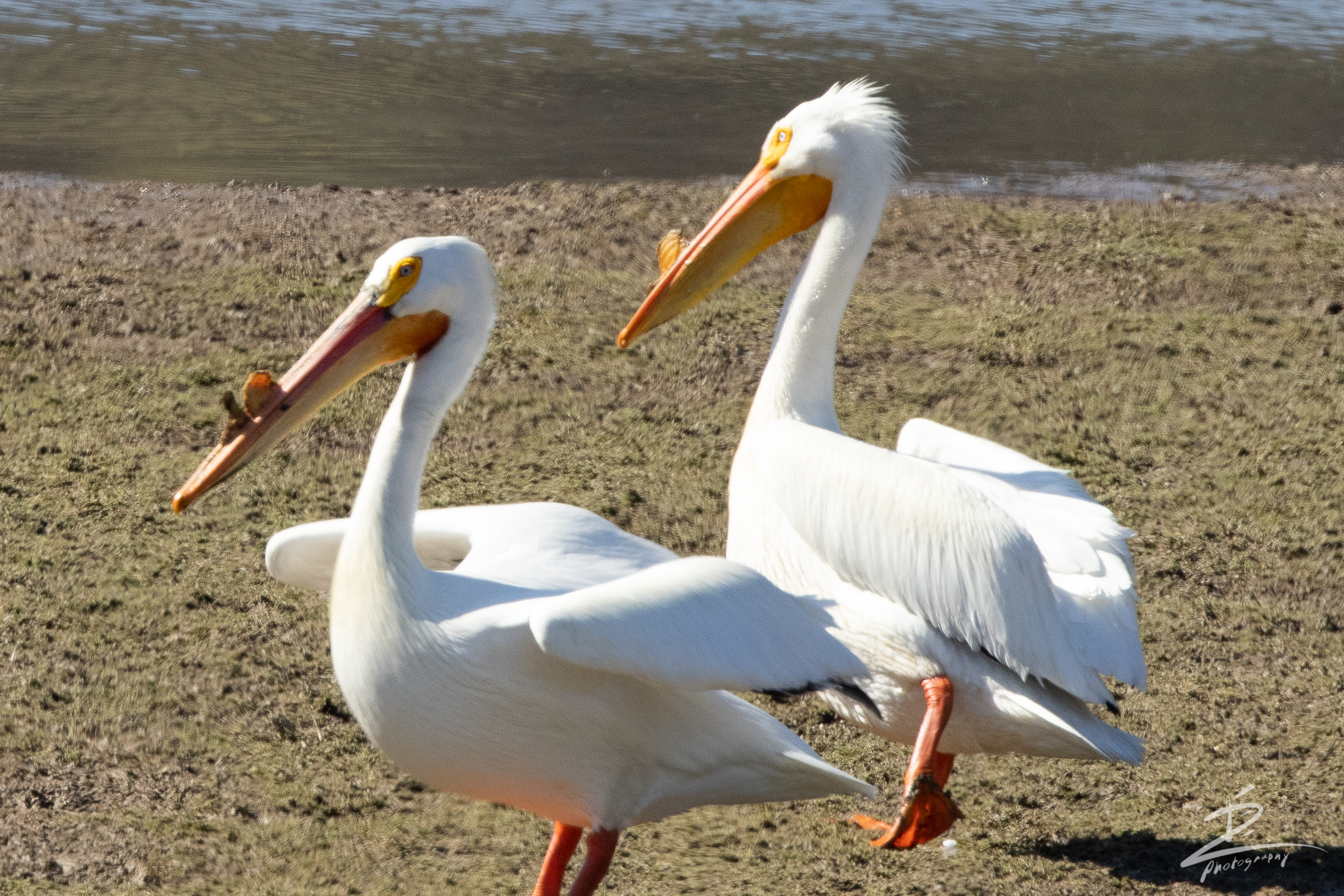
Long story short. Here is a picture I took this morning with the above r5 and rf 100-500 combo. Both have the latest firmware.
The background looks like someone used a smudge tool or the liquify/push tool to push and pull the texture of the background around. I opened this photo in dpp4 and in the latest lightroom. Both programs show the same effect.
I am attaching a small jpg that has only been slightly sharpened to show the effect, but the photo was taken as a cr3. image was taken at iso 800, 500mm, f9.0 1/1600 of a second. IBIS and lens stabilization are on.
Obviously, this is not a great photo, but if it was it would be ruined by the effect taking place. has anyone else had this issue. I could upload the raw file if anyone knows a server that will host such a large file. I assume this site will not.
Any ideas? As of now I am a bit disappointed with the camera lens combo for being such a high-end rig, I was selling my nature kit (nikon D810 and 150-600) to go all canon. I am unsure of that move now. There seem to be a few other issues with the camera that I'm not sure I can live with.
Anyway, let me know if you have any ideas on what is causing this.
Thanks
Dave
19 REPLIES 19

Options
- Mark as New
- Bookmark
- Subscribe
- Mute
- Subscribe to RSS Feed
- Permalink
- Report Inappropriate Content
04-16-2021 09:31 AM
Digital Lighting Optimiser, it is Canon's lens correction. You should be able to tun it on and off in DPP.
Options
- Mark as New
- Bookmark
- Subscribe
- Mute
- Subscribe to RSS Feed
- Permalink
- Report Inappropriate Content
12-10-2021 11:01 AM
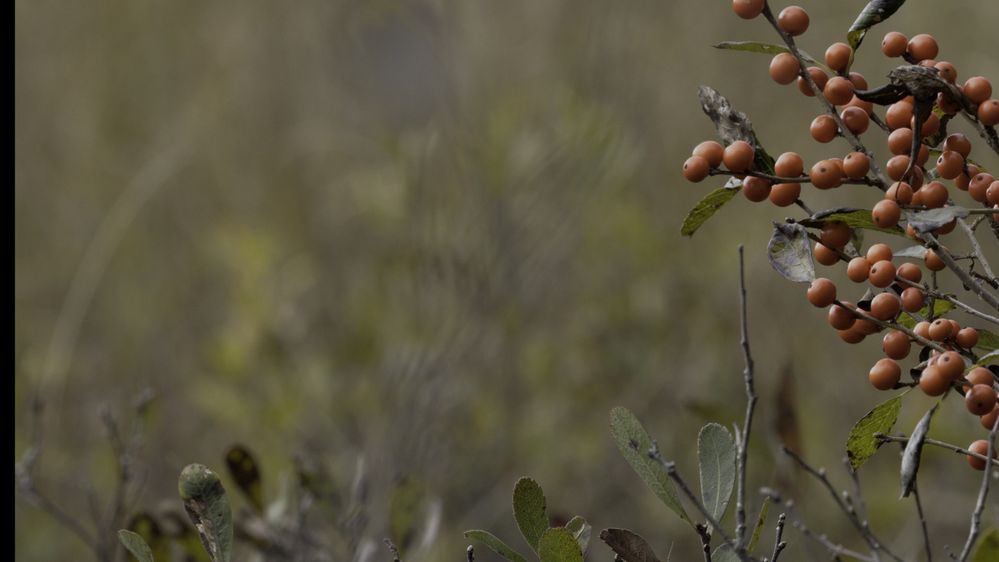
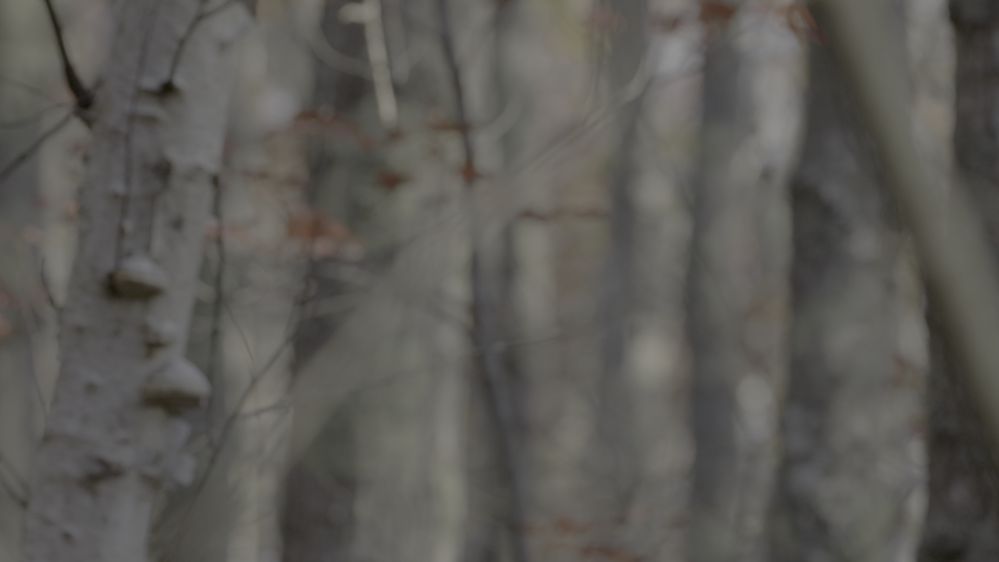
I know this is a bit of an old thread but I have had a similar issue with this lens and combination. Do you think there is a problem in the lens or is this just how it is? Take a look at the branches and Bokeh in these two shots:

Options
- Mark as New
- Bookmark
- Subscribe
- Mute
- Subscribe to RSS Feed
- Permalink
- Report Inappropriate Content
12-10-2021 11:32 AM
How are you post processing?
Options
- Mark as New
- Bookmark
- Subscribe
- Mute
- Subscribe to RSS Feed
- Permalink
- Report Inappropriate Content
12-10-2021 11:43 AM
This is a grab from Davinci resolve. No processing done. Looking over the images it really appears to be only occurring with the 100-500 lens. Thanks for looking.
Options
- Mark as New
- Bookmark
- Subscribe
- Mute
- Subscribe to RSS Feed
- Permalink
- Report Inappropriate Content
12-10-2021 12:37 PM
In other words, have you tried DPP?
Options
- Mark as New
- Bookmark
- Subscribe
- Mute
- Subscribe to RSS Feed
- Permalink
- Report Inappropriate Content
12-10-2021 01:03 PM
I haven't but not sure exactly how that would fix it? And you mean Canon's software right? Thanks.
Options
- Mark as New
- Bookmark
- Subscribe
- Mute
- Subscribe to RSS Feed
- Permalink
- Report Inappropriate Content
12-10-2021 01:29 PM
I don't know, as you see there were never any real resolution to this topic. But Canon should be the best at developing the RAW file.

Options
- Mark as New
- Bookmark
- Subscribe
- Mute
- Subscribe to RSS Feed
- Permalink
- Report Inappropriate Content
04-19-2026 08:06 AM
Did you ever figure this out? I am definitely having the same issue.

Options
- Mark as New
- Bookmark
- Subscribe
- Mute
- Subscribe to RSS Feed
- Permalink
- Report Inappropriate Content
04-19-2026 03:47 PM - edited 04-19-2026 03:47 PM
Take a look on Dpreview and the thread "Weird squiggles in bokeh with R5 & RF 100-500".

Options
- Mark as New
- Bookmark
- Subscribe
- Mute
- Subscribe to RSS Feed
- Permalink
- Report Inappropriate Content
04-19-2026 04:58 PM - edited 04-19-2026 05:03 PM
It appears to be Nisen bokeh (double-line bokeh) which occurs with many lenses, mostly reported with telephotos across most manufacturers. Google it and you can find more information.
It is believed two of the root causes are a result of correction in the spherical aberration as well as environmental components (busy background/foreground with small, bright highlights as well as high contrast). You may also want to Google Resolving Nisen bokeh for some tips and environments that result in Nisen bokeh. I recently had a similar experience photographing in the jungle with high bright skies and wooded backgrounds.
Marc
Windy City
R5 Mk II ~ R6 Mk III ~ R7
Lenses: RF Trinity and others
Adobe and DxO PhotoLab Elite for post processing
Personal Gallery

- « Previous
-
- 1
- 2
- Next »
- « Previous
-
- 1
- 2
- Next »

Announcements
05/13/2026: New firmware updates are available.
EOS R5 Mark II - Version 1.3.0
EOS R6 Mark II - Version 1.7.0
04/28/2026: Service Notice: Caution Concerning use of Lithium Batteries
03/17/2026: New firmware updates are available.
SELPHY CP1500 - Version 1.0.7.0
02/23/2026: New firmware update is available for EOS C50- Version 1.0.3.1
01/23/2026: New firmware update is available for RF 24-105mm F4 IS USM- Version 2.0.7
01/20/2026: New firmware updates are available.
12/22/2025: New firmware update is available for EOS R6 Mark III- Version 1.0.2
10/21/2025: Service Notice: To Users of the Compact Digital Camera PowerShot V1
10/15/2025: New firmware updates are available.
Speedlite EL-5 - Version 1.2.0
Speedlite EL-1 - Version 1.1.0
Speedlite Transmitter ST-E10 - Version 1.2.0
07/28/2025: Notice of Free Repair Service for the Mirrorless Camera EOS R50 (Black)
05/21/2025: New firmware update available for EOS C500 Mark II - Version 1.1.5.1
Related Content
- Digital Photo Professional 4, HDR Compositing Slight Cropping Issue in Camera Software
- EOS 5D: Image capture "QUALITY" settings in EOS DSLR & Mirrorless Cameras
- EOS 77D Duplicates uploading to Photoshop Elements 2022 in EOS DSLR & Mirrorless Cameras
- Bokeh looks like someone doodled over it with the liquify function in photoshop. R5 with rf 100-500 in EOS DSLR & Mirrorless Cameras

Ⓒ 2026
Canon U.S.A Inc. All Rights Reserved. Reproduction in whole or part without permission is prohibited.
