Turn on suggestions
Auto-suggest helps you quickly narrow down your search results by suggesting possible matches as you type.
- Canon Community
- Discussions & Help
- Printer
- Desktop Inkjet Printers
- Re: Did you ever solve this problem?
Options
- Subscribe to RSS Feed
- Mark Topic as New
- Mark Topic as Read
- Float this Topic for Current User
- Bookmark
- Subscribe
- Mute
- Printer Friendly Page
TS9120 Won't print whole page

Options
- Mark as New
- Bookmark
- Subscribe
- Mute
- Subscribe to RSS Feed
- Permalink
- Report Inappropriate Content
12-08-2019 04:49 PM
My TS9120 always leaves the last several lines off of each page. Since I got the printer to print legal documents requiring signatures, this means it is just taking up space in my house. How do I make it useful?
26 REPLIES 26
Options
- Mark as New
- Bookmark
- Subscribe
- Mute
- Subscribe to RSS Feed
- Permalink
- Report Inappropriate Content
01-27-2021 09:43 AM
Hi,
I just registered here to express my deepest frustration with this product.
i spent 3 hours yesterday trying to figure it out iwth my sons printer.
Reading all what ws posted above - it is NOT the drivers, nor anything related to the computers.
Our problems began exactly like other people stated - son tried to do double side printing, it worked fine for a several months, then it started giving him paper jam 1300 error - with that nothing was jammed,just pringting was halted at the middle of the page and page remains in the printer.
so he started doing single side printing only. **bleep** thing started skipping printing random amount of lines at the bottom of the page - it would not matter what paper was used - A4 or letter.
then it would stop printing after first third of the page - making it totally useless. in all scenarios printer would feed in fine, from rear tray or cassette - does not matter, prints, then it stops and just sits there with no ejecting paper. no error is shown, it just sits.
if you power cycle it - it drains ink, then spins out 2 pages of paper - so the feeder was always fine.
i tried yesterday to use an imbedded print function to print default templates - those were also printing bad, skipping bottom of the page.
some other functions - like an attempt to print head alignment would not work at all.
the worst thing is - with all those processes **bleep** thing was invoking heads cleaning in the loop, constantly. we started with a full set of brand new ink, and just from an attempt to print 5 or 6 pages in black in white - the damnthing drained a complete $80 set of color inks.
i beleive the issue is 100% mechanical - it has to be some sensor in there that gets faulty, as the issue has nothing to do with drivers, windows or mac or printing from its own internal menu - it fails in any scenario. it is a hardware issue 100%.
i looked and sniffed all around this thing - i cannot find where that sensor can be. may be it is on the printer head itself, as i did not take that apart yet.
it is very upsettig to see how we all get the same issue with this garnage product and all we get are request to call some hel pdesk line that will start idiotic routine of pressing buttons in order to drain even more ink.
Options
- Mark as New
- Bookmark
- Subscribe
- Mute
- Subscribe to RSS Feed
- Permalink
- Report Inappropriate Content
01-27-2021 09:51 AM
and, again, it is really only started happening after the FIRST fake jam error appeared during double page printing. then it all went downhill and never worked properly again.
i also presumed it was a driver thing initially, but, nope. it is not at all.
i also presumed it was a driver thing initially, but, nope. it is not at all.
Options
- Mark as New
- Bookmark
- Subscribe
- Mute
- Subscribe to RSS Feed
- Permalink
- Report Inappropriate Content
07-08-2021 02:04 PM
Did you ever get this fixed? Mine suddenly started printing only part of a page and sticking like you described, but never had any jam. No way am I paying $20 for a phone support call either. I'll go back to an HP that has always been reliable.
Options
- Mark as New
- Bookmark
- Subscribe
- Mute
- Subscribe to RSS Feed
- Permalink
- Report Inappropriate Content
07-08-2021 02:21 PM - edited 07-08-2021 02:43 PM
hi, yes! i got it fixed in the best way how office space guys did it - i applied a bit of a slugger to it and threw it into garbage.
support for this stuff does not exist, it was a waste of money.
Options
- Mark as New
- Bookmark
- Subscribe
- Mute
- Subscribe to RSS Feed
- Permalink
- Report Inappropriate Content
07-13-2021 01:22 PM
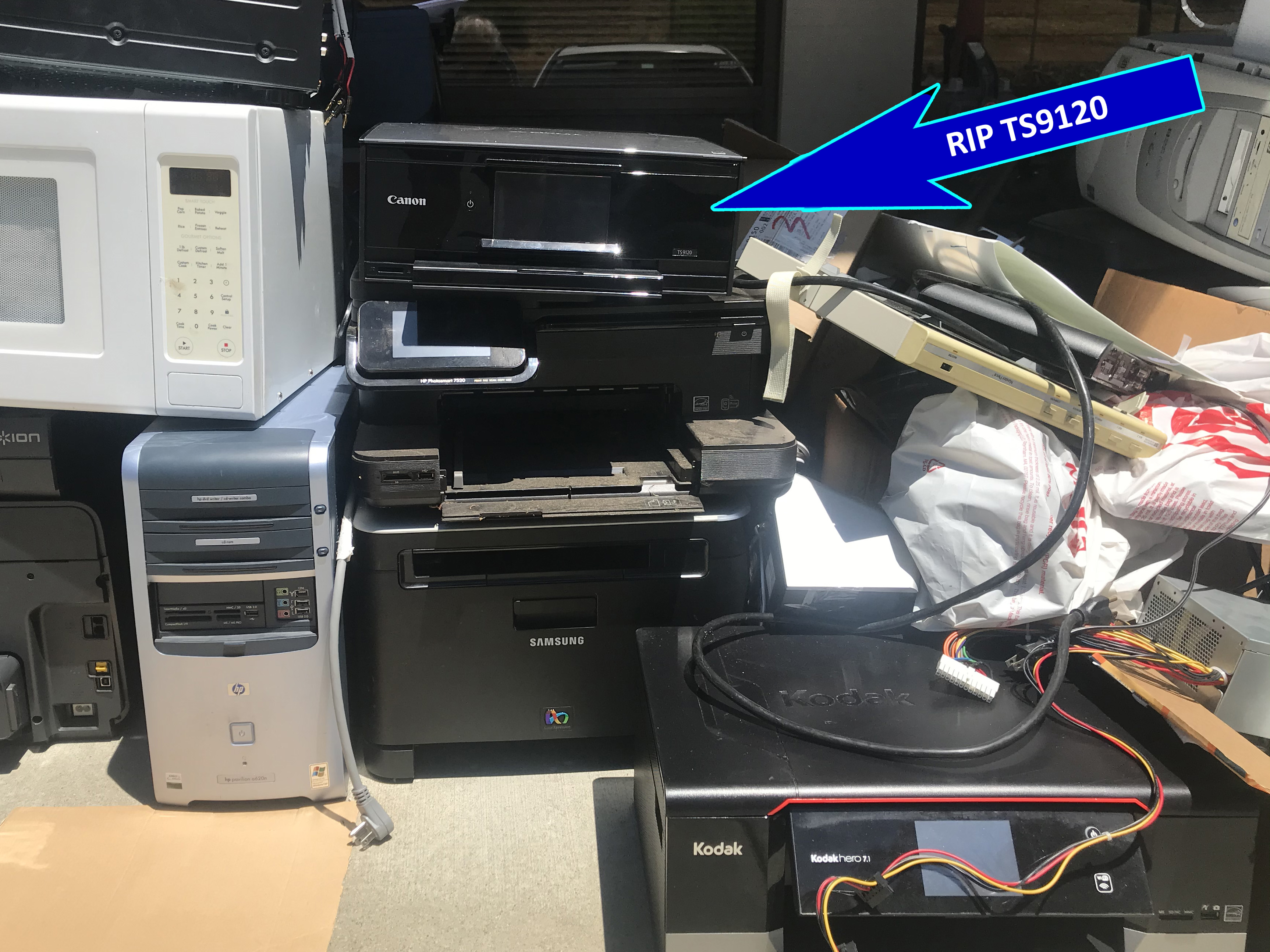
Yes...junked Canon TS9120 and bought Epson ET-7700 EcoTank Printer. Like moving up from a toy to a professional, dependable machine with great quality and exceptional ink savings.
Options
- Mark as New
- Bookmark
- Subscribe
- Mute
- Subscribe to RSS Feed
- Permalink
- Report Inappropriate Content
10-06-2021 09:17 AM - edited 10-06-2021 09:20 AM
I have had my TS9120 for two years and started to get the exact problem after a paper jam a few days ago as other people described in this thread. It never had paper jam before, but since the last couple of months the paper jams have come up. I also spent 4-5 hours trying to figure the issue out but I couldn't. I took out all the parts I could and inspected and cleaned all the rollers and moving parts (large, small, tiny, rubber, plastic, etc.) manually and I couldn't fix the problem.
I did not want to call the support I believed it must be useless. Maybe Canon products are all designed to let you just use for one or two years and then they will make you upgrade. I had to gave up at last and I bought an EPSON ecotank printer ST-4000. I have always had Canon printers before, but this time, I decided to move away from it, and never come back.
I still have a lot of ink cartriges left over and rendered useless...
Options
- Mark as New
- Bookmark
- Subscribe
- Mute
- Subscribe to RSS Feed
- Permalink
- Report Inappropriate Content
10-06-2021 09:25 AM
I had the same conclusion that a half-page 'jam' issue was not mechanical, as i also took whole thing apart and all sensors and rollers seemed to be intact. plus, the printer was of same age - a bit less than an year old.
a botched product.

- « Previous
- Next »
- « Previous
- Next »
Announcements
07/22/2026: New firmware updates are available.
EOS R6 Mark III - Version 1.1.0
05/13/2026: New firmware updates are available.
EOS R5 Mark II - Version 1.3.0
EOS R6 Mark II - Version 1.7.0
04/28/2026: Service Notice: Caution Concerning use of Lithium Batteries
03/17/2026: New firmware updates are available.
SELPHY CP1500 - Version 1.0.7.0
02/23/2026: New firmware update is available for EOS C50- Version 1.0.3.1
01/23/2026: New firmware update is available for RF 24-105mm F4 IS USM- Version 2.0.7
01/20/2026: New firmware updates are available.
10/21/2025: Service Notice: To Users of the Compact Digital Camera PowerShot V1
10/15/2025: New firmware updates are available.
Speedlite EL-5 - Version 1.2.0
Speedlite EL-1 - Version 1.1.0
Speedlite Transmitter ST-E10 - Version 1.2.0
07/28/2025: Notice of Free Repair Service for the Mirrorless Camera EOS R50 (Black)
05/21/2025: New firmware update available for EOS C500 Mark II - Version 1.1.5.1
Related Content
- Which UK-model printer uses the same inks as the PIXMA TS8350a? in Desktop Inkjet Printers
- PIXMA TS3720 not responding in Desktop Inkjet Printers
- Calidad cartridges locking up PIXMA MG3600 series printer and TS3420 in Desktop Inkjet Printers
- PIXMA TS9521Ca-Can't upload most Problematic Receipt to Register AND Scan print white paper as gray in Desktop Inkjet Printers
- Laptop not connecting with PIXMA G3202 in Printer Software & Networking

Ⓒ 2026
Canon U.S.A Inc. All Rights Reserved. Reproduction in whole or part without permission is prohibited.
