09-01-2020 11:26 AM
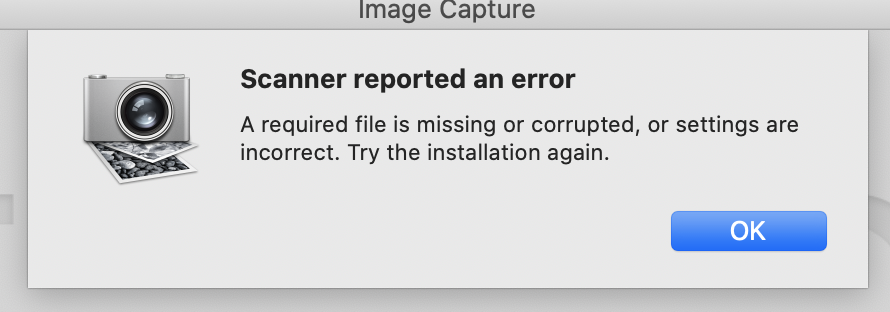
I had been having issues using the scanner wireless so I updated the drivers. It didn't solve the problem so I've been plugged in - but now I am getting the following error. I got the same error a few weeks ago and I downloaded and reinstalled the driver and it worked for a while. So I tried to do the same, only this time the driver won't install. Per the instructions, there should be a set up file - but I can't find it. Not sure what to do. I was able to do this a few weeks ago. Not sure what changed.
Mac OS Catalina.
10-13-2020 09:20 AM
Hi Des1313,
Please download and install the "ICA Driver" from our web site:
Once on that page, please click the Select button and then the Download button to download the scanner driver.
When the download is complete, please open/run it to install the driver.
Once the driver is installed, please click on the lnk below to access the Software page to download and install the "IJ Scan Utility2":
You can use the IJ Scan Utility2 to scan with your PIXMA TS5020. For more information regarding the IJ Scan Utility2, please use the following link from the online manual:
https://ugp01.c-ij.com/ij/webmanual/ScanUtility/M/TS5000%20series/2.0/EN/SU/Top.html

12/18/2025: New firmware updates are available.
11/20/2025: New firmware updates are available.
EOS R5 Mark II - Version 1.2.0
PowerShot G7 X Mark III - Version 1.4.0
PowerShot SX740 HS - Version 1.0.2
10/15/2025: New firmware updates are available.
Speedlite EL-5 - Version 1.2.0
Speedlite EL-1 - Version 1.1.0
Speedlite Transmitter ST-E10 - Version 1.2.0
7/17/2025: New firmware updates are available.
02/20/2025: New firmware updates are available.
RF70-200mm F2.8 L IS USM Z - Version 1.0.6
RF24-105mm F2.8 L IS USM Z - Version 1.0.9
RF100-300mm F2.8 L IS USM - Version 1.0.8
Canon U.S.A Inc. All Rights Reserved. Reproduction in whole or part without permission is prohibited.