12-09-2023 07:43 PM
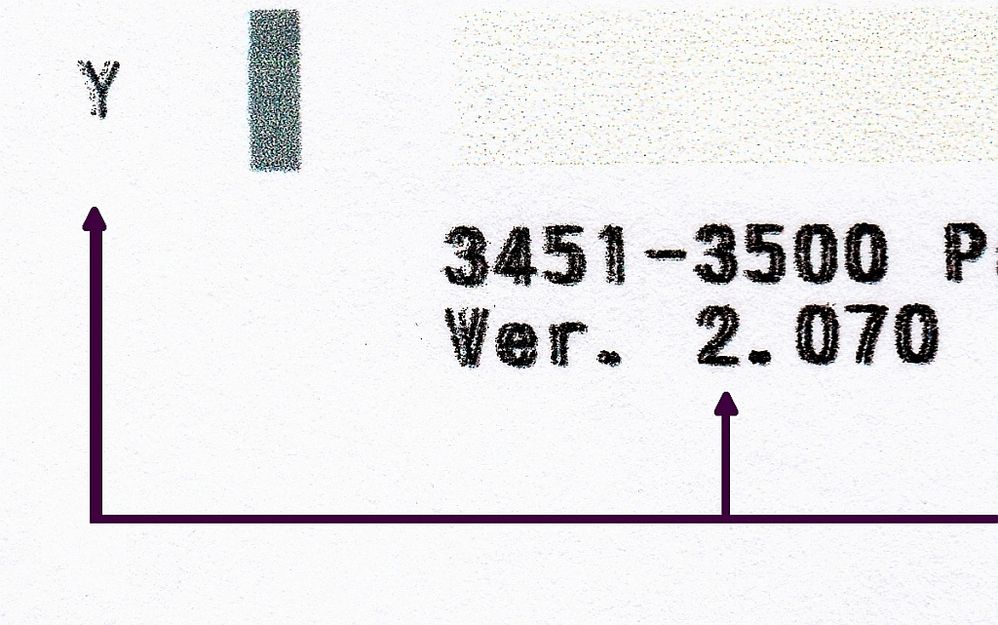
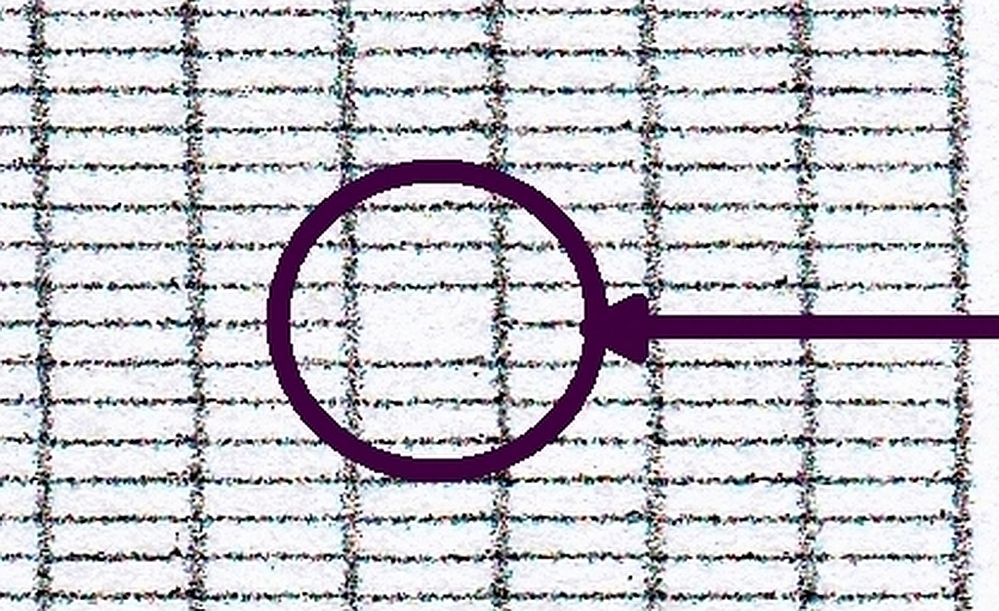
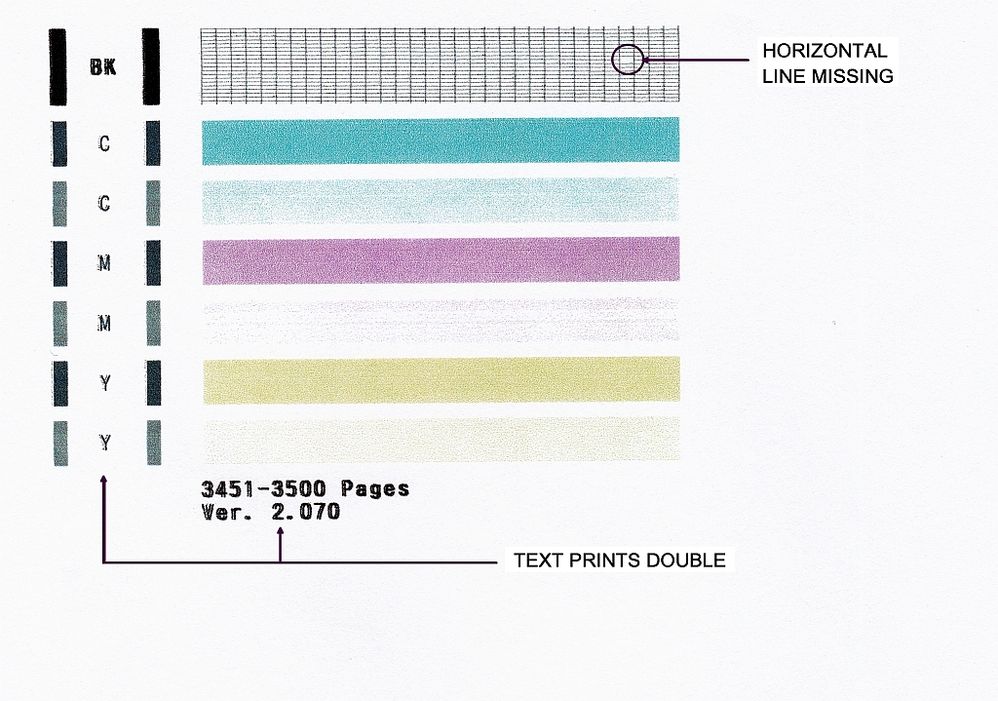
My printer prints double. This is especially noticeable when printing fine details like large circuit diagrams. I've done all the alignments and cleanings with no joy. When I print the nozzle test pattern and then photocopy it, it's okay when I press the Black button, but I get double text when I press the Color button. I also see one horizontal line missing in the grid pattern, but I'm not so worried about that. Below is what I'm talking about with blowups of the areas in question. How can I fix this?
12-13-2023 10:31 AM
Hi Oldyellr,
Blurry / double printing can be caused when the encoder/timing strip inside your PIXMA MG3620 is smudged. Cleaning this will resolve the issue.
To clean the encoder/timing strip, please follow the steps in this Knowledgebase Article:
https://support.usa.canon.com/kb/index?page=content&id=ART162575
12/18/2025: New firmware updates are available.
11/20/2025: New firmware updates are available.
EOS R5 Mark II - Version 1.2.0
PowerShot G7 X Mark III - Version 1.4.0
PowerShot SX740 HS - Version 1.0.2
10/15/2025: New firmware updates are available.
Speedlite EL-5 - Version 1.2.0
Speedlite EL-1 - Version 1.1.0
Speedlite Transmitter ST-E10 - Version 1.2.0
7/17/2025: New firmware updates are available.
02/20/2025: New firmware updates are available.
RF70-200mm F2.8 L IS USM Z - Version 1.0.6
RF24-105mm F2.8 L IS USM Z - Version 1.0.9
RF100-300mm F2.8 L IS USM - Version 1.0.8
Canon U.S.A Inc. All Rights Reserved. Reproduction in whole or part without permission is prohibited.