cancel
Showing results for 
Show  only  | Search instead for 
Did you mean: 

PIXMA TS8120 message "cannot communicate with scanner" using scan utility

pwrichcreek
Enthusiast

1/12/2021 1:08 am PLEASE DO NOT READ OR RESPOND TO THIS UNTIL I'VE HAD A CHANCE TO EDIT IT

Running this program "C:\Program Files (x86)\Canon\IJ Scan Utility\SCANUTILITY.exe" gives the message " "cannot communicate with scanner". I previously had the same problem and it was resolved. The previous post has the same title as this one. Following the same steps that resolved that issue produces the following hopeful-sounding result, but I continue to get the error message.That discussion points to https://sg.canon/en/support/0100881703/2.

Here are the steps and images from that article:

CHECK TO CONNECTION METHOD
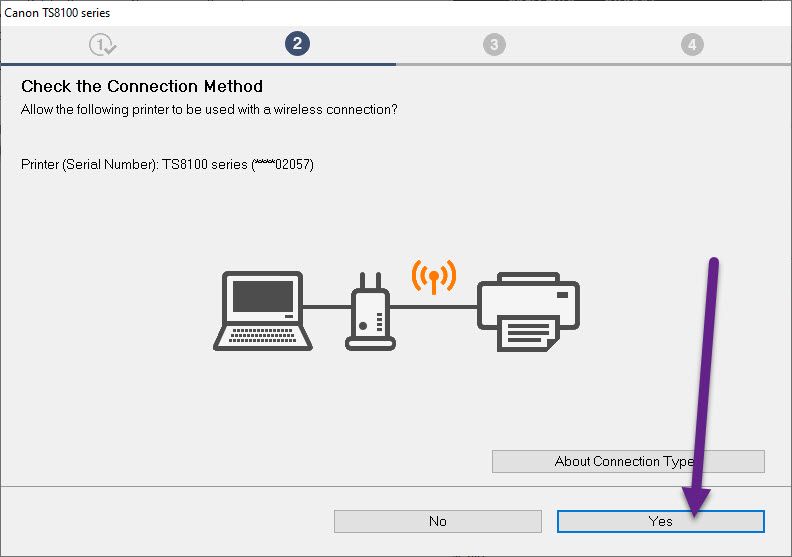
check the connection method.jpg

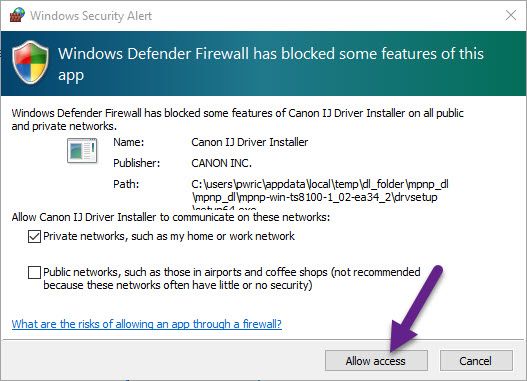
WINDOWS DEFENDER FIREWALL

windows defender firewall blocked....jpg

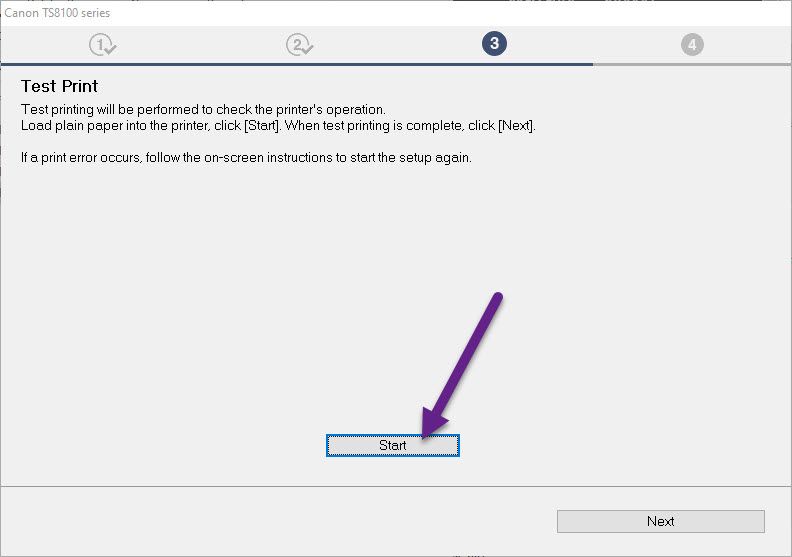
TEST PRINT

test print.jpg

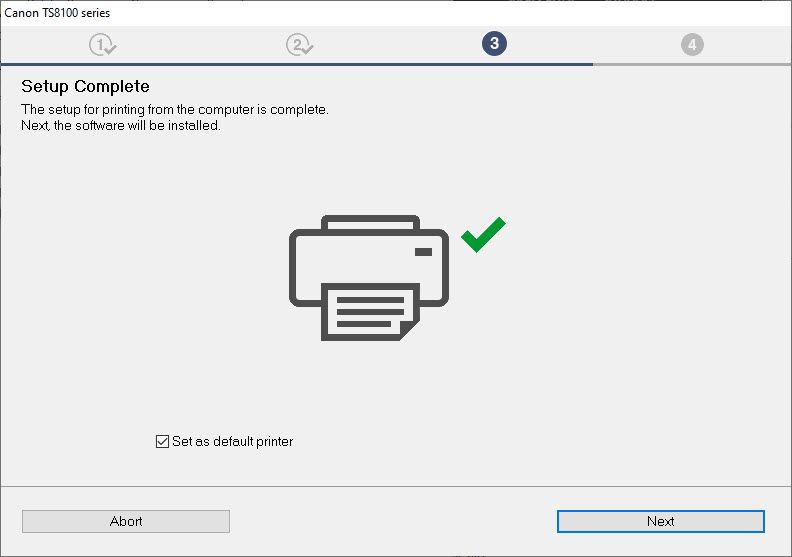
SETUP COMPLETE

setup complete.jpg

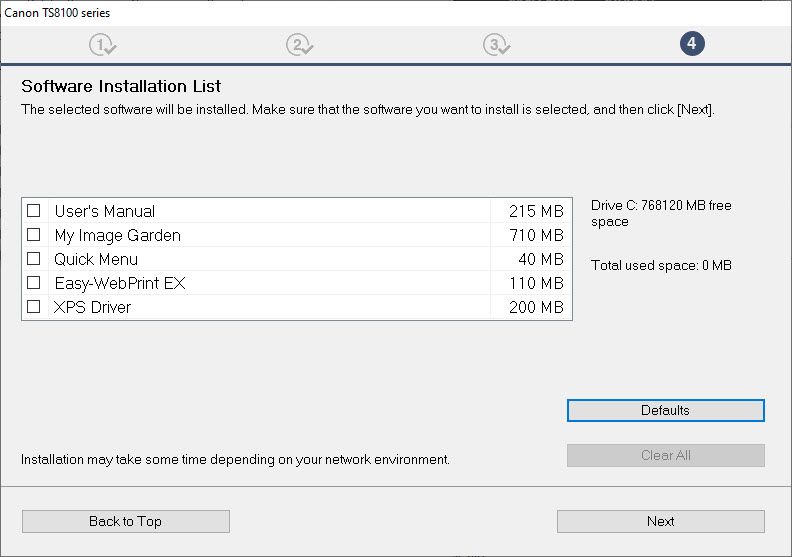
SOFTWARE INSTALLATION LIST

software installation list.jpg

Note that I selected none of these, as far as I can tell they have nothing to do with scanning. Should I have selected one of these? The previous time I also did not select any of these, but it seemed to resolve the issue without any of them.

INSTALLATION COMPLETED SUCCESSFULLY
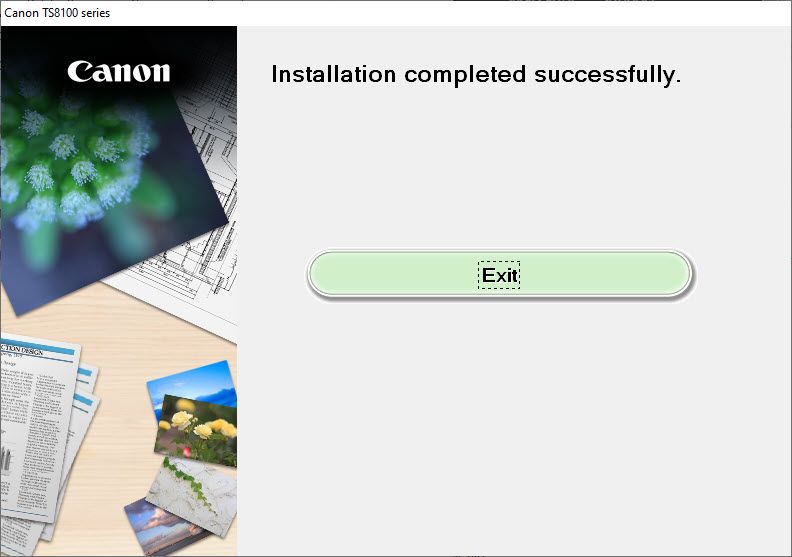
installation completed successfully.jpg

Nowhere was I given the opportunity to download the utility, nor as far as I remember did I need to download a fresh copy of the utility. I searched for a download of the utility and the link end up with the same error.

I did find a program called winfmscanutiity whose description sounded promising. It installs a program called MF Scan Utility. When I run it, it gives the following message:
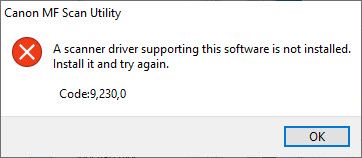
scanner driver...is not installed.jpg

TIA for any suggestions.
SweetTasha.

I'm running Windows 10 with an ancient TS8120 multi-function inkjet printer.

1 REPLY 1

shadowsports
Legend
Legend

Careful..  prefacing a post with don't reply until I edit might never get a response  


Have no idea what package or drivers you did or didn't install.  Nice pictures but in this case, they don't tell us much.  The link you included leads nowhere when clicked.  


The full install package for windows 10 that includes all of the fluffy stuff you will likely never use or need is here:


https://pdisp01.c-wss.com/gdl/WWUFORedirectTarget.do?id=MDEwMDAwODgxNzAy&cmp=ABR&lang=EN


This package contains the printer and scanner driver only:


https://pdisp01.c-wss.com/gdl/WWUFORedirectTarget.do?id=MDEwMDAwODgxODAz&cmp=ABR&lang=EN


I would suggest starting over.  Remove the printer from your system, and uninstall any (all) canon software.  Restart (important) and run one of the above installation packages.

~Rick
Bay Area - CA


~R5 C (1.0.9.1), ~R50v (1.1.1) ~RF Trinity, ~RF 100 Macro, ~RF 100~400, ~RF 100~500, ~RF 200-800 +RF 1.4x TC, BG-R10, 430EX III-RT ~DxO PhotoLab Elite ~DaVinci Resolve Studio ~ImageClass MF644Cdw/MF656Cdw ~Pixel 8 ~CarePaks Are Worth It

Holiday
Announcements

12/18/2025: New firmware updates are available.

EOS C400 - Version 1.0.4.1

EOS C80 - Version 1.0.4.1

XF605 - Version 1.0.7.1


12/15/2025: New firmware update available for EOS C50 - Version 1.0.1.1

11/20/2025: New firmware updates are available.

EOS R6 Mark III - Version 1.0.1

EOS R3 - Version 2.0.0

EOS R1 - Version 1.2.0

EOS R5 Mark II - Version 1.2.0

EOS R5 - Version 2.2.1

PowerShot G7 X Mark III - Version 1.4.0

PowerShot SX740 HS - Version 1.0.2


10/21/2025: Service Notice: To Users of the Compact Digital Camera PowerShot V1

10/15/2025: New firmware updates are available.

Speedlite EL-5 - Version 1.2.0

Speedlite EL-1 - Version 1.1.0

Speedlite Transmitter ST-E10 - Version 1.2.0


07/28/2025: Notice of Free Repair Service for the Mirrorless Camera EOS R50 (Black)

7/17/2025: New firmware updates are available.

EOS R7 - Version 1.7.1

EOS R10 - Version 1.7.0

EOS R8 - Version 1.5.0

EOS R50 - Version 1.4.0

Powershot V10 - Version 1.4.0

Powershot V1 - Version 1.1.0

EOS R50V - Version 1.1.1


05/21/2025: New firmware update available for EOS C500 Mark II - Version 1.1.5.1

02/20/2025: New firmware updates are available.

RF70-200mm F2.8 L IS USM Z - Version 1.0.6

RF24-105mm F2.8 L IS USM Z - Version 1.0.9

RF100-300mm F2.8 L IS USM - Version 1.0.8

RF50mm F1.4 L VCM - Version 1.0.2

RF24mm F1.4 L VCM - Version 1.0.3


01/22/2024: Canon Supports Disaster Relief Efforts in California
01/14/2025: Steps to resolve still image problem when using certain SanDisk SD cards with the Canon EOS R5 Mark II