Turn on suggestions
Auto-suggest helps you quickly narrow down your search results by suggesting possible matches as you type.
- Canon Community
- Discussions & Help
- Camera
- Camera Software
- Is EOS Utility 3 Liveview broken?
Options
- Subscribe to RSS Feed
- Mark Topic as New
- Mark Topic as Read
- Float this Topic for Current User
- Bookmark
- Subscribe
- Mute
- Printer Friendly Page

Options
- Mark as New
- Bookmark
- Subscribe
- Mute
- Subscribe to RSS Feed
- Permalink
- Report Inappropriate Content
03-22-2024 02:47 PM - edited 03-22-2024 02:51 PM
Like many other threads on here, I was using Liveview in EOS Utility 3 on Mac with no problems up to Sonoma. But since Sonoma released, I have experienced intermittent problems getting EU3 to see my M50 mk.II connected via Elgato CamLink. However, if I restarted the camera or the software or the computer enough, it would eventually connect. Now, it seems like the most recent Sonoma update 14.4 has broken all the workarounds from achieving a connection.
No matter how many times I restart the software, the camera, or the computer, EU3 does not see my camera connected. I've tried quitting every app and disabling all the startup items, restarting multiple times to no avail. I implemented the legacy video adjustment months ago.
Similar to other threads I've read, a video feed is actually detected by Zoom, Facetime, Photo Booth, etc. All I really want EU3 for is Liveview so I can make exposure adjustments via ISO on the fly when I use my camera as a webcam. I've even tried downloading a free trial to DSLR Assistant, but it doesn't detect the camera either. And I'm not blowing $150 to see if Kuuvik Capture works.
Piecing together information from multiple threads on this forum and around the internet, I get the feeling we're all waiting on Canon to produce a EU3 update that is compatible with Sonoma.
I guess what I'm asking is has anyone else found a workaround that gets Liveview to work on Sonoma 14.4? Or am I out of luck until a Canon releases update, which is already several months overdue?
Alternatively, is there another way to adjust ISO hands-free while connected to a Mac and streaming? It doesn't seem like I can connect to my camera with the Canon iPhone app when it's connected to a computer and in video mode.
Solved! Go to Solution.
1 ACCEPTED SOLUTION
Accepted Solutions
Options
- Mark as New
- Bookmark
- Subscribe
- Mute
- Subscribe to RSS Feed
- Permalink
- Report Inappropriate Content
03-22-2024 06:22 PM
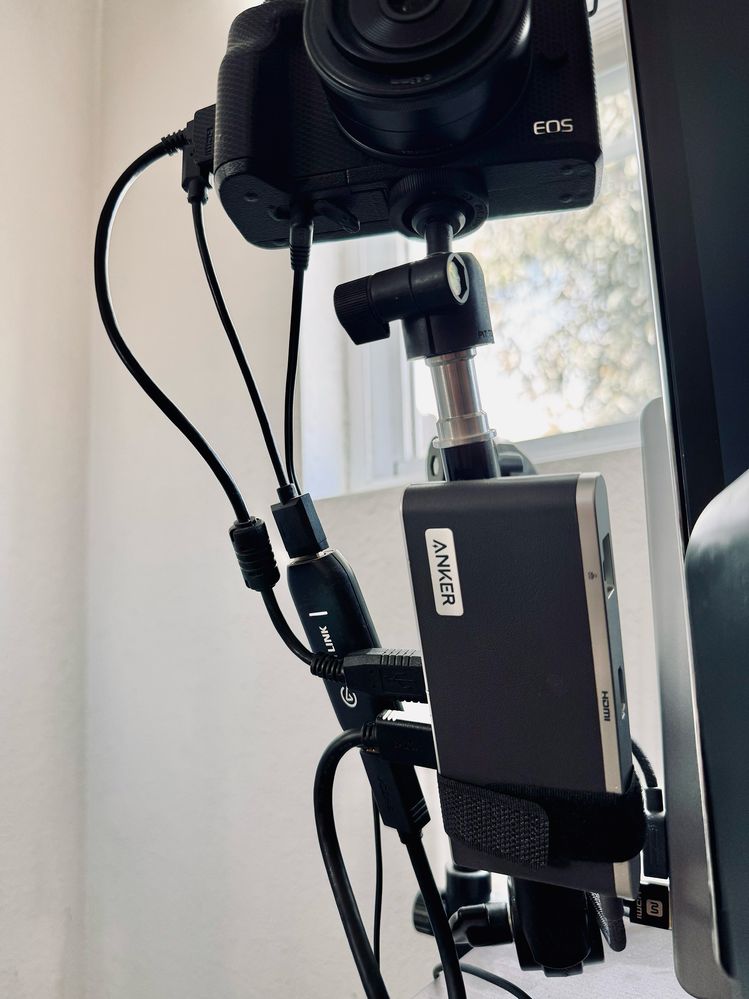
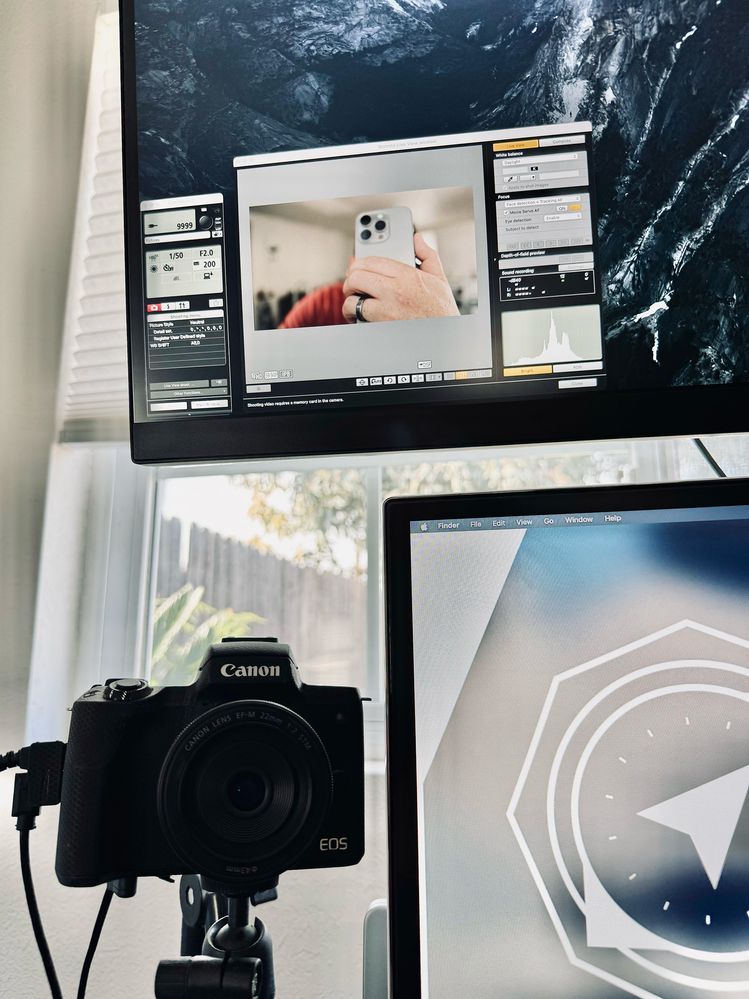
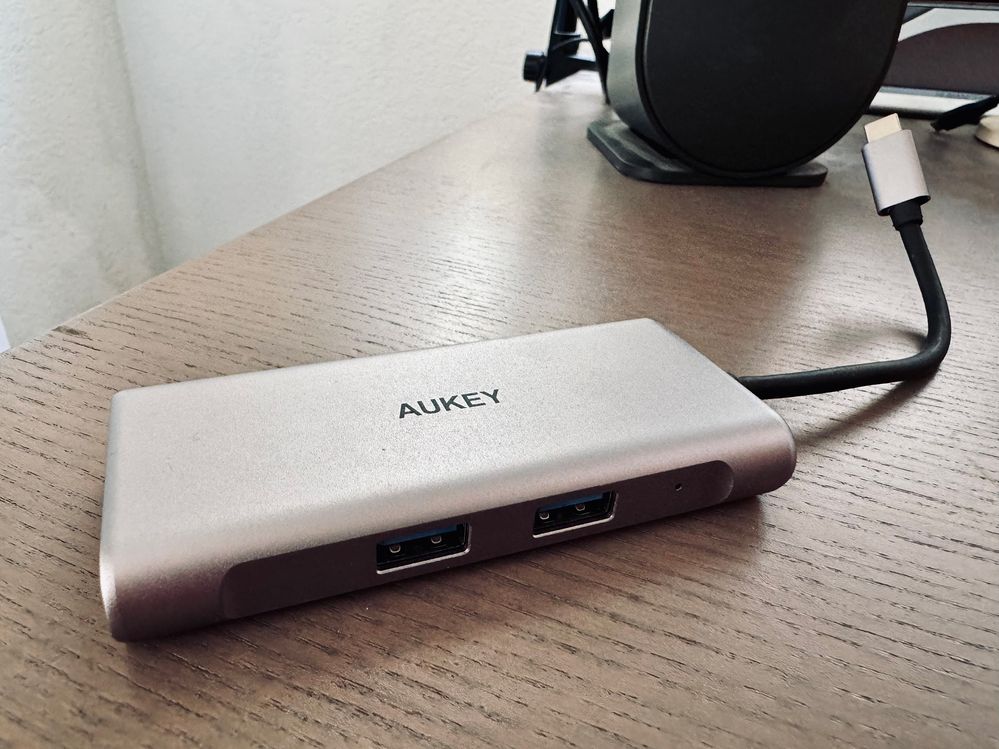
Thanks for your reply, John! Seeing as you're able to use Live View, it got me thinking about my dongle/hub situation. I've been using an Aukey one that I believe my job provided that had worked fine in this setup before. I happen to have an Anker one laying around, so I tried that, and wouldn't you know it, Live View worked.
It figures — every one of these hubs/dongles seems to behave differently under different conditions.
2 REPLIES 2


Options
- Mark as New
- Bookmark
- Subscribe
- Mute
- Subscribe to RSS Feed
- Permalink
- Report Inappropriate Content
03-22-2024 05:18 PM
@hapa17 wrote:Like many other threads on here, I was using Liveview in EOS Utility 3 on Mac with no problems up to Sonoma. But since Sonoma released, I have experienced intermittent problems getting EU3 to see my M50 mk.II connected via Elgato CamLink. However, if I restarted the camera or the software or the computer enough, it would eventually connect. Now, it seems like the most recent Sonoma update 14.4 has broken all the workarounds from achieving a connection.
No matter how many times I restart the software, the camera, or the computer, EU3 does not see my camera connected. I've tried quitting every app and disabling all the startup items, restarting multiple times to no avail. I implemented the legacy video adjustment months ago.
Similar to other threads I've read, a video feed is actually detected by Zoom, Facetime, Photo Booth, etc. All I really want EU3 for is Liveview so I can make exposure adjustments via ISO on the fly when I use my camera as a webcam. I've even tried downloading a free trial to DSLR Assistant, but it doesn't detect the camera either. And I'm not blowing $150 to see if Kuuvik Capture works.
Piecing together information from multiple threads on this forum and around the internet, I get the feeling we're all waiting on Canon to produce a EU3 update that is compatible with Sonoma.
I guess what I'm asking is has anyone else found a workaround that gets Liveview to work on Sonoma 14.4? Or am I out of luck until a Canon releases update, which is already several months overdue?
Alternatively, is there another way to adjust ISO hands-free while connected to a Mac and streaming? It doesn't seem like I can connect to my camera with the Canon iPhone app when it's connected to a computer and in video mode.
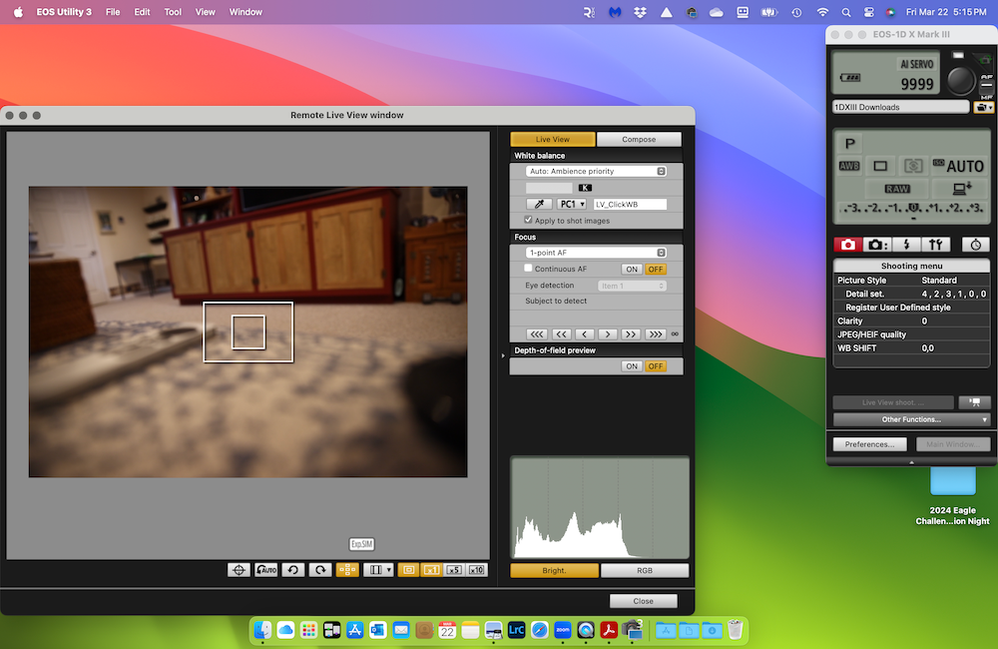
Live View works with EOSU3 and macOS 14.4. But I am not using auxiliary software, just EOSU3.
John Hoffman
Conway, NH
R6 Mark III, M200 (converted to infrared), RF lenses, Pixma PRO-100, Pixma TR8620a, Lr Classic
Conway, NH
R6 Mark III, M200 (converted to infrared), RF lenses, Pixma PRO-100, Pixma TR8620a, Lr Classic
Options
- Mark as New
- Bookmark
- Subscribe
- Mute
- Subscribe to RSS Feed
- Permalink
- Report Inappropriate Content
03-22-2024 06:22 PM
Thanks for your reply, John! Seeing as you're able to use Live View, it got me thinking about my dongle/hub situation. I've been using an Aukey one that I believe my job provided that had worked fine in this setup before. I happen to have an Anker one laying around, so I tried that, and wouldn't you know it, Live View worked.
It figures — every one of these hubs/dongles seems to behave differently under different conditions.

Announcements
07/22/2026: New firmware updates are available.
EOS R6 Mark III - Version 1.1.0
05/13/2026: New firmware updates are available.
EOS R5 Mark II - Version 1.3.0
EOS R6 Mark II - Version 1.7.0
04/28/2026: Service Notice: Caution Concerning use of Lithium Batteries
03/17/2026: New firmware updates are available.
SELPHY CP1500 - Version 1.0.7.0
02/23/2026: New firmware update is available for EOS C50- Version 1.0.3.1
01/23/2026: New firmware update is available for RF 24-105mm F4 IS USM- Version 2.0.7
01/20/2026: New firmware updates are available.
10/21/2025: Service Notice: To Users of the Compact Digital Camera PowerShot V1
10/15/2025: New firmware updates are available.
Speedlite EL-5 - Version 1.2.0
Speedlite EL-1 - Version 1.1.0
Speedlite Transmitter ST-E10 - Version 1.2.0
07/28/2025: Notice of Free Repair Service for the Mirrorless Camera EOS R50 (Black)
05/21/2025: New firmware update available for EOS C500 Mark II - Version 1.1.5.1
Related Content
- What is going on with the EOS Rebel T8i software in Camera Software
- EOS Utility not working after upgrade to macOS Sonoma 14.5 in Camera Software
- After Sonoma 14.4 update EOS Utility now doesn't work at all with R5 in Camera Software
- EOS 5DSR - problems with EOS utility 3. Can't fire flash AND have live view on at the same time. in EOS DSLR & Mirrorless Cameras

Ⓒ 2026
Canon U.S.A Inc. All Rights Reserved. Reproduction in whole or part without permission is prohibited.
