Turn on suggestions
Auto-suggest helps you quickly narrow down your search results by suggesting possible matches as you type.
- Canon Community
- Discussions & Help
- Camera
- Camera Software
- Editing with PSE 2021
Options
- Subscribe to RSS Feed
- Mark Topic as New
- Mark Topic as Read
- Float this Topic for Current User
- Bookmark
- Subscribe
- Mute
- Printer Friendly Page
Editing with PSE 2021


Options
- Mark as New
- Bookmark
- Subscribe
- Mute
- Subscribe to RSS Feed
- Permalink
- Report Inappropriate Content
09-11-2021 10:36 AM
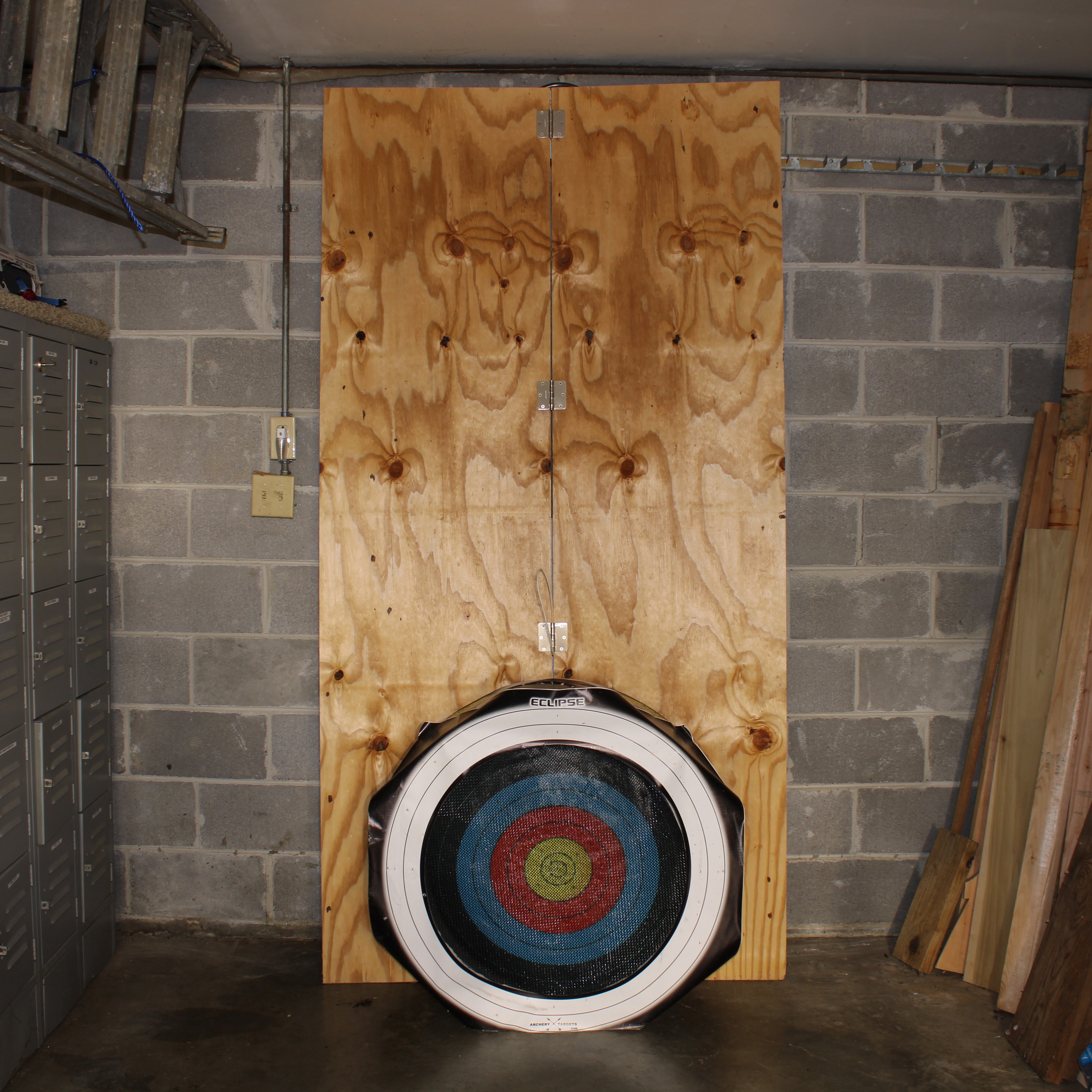
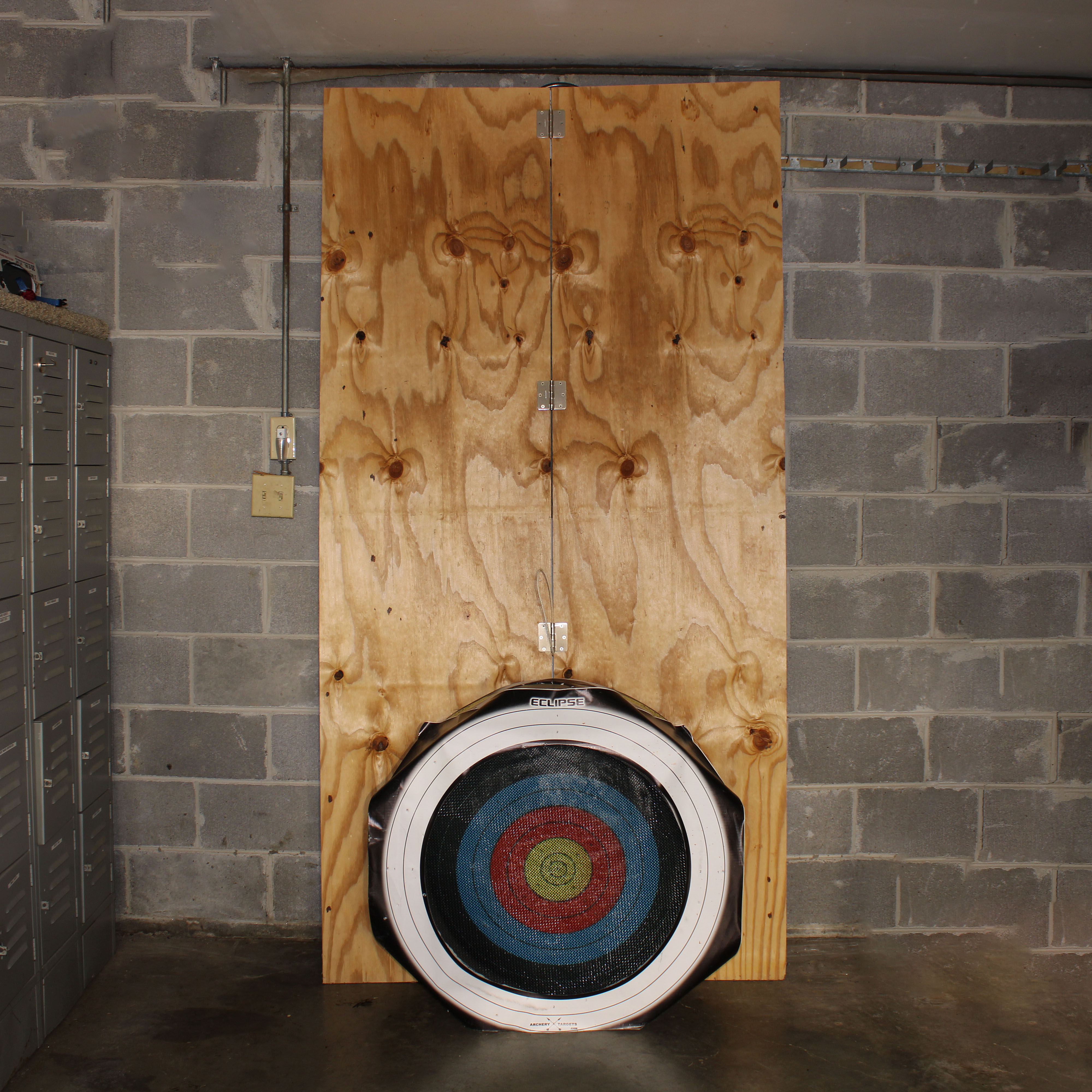
Been playing around with PSE on Quick edit. I needed to delete some things in a photo so I got into the PSE for Dummies and went to guided edit. Played around with this and actually deleted some things in the photo. Will try to attach a before and after photo for your critique. I'm sure that there might be some things I can do further to enhance the edited photo. Also figured out how to take an edited RAW photo and convert to JPEG.
Thanks to all for your help!
John
Canon EOS T7; EF-S 18-55mm IS; EF 28-135mm IS; EF 75-300mm; Sigma 150-600mm DG
Canon EOS T7; EF-S 18-55mm IS; EF 28-135mm IS; EF 75-300mm; Sigma 150-600mm DG
8 REPLIES 8

Options
- Mark as New
- Bookmark
- Subscribe
- Mute
- Subscribe to RSS Feed
- Permalink
- Report Inappropriate Content
09-11-2021 11:30 AM
Check out this YouTube channel, Photoshop Training Channel. It is geared towards full blown PS, though.
https://youtube.com/c/Photoshoptrainingchannel
--------------------------------------------------------
"Enjoying photography since 1972."
"Enjoying photography since 1972."
Options
- Mark as New
- Bookmark
- Subscribe
- Mute
- Subscribe to RSS Feed
- Permalink
- Report Inappropriate Content
09-11-2021 11:49 AM
Been looking at it but it's hard to follow them to see what they're clilcking on. Print is very tiny. Have to go back and "rewind."
John
Canon EOS T7; EF-S 18-55mm IS; EF 28-135mm IS; EF 75-300mm; Sigma 150-600mm DG
Canon EOS T7; EF-S 18-55mm IS; EF 28-135mm IS; EF 75-300mm; Sigma 150-600mm DG
Options
- Mark as New
- Bookmark
- Subscribe
- Mute
- Subscribe to RSS Feed
- Permalink
- Report Inappropriate Content
09-11-2021 02:14 PM
BTW, it was one of the videos plus the book that gave me direction to edit the original photo.
John
Canon EOS T7; EF-S 18-55mm IS; EF 28-135mm IS; EF 75-300mm; Sigma 150-600mm DG
Canon EOS T7; EF-S 18-55mm IS; EF 28-135mm IS; EF 75-300mm; Sigma 150-600mm DG

Options
- Mark as New
- Bookmark
- Subscribe
- Mute
- Subscribe to RSS Feed
- Permalink
- Report Inappropriate Content
09-11-2021 06:59 PM
If you are using PSE look into the software called Elements+
John Hoffman
Conway, NH
R6 Mark III, M200 (converted to infrared), RF lenses, Pixma PRO-100, Pixma TR8620a, Lr Classic
Conway, NH
R6 Mark III, M200 (converted to infrared), RF lenses, Pixma PRO-100, Pixma TR8620a, Lr Classic

Options
- Mark as New
- Bookmark
- Subscribe
- Mute
- Subscribe to RSS Feed
- Permalink
- Report Inappropriate Content
09-12-2021 10:24 AM
I like the Adobe Photoshop Classroom in a book for PhotoShop Elements 2021 by Jeff Carlson.
It comes with example photos to work with.
Options
- Mark as New
- Bookmark
- Subscribe
- Mute
- Subscribe to RSS Feed
- Permalink
- Report Inappropriate Content
09-12-2021 11:20 AM
@Tintype_18 wrote:Been playing around with PSE on Quick edit. I needed to delete some things in a photo so I got into the PSE for Dummies and went to guided edit. Played around with this and actually deleted some things in the photo. Will try to attach a before and after photo for your critique. I'm sure that there might be some things I can do further to enhance the edited photo. Also figured out how to take an edited RAW photo and convert to JPEG.
Thanks to all for your help!
Pretty good work. Kudos.
When I do this type of stuff, I do it on a duplicate layer, and use a layer mask. Putting it on a separate layer allows me the flexibility to control the exposure of the re-sampled images that I use to hide/remove stufffrom the original shot.
--------------------------------------------------------
"Enjoying photography since 1972."
"Enjoying photography since 1972."
Options
- Mark as New
- Bookmark
- Subscribe
- Mute
- Subscribe to RSS Feed
- Permalink
- Report Inappropriate Content
09-13-2021 08:24 AM
Waddizzle, thanks. Felt good about my first edit. Sending them off today and letting the editor pick.
I have PS Elements 2021 and the book on it by Barbara Obermeier and Ted Padova.
John
John
Canon EOS T7; EF-S 18-55mm IS; EF 28-135mm IS; EF 75-300mm; Sigma 150-600mm DG
Canon EOS T7; EF-S 18-55mm IS; EF 28-135mm IS; EF 75-300mm; Sigma 150-600mm DG
Options
- Mark as New
- Bookmark
- Subscribe
- Mute
- Subscribe to RSS Feed
- Permalink
- Report Inappropriate Content
09-14-2021 05:39 PM
Correction- I used Guided Edit for this editing session. Quick Edit, as you all know, is very limited in scope. So much to learn!
John
Canon EOS T7; EF-S 18-55mm IS; EF 28-135mm IS; EF 75-300mm; Sigma 150-600mm DG
Canon EOS T7; EF-S 18-55mm IS; EF 28-135mm IS; EF 75-300mm; Sigma 150-600mm DG


Announcements
07/22/2026: New firmware updates are available.
EOS R6 Mark III - Version 1.1.0
05/13/2026: New firmware updates are available.
EOS R5 Mark II - Version 1.3.0
EOS R6 Mark II - Version 1.7.0
04/28/2026: Service Notice: Caution Concerning use of Lithium Batteries
03/17/2026: New firmware updates are available.
SELPHY CP1500 - Version 1.0.7.0
02/23/2026: New firmware update is available for EOS C50- Version 1.0.3.1
01/23/2026: New firmware update is available for RF 24-105mm F4 IS USM- Version 2.0.7
01/20/2026: New firmware updates are available.
10/21/2025: Service Notice: To Users of the Compact Digital Camera PowerShot V1
10/15/2025: New firmware updates are available.
Speedlite EL-5 - Version 1.2.0
Speedlite EL-1 - Version 1.1.0
Speedlite Transmitter ST-E10 - Version 1.2.0
07/28/2025: Notice of Free Repair Service for the Mirrorless Camera EOS R50 (Black)
05/21/2025: New firmware update available for EOS C500 Mark II - Version 1.1.5.1
Related Content
- EOS R5 Mark II How and Why to Use Picture Style settings and In-Camera Sharpening in EOS DSLR & Mirrorless Cameras
- Struggling with HDR: Edit highlights and shadows in RAW image before merging in DPP4? in Camera Software
- EOS 90D set to CRAW, photos indicate they're taken as JPG in EOS DSLR & Mirrorless Cameras
- EOS R6 Mark II Do you need exposure compensation if you'll be editing the photo? in EOS DSLR & Mirrorless Cameras
- EOS VR Utility How to stitch footage for editing in Camera Software

Ⓒ 2026
Canon U.S.A Inc. All Rights Reserved. Reproduction in whole or part without permission is prohibited.
