Turn on suggestions
Auto-suggest helps you quickly narrow down your search results by suggesting possible matches as you type.
- Canon Community
- Discussions & Help
- Camera
- Camera Software
- Re: EOS Utility for EOS R7 with MacOS Monterery 12...
Options
- Subscribe to RSS Feed
- Mark Topic as New
- Mark Topic as Read
- Float this Topic for Current User
- Bookmark
- Subscribe
- Mute
- Printer Friendly Page
EOS Utility for EOS R7 with MacOS Monterery 12.6

Options
- Mark as New
- Bookmark
- Subscribe
- Mute
- Subscribe to RSS Feed
- Permalink
- Report Inappropriate Content
04-11-2023 02:56 PM
I downloaded the EOS Utility software for MacOS. I could not specifically find the OS Monterery 12.6, just Monterery 12. When I double-click on the EU3.16 Installer it extracts files, but then nothing. There are no files and no installation page. I downloaded the EOS Utility software for Windows 11 on a laptop and the installer worked without a problem.
Does the EOS Utility software not work for Monterery 12.6? If it does, what am I doing wrong?
3 REPLIES 3


Options
- Mark as New
- Bookmark
- Subscribe
- Mute
- Subscribe to RSS Feed
- Permalink
- Report Inappropriate Content
04-14-2023 09:15 PM
Hi lederati1459,
On our website the operating systems are listed by the main number, so the OS 12 version is the correct one to download for your computer. The software listed has been updated for OS Monterey 12.6. When you download the file you should be able to open it and the installer would be inside.
Since you are not seeing the installer there are a couple of things to try. The first is to try downloading the file using a different web browser. Sometimes computers will open a file downloaded from one web browser and not another. If you need a link back to where the software is available that is HERE. Once you are on the web page click on the Software & Drivers button and the current version is EOS Utility 3.16.11 for macOS.
If the file still isn't opening another thing to try would be to open Finder on your computer, set it to either Column or List view, navigate to the downloaded file, and try opening it in Finder. When it opens the installer should be listed to the side or below the folder.
Options
- Mark as New
- Bookmark
- Subscribe
- Mute
- Subscribe to RSS Feed
- Permalink
- Report Inappropriate Content
04-19-2023 12:56 PM
Thank you, but the EOS Utility 3.16.11 installer will still not open. I viewed the package contents of the installer and I did not see any exe file. Below are screenshots of the intaller package contents.
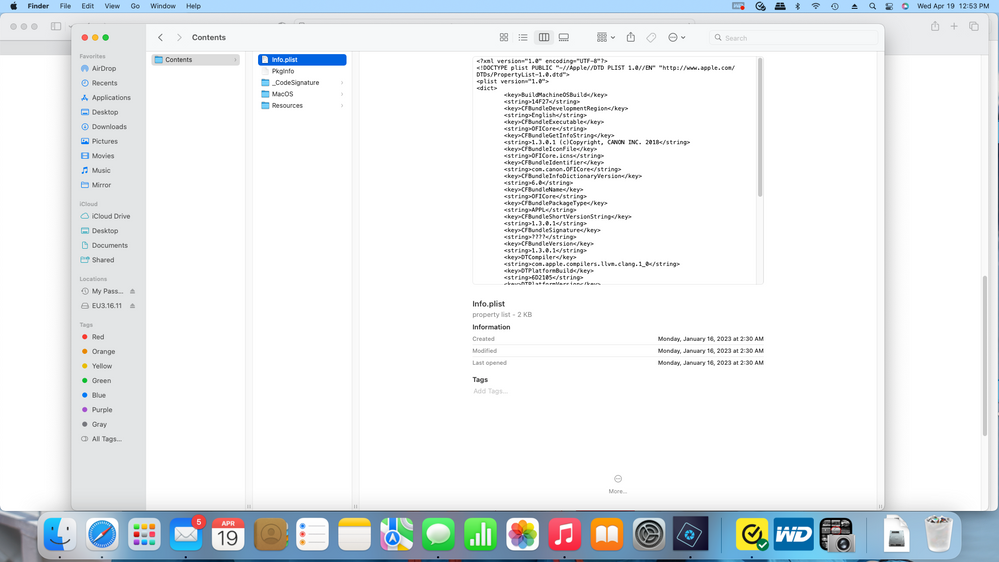
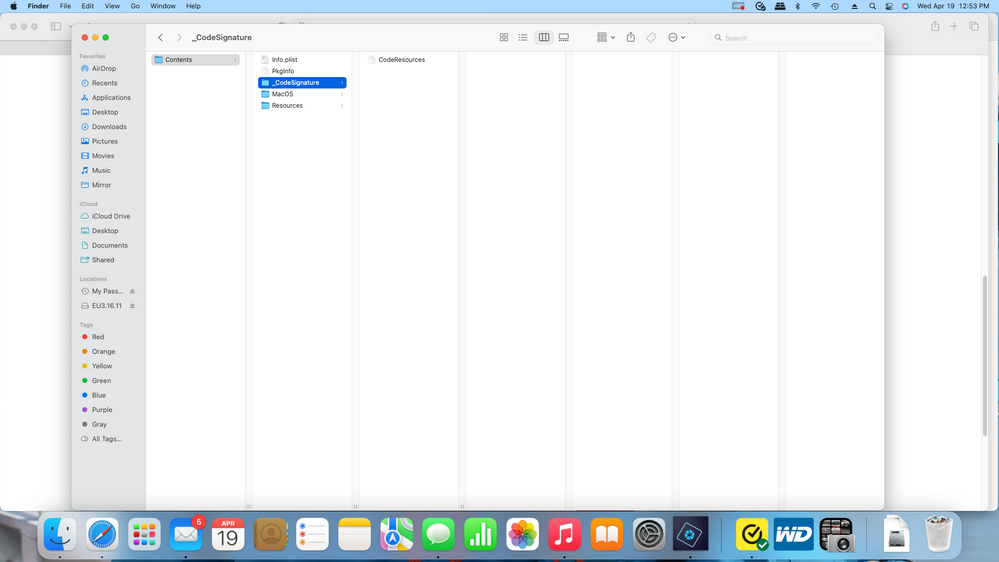
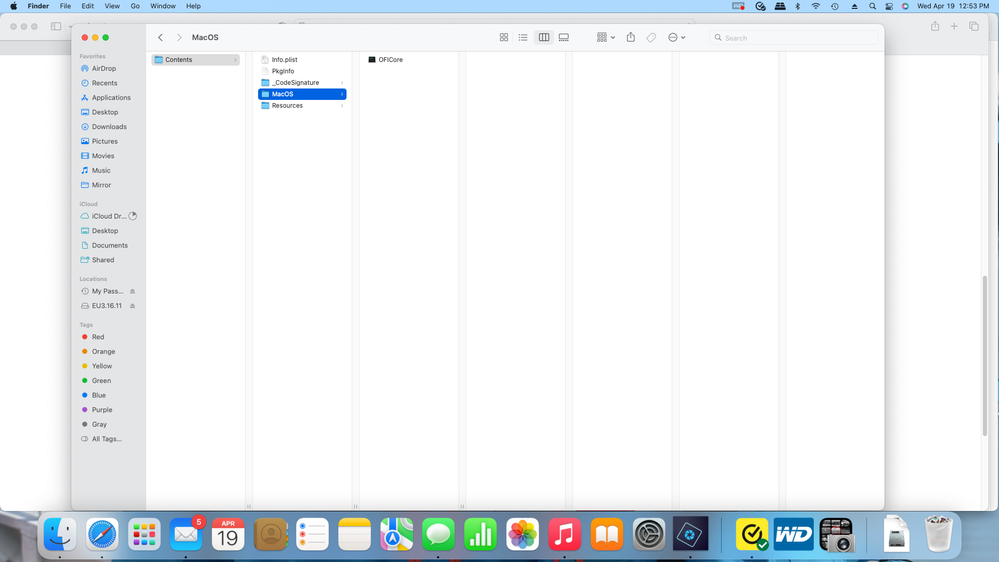


Options
- Mark as New
- Bookmark
- Subscribe
- Mute
- Subscribe to RSS Feed
- Permalink
- Report Inappropriate Content
04-19-2023 02:08 PM
Please call technical support for one-on-one help with this. They're at 1-800-OK-CANON (800-652-2666) Monday through Friday from 9am to 9pm (ET) and Saturday from 8am to 7pm (ET).


Announcements
07/22/2026: New firmware updates are available.
EOS R6 Mark III - Version 1.1.0
05/13/2026: New firmware updates are available.
EOS R5 Mark II - Version 1.3.0
EOS R6 Mark II - Version 1.7.0
04/28/2026: Service Notice: Caution Concerning use of Lithium Batteries
03/17/2026: New firmware updates are available.
SELPHY CP1500 - Version 1.0.7.0
02/23/2026: New firmware update is available for EOS C50- Version 1.0.3.1
01/23/2026: New firmware update is available for RF 24-105mm F4 IS USM- Version 2.0.7
01/20/2026: New firmware updates are available.
10/21/2025: Service Notice: To Users of the Compact Digital Camera PowerShot V1
10/15/2025: New firmware updates are available.
Speedlite EL-5 - Version 1.2.0
Speedlite EL-1 - Version 1.1.0
Speedlite Transmitter ST-E10 - Version 1.2.0
07/28/2025: Notice of Free Repair Service for the Mirrorless Camera EOS R50 (Black)
05/21/2025: New firmware update available for EOS C500 Mark II - Version 1.1.5.1
Related Content
- EOS R7 getting ERR 12 when trying to connect to MacBook Pro (macOS Tahoe 26.5.2). EOS Utility 3 in Camera Software
- Having trouble uploading photos from my EOS Rebel T2i to new Macbook :( in EOS DSLR & Mirrorless Cameras
- Received a Product Advisory - EOS Network Setting Tool in Camera Software
- Trouble finding EOS Utility for macOS to use Mac as monitor for EOS Rebel T3i in Camera Software
- DPP can't establish a connection for remote shooting with EOS 5D Mark III in Camera Software

Ⓒ 2026
Canon U.S.A Inc. All Rights Reserved. Reproduction in whole or part without permission is prohibited.
