Turn on suggestions
Auto-suggest helps you quickly narrow down your search results by suggesting possible matches as you type.
- Canon Community
- Discussions & Help
- Camera
- Camera Software
- Re: EOS Utility Not Working with MacOS Sierra
Options
- Subscribe to RSS Feed
- Mark Topic as New
- Mark Topic as Read
- Float this Topic for Current User
- Bookmark
- Subscribe
- Mute
- Printer Friendly Page

Options
- Mark as New
- Bookmark
- Subscribe
- Mute
- Subscribe to RSS Feed
- Permalink
- Report Inappropriate Content
09-11-2016 04:18 AM
I am using a beta version of the new MacOS Sierra. In the early stages of the beta, the EOS Utility worked fine but in the past 2 releases, it has failed.
I am using a Canon EOS 700D and v2.14 (2.14.10.2) of the utility. I aslo use an iMac 2009.
I have filed a bug report with Apple on this one, but there has been no action on their part yet to sort the issue. In any case, I suspect it may be left to Canon to update their software in line with the OS release.
Just wondered if anyone else had experienced the problem and if Canon were aware of it?
Solved! Go to Solution.
58 REPLIES 58


Options
- Mark as New
- Bookmark
- Subscribe
- Mute
- Subscribe to RSS Feed
- Permalink
- Report Inappropriate Content
10-10-2016 09:59 AM
@Miamic70 wrote:Funny, several of my responses have been deleted.
Maybe social media is goin to be a more appropriate place for me to seek answers since obviously this "support" forum lacks support and is full of Canon cronies.
This is not a "support" forum.
--------------------------------------------------------
"Enjoying photography since 1972."
"Enjoying photography since 1972."
Options
- Mark as New
- Bookmark
- Subscribe
- Mute
- Subscribe to RSS Feed
- Permalink
- Report Inappropriate Content
10-11-2016 09:41 PM
Deleted my comment again?
So I will ask it gain. Then what is this community for if not support?
Options
- Mark as New
- Bookmark
- Subscribe
- Mute
- Subscribe to RSS Feed
- Permalink
- Report Inappropriate Content
10-11-2016 11:36 PM - edited 10-11-2016 11:49 PM
I'm confused as well. Perhaps our esteemed contributor would enlighten us as to where to obtain support?
Canon 5DMk3, Canon 5DMk2, Canon 500D
Canon 70-200mm F2.8, Canon 24-70 F2.8, Canon 14mm F2.8, Canon 1.4X Multiplier
Canon TS-E 24mm
Epson R3000, 4880
Hasselblad 503 CXi
Zeiss 60mm F3.5, Zeiss 150mm F4, Zeiss 250mm F5.6
Adobe Photoshop with NIK extensions, Adobe Lightroom, Photomatix HDR
Platinum/Palladium Printer
Options
- Mark as New
- Bookmark
- Subscribe
- Mute
- Subscribe to RSS Feed
- Permalink
- Report Inappropriate Content
10-13-2016 08:36 PM
Over a month now since first post and Canon has yet to resolve the issues!
Options
- Mark as New
- Bookmark
- Subscribe
- Mute
- Subscribe to RSS Feed
- Permalink
- Report Inappropriate Content
10-13-2016 08:45 PM - edited 10-14-2016 03:43 PM
@Miamic70 wrote:Deleted my comment again?
So I will ask it gain. Then what is this community for if not support?
This is a user forum. While the forum is supported by Canon, it is for Canon enthusiasts. Most every response that I have ever seen from a Canon moderator is a boiler plate response. They will tell you if this a time critical issue to contact their support team.
Meanwhile, the folks around here are really just a bunch of geeks with Canon crystal balls, hoping they can help someone.
--------------------------------------------------------
"Enjoying photography since 1972."
"Enjoying photography since 1972."
Options
- Mark as New
- Bookmark
- Subscribe
- Mute
- Subscribe to RSS Feed
- Permalink
- Report Inappropriate Content
10-15-2016 02:23 AM
Options
- Mark as New
- Bookmark
- Subscribe
- Mute
- Subscribe to RSS Feed
- Permalink
- Report Inappropriate Content
10-15-2016 02:26 AM
Options
- Mark as New
- Bookmark
- Subscribe
- Mute
- Subscribe to RSS Feed
- Permalink
- Report Inappropriate Content
10-15-2016 10:58 AM
Try and do a clean install update to latest version of Canon EOS Uility / DPP buddy!
Options
- Mark as New
- Bookmark
- Subscribe
- Mute
- Subscribe to RSS Feed
- Permalink
- Report Inappropriate Content
10-15-2016 01:48 PM
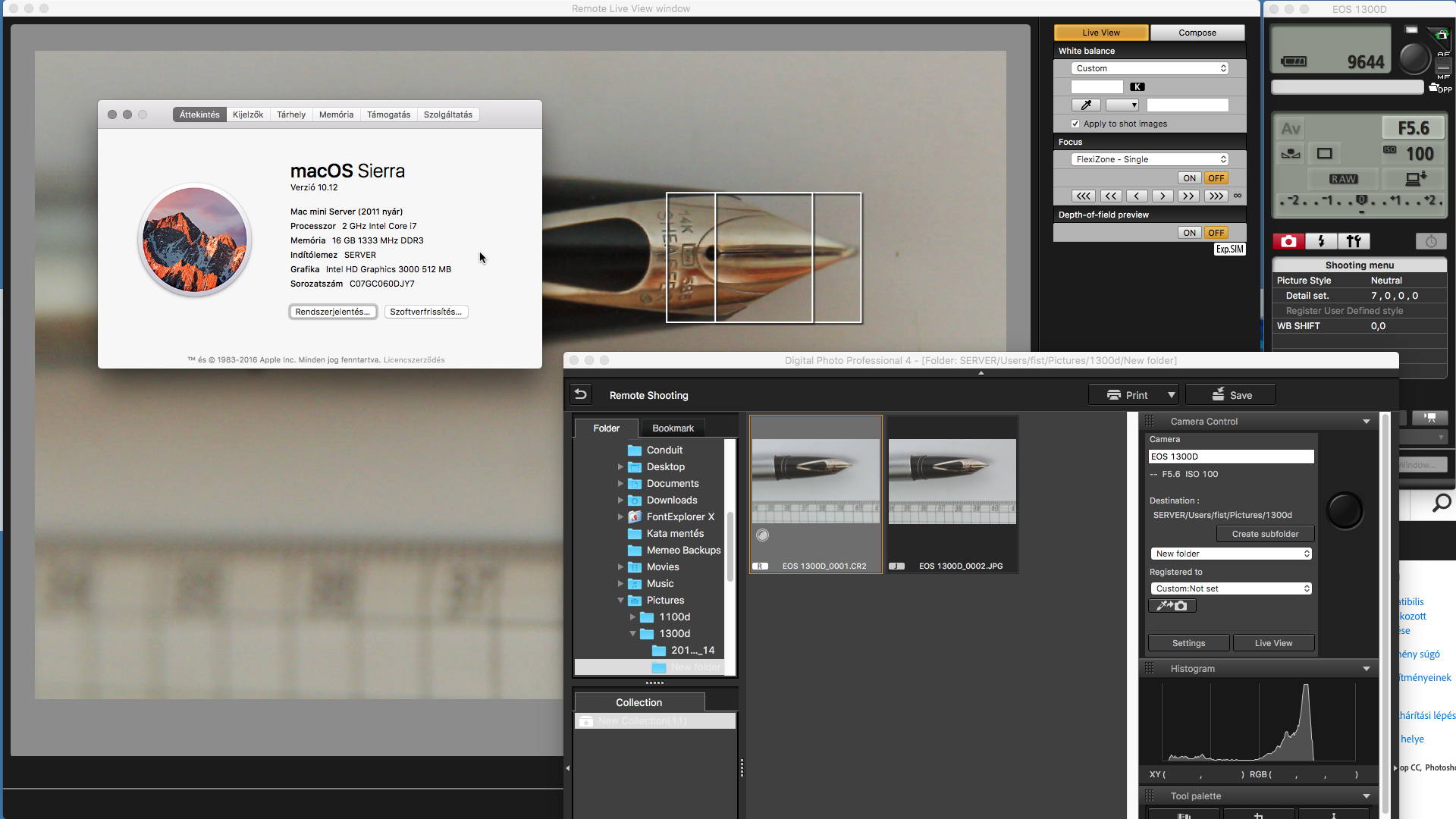
This is unbelievable! I rely on the Canon Utility software and having updated to MacOS Sierra as always advised I now find I'm unable to download my images using the Canon Utility software!!
Options
- Mark as New
- Bookmark
- Subscribe
- Mute
- Subscribe to RSS Feed
- Permalink
- Report Inappropriate Content
10-15-2016 06:17 PM
Shhhh...not too loud. In case you haven't seen, them's fightin werds. I have the same issues tho. My workaround is to download to Windoze, upload to a thumb drive, then download again on the mac. I would network the files, but the Sierra upgrade killed that connection so it's down til I can get around to fixing it. Wonderful, wonderful.

Announcements
07/22/2026: New firmware updates are available.
EOS R6 Mark III - Version 1.1.0
05/13/2026: New firmware updates are available.
EOS R5 Mark II - Version 1.3.0
EOS R6 Mark II - Version 1.7.0
04/28/2026: Service Notice: Caution Concerning use of Lithium Batteries
03/17/2026: New firmware updates are available.
SELPHY CP1500 - Version 1.0.7.0
02/23/2026: New firmware update is available for EOS C50- Version 1.0.3.1
01/23/2026: New firmware update is available for RF 24-105mm F4 IS USM- Version 2.0.7
01/20/2026: New firmware updates are available.
10/21/2025: Service Notice: To Users of the Compact Digital Camera PowerShot V1
10/15/2025: New firmware updates are available.
Speedlite EL-5 - Version 1.2.0
Speedlite EL-1 - Version 1.1.0
Speedlite Transmitter ST-E10 - Version 1.2.0
07/28/2025: Notice of Free Repair Service for the Mirrorless Camera EOS R50 (Black)
05/21/2025: New firmware update available for EOS C500 Mark II - Version 1.1.5.1
Related Content
- Canon EOS Utility download for 5D Mk III and IV in Camera Software
- Image Transfer Utility 2 doesn't work if G7X M3 is plugged into USB power in Camera Software
- Having trouble uploading photos from my EOS Rebel T2i to new Macbook :( in EOS DSLR & Mirrorless Cameras
- EOS R5 Mark II firmware 1.30 notes in Camera Software
- EF lens autofocus stopped working with R7 but works with T3i in EOS DSLR & Mirrorless Cameras

Ⓒ 2026
Canon U.S.A Inc. All Rights Reserved. Reproduction in whole or part without permission is prohibited.
