Turn on suggestions
Auto-suggest helps you quickly narrow down your search results by suggesting possible matches as you type.
- Canon Community
- Discussions & Help
- Camera
- Camera Software
- EOS R50, EOS Utility Download Not Showing as Avail...
Options
- Subscribe to RSS Feed
- Mark Topic as New
- Mark Topic as Read
- Float this Topic for Current User
- Bookmark
- Subscribe
- Mute
- Printer Friendly Page

Options
- Mark as New
- Bookmark
- Subscribe
- Mute
- Subscribe to RSS Feed
- Permalink
- Report Inappropriate Content
06-05-2026
09:18 PM
- last edited on
06-05-2026
10:38 PM
by
 Tiffany
Hello,
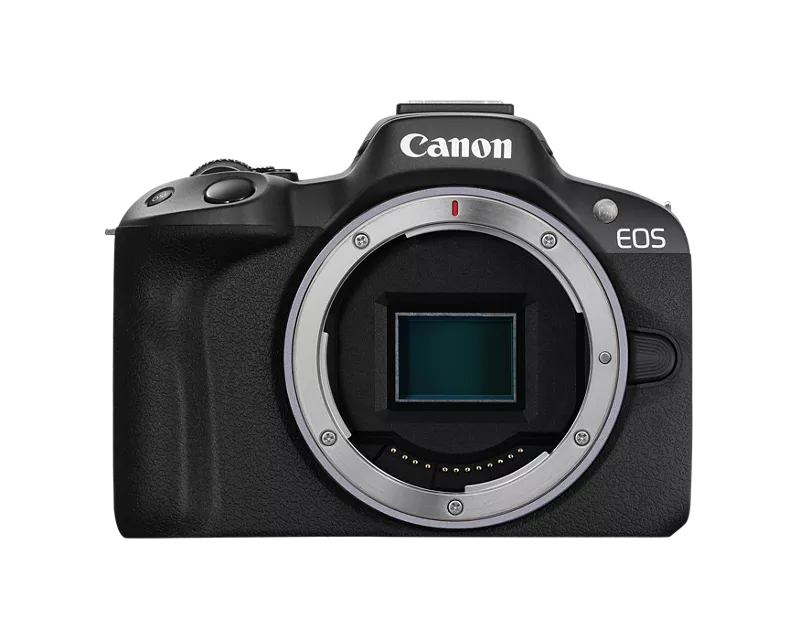
I'm trying to download the EOS Utility app to be able to easily transfer photos from my EOS R50 to my computer (PC, Windows 11). However, when I go to the Canon website to download the software, I am prompted to select my camera model and am then directed to the available software for download. EOS Utility does not show up as an available option. I am only presented with three various EOS Webcam Utility Pro options, which I understand to not be the same thing. I am not sure if I am just missing something, or if I am doing something wrong. Any guidance would be much appreciated.
Solved! Go to Solution.
1 ACCEPTED SOLUTION
Accepted Solutions


Options
- Mark as New
- Bookmark
- Subscribe
- Mute
- Subscribe to RSS Feed
- Permalink
- Report Inappropriate Content
06-05-2026 09:38 PM
bellekn,
You might try here:
https://www.usa.canon.com/content/canon/en/search.html?q=eos+utility+download&r=support
There is a link for Eos Utility for Windows. It does not appear to be camera model specific.
Steve Thomas
5 REPLIES 5
Options
- Mark as New
- Bookmark
- Subscribe
- Mute
- Subscribe to RSS Feed
- Permalink
- Report Inappropriate Content
06-05-2026 09:38 PM
bellekn,
You might try here:
https://www.usa.canon.com/content/canon/en/search.html?q=eos+utility+download&r=support
There is a link for Eos Utility for Windows. It does not appear to be camera model specific.
Steve Thomas

Options
- Mark as New
- Bookmark
- Subscribe
- Mute
- Subscribe to RSS Feed
- Permalink
- Report Inappropriate Content
06-05-2026 10:15 PM
That needs to be fixed. The R50V has the correct SW loads at https://www.usa.canon.com/support/p/eos-r50-v-body#idReference%3Dsoftware-drivers
If you go to https://www.usa.canon.com/support/eos-utilities and choose the R50 it truly does only give you the webcam software options. Hopefully this will get passed on by the Canon employees that monitor this site and get fixed.
>> Owns/Owned both Canon EOS mirrorless full-frame and APS-C cameras and associated RF, RF-S and EF adapted lenses - inventory tends to change on short notice. Same for flashes, tripods, bags, straps, etc.
Plus>> Canon imagePROGRAF PRO-1100 Printer. My photos are edited using no Adobe products.
>>The opinions and assistance are my own. Please don't blame Canon for any mistakes on my part.
Options
- Mark as New
- Bookmark
- Subscribe
- Mute
- Subscribe to RSS Feed
- Permalink
- Report Inappropriate Content
06-05-2026 10:48 PM
Thank you! This worked for me and I was able to download.
Options
- Mark as New
- Bookmark
- Subscribe
- Mute
- Subscribe to RSS Feed
- Permalink
- Report Inappropriate Content
06-05-2026 10:48 PM
Thank you for your help!
Options
- Mark as New
- Bookmark
- Subscribe
- Mute
- Subscribe to RSS Feed
- Permalink
- Report Inappropriate Content
06-05-2026 11:10 PM
bellekn,
It's possible that this is an earlier version. For newer versions, you may have to register your camera and get a Canon ID.
I'm just not sure.
If this works for you, I'm glad.
Steve Thomas


Announcements
07/22/2026: New firmware updates are available.
EOS R6 Mark III - Version 1.1.0
05/13/2026: New firmware updates are available.
EOS R5 Mark II - Version 1.3.0
EOS R6 Mark II - Version 1.7.0
04/28/2026: Service Notice: Caution Concerning use of Lithium Batteries
03/17/2026: New firmware updates are available.
SELPHY CP1500 - Version 1.0.7.0
02/23/2026: New firmware update is available for EOS C50- Version 1.0.3.1
01/23/2026: New firmware update is available for RF 24-105mm F4 IS USM- Version 2.0.7
01/20/2026: New firmware updates are available.
10/21/2025: Service Notice: To Users of the Compact Digital Camera PowerShot V1
10/15/2025: New firmware updates are available.
Speedlite EL-5 - Version 1.2.0
Speedlite EL-1 - Version 1.1.0
Speedlite Transmitter ST-E10 - Version 1.2.0
07/28/2025: Notice of Free Repair Service for the Mirrorless Camera EOS R50 (Black)
05/21/2025: New firmware update available for EOS C500 Mark II - Version 1.1.5.1
Related Content
- Image Transfer Utility 2 doesn't work if G7X M3 is plugged into USB power in Camera Software
- EOS R50 V problem livestreaming outside by using the built in Wi-Fi feature in EOS DSLR & Mirrorless Cameras
- EOS R6 Mark III Firmware Version 1.1.0 available for download in Camera Software
- EOS Rebel T3i photos not showing up on memory card in EOS DSLR & Mirrorless Cameras
- EOS R5 Ml II hot after idle in the backpack in EOS DSLR & Mirrorless Cameras

Ⓒ 2026
Canon U.S.A Inc. All Rights Reserved. Reproduction in whole or part without permission is prohibited.
