Turn on suggestions
Auto-suggest helps you quickly narrow down your search results by suggesting possible matches as you type.
- Canon Community
- Discussions & Help
- Camera
- Camera Software
- Re: DPP software feature request
Options
- Subscribe to RSS Feed
- Mark Topic as New
- Mark Topic as Read
- Float this Topic for Current User
- Bookmark
- Subscribe
- Mute
- Printer Friendly Page
DPP software feature request


Options
- Mark as New
- Bookmark
- Subscribe
- Mute
- Subscribe to RSS Feed
- Permalink
- Report Inappropriate Content
06-17-2022 03:53 PM
When using a manual only lens with no electronics, DPP does not permit one to do diffraction correction. I would guess that the only information about the lens that is needed to do a Richardson/Lucy deconvolution to correct diffraction is the F number and maybe the focal length. If the user could be prompted for that information, I expect that diffraction correction would work. Using GMIC on a command line works if one gives parameters that match the F number and the pixel pitch on the sensor. The pixel pitch on the sensor is already known by DPP.
Discussion and criticism will be welcome.
Thanks.
John
4 REPLIES 4

Options
- Mark as New
- Bookmark
- Subscribe
- Mute
- Subscribe to RSS Feed
- Permalink
- Report Inappropriate Content
06-17-2022 04:05 PM - edited 06-17-2022 04:05 PM
What if you did some edits to the EXIF data, starting [with] the f/stop?
--------------------------------------------------------
"Enjoying photography since 1972."
"Enjoying photography since 1972."
Options
- Mark as New
- Bookmark
- Subscribe
- Mute
- Subscribe to RSS Feed
- Permalink
- Report Inappropriate Content
06-17-2022 05:00 PM
@Waddizzle wrote:What if you did some edits to the EXIF data, starting [with] the f/stop?
Thanks.
After:
7196 exiftool -LensModel='Minolta MC ROKKOR-X PG 1:1.4 f=50mm' IMG_9568.CR3
7197 exiftool -Xmp:LicensorURL='https://www.rsok.com/copyright.html' IMG_9568.CR3
7198 exiftool -FocalLength='50' IMG_9568.CR3
7199 exiftool -FNumber='16.0' IMG_9568.CR3
7200 exiftool -LensSerialNumber='3835202' IMG_9568.CR3
7201 exiftool IMG_9568.CR3 | less -M
7202 history -30
The diffraction correction is still grayed out in DPP. I have not tried identifying this as a Canon lens and I have not modified all of the locations where F number or aperture is stored.
Options
- Mark as New
- Bookmark
- Subscribe
- Mute
- Subscribe to RSS Feed
- Permalink
- Report Inappropriate Content
06-17-2022 05:07 PM
Here is the photo.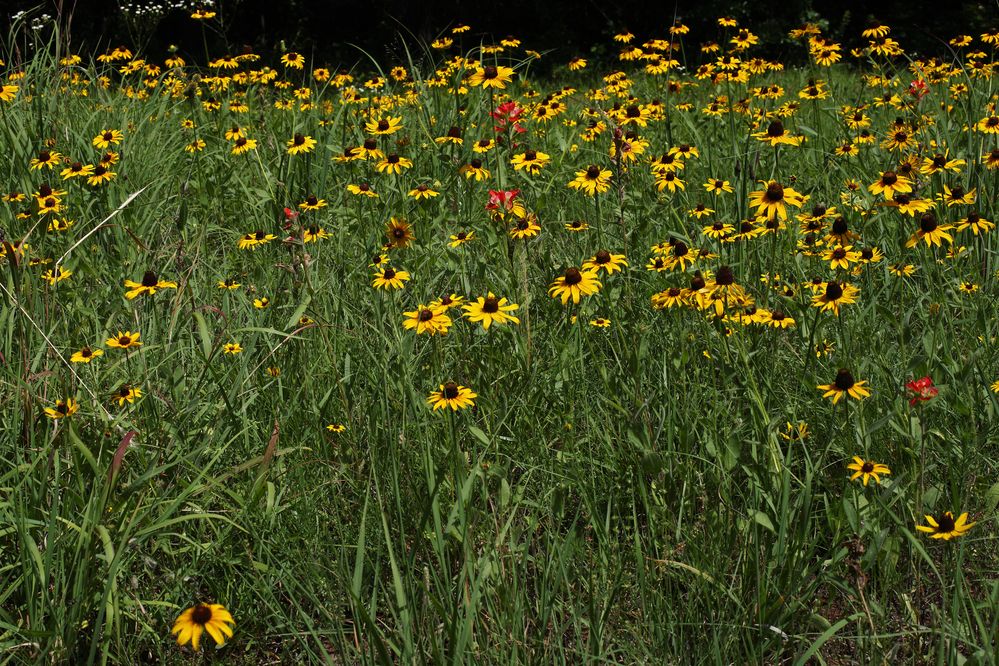
Options
- Mark as New
- Bookmark
- Subscribe
- Mute
- Subscribe to RSS Feed
- Permalink
- Report Inappropriate Content
06-17-2022 06:02 PM
I made a photo with the lens cap on an EF 50mm F/1.8 STM and did the following as an experiment.
7214 cp -i IMG_9568.CR3 IMG_9568ex.CR3
7215 cp -ip /Volumes/EOS_DIGITAL/DCIM/100CANON/IMG_9569.CR3 .
7216 exiftool -tagsfromfile IMG_9569.CR3 IMG_9568ex.CR3
7217 exiftool -G0:2 IMG_9569.CR3 >> IMG_9569.exif
7218 exiftool -G0:2 IMG_9568ex.CR3 >> IMG_9568ex.exif
7219 diff IMG_9569.exif IMG_9568ex.exif | less
7220 exiftool -lensid IMG_9569.CR3 IMG_9568ex.CR3
7221 exiftool -"*apertur*" IMG_9569.CR3 IMG_9568ex.CR3
This did not make the metadata the same for the two files, but did make the lensid the same. The diffraction correction was still grayed out in DPP.


Announcements
05/13/2026: New firmware updates are available.
EOS R5 Mark II - Version 1.3.0
EOS R6 Mark II - Version 1.7.0
04/28/2026: Service Notice: Caution Concerning use of Lithium Batteries
03/17/2026: New firmware updates are available.
SELPHY CP1500 - Version 1.0.7.0
02/23/2026: New firmware update is available for EOS C50- Version 1.0.3.1
01/23/2026: New firmware update is available for RF 24-105mm F4 IS USM- Version 2.0.7
01/20/2026: New firmware updates are available.
12/22/2025: New firmware update is available for EOS R6 Mark III- Version 1.0.2
10/21/2025: Service Notice: To Users of the Compact Digital Camera PowerShot V1
10/15/2025: New firmware updates are available.
Speedlite EL-5 - Version 1.2.0
Speedlite EL-1 - Version 1.1.0
Speedlite Transmitter ST-E10 - Version 1.2.0
07/28/2025: Notice of Free Repair Service for the Mirrorless Camera EOS R50 (Black)
05/21/2025: New firmware update available for EOS C500 Mark II - Version 1.1.5.1
Related Content
- EOS R5 Mark II minor Firmware Update, Version 1.3.1 in Camera Software
- R5 Mark II Owners Update Your Firmware to Version 1.3.1 in EOS DSLR & Mirrorless Cameras
- EOS R6 Mark II – Firmware 1.7.0 – Bug: 5GHz hotspot invisible on Samsung Android (DFS channel issue) in EOS DSLR & Mirrorless Cameras
- EOS R5 Mark II firmware 1.30 notes in Camera Software
- Reminder to all R5 Mark II owners to update your firmware to the new ver. 1.3.0 in EOS DSLR & Mirrorless Cameras

Ⓒ 2026
Canon U.S.A Inc. All Rights Reserved. Reproduction in whole or part without permission is prohibited.
