Turn on suggestions
Auto-suggest helps you quickly narrow down your search results by suggesting possible matches as you type.
- Canon Community
- Discussions & Help
- Video
- Professional Video
- C80 USB-C Functionality Not Working
Options
- Subscribe to RSS Feed
- Mark Topic as New
- Mark Topic as Read
- Float this Topic for Current User
- Bookmark
- Subscribe
- Mute
- Printer Friendly Page

Options
- Mark as New
- Bookmark
- Subscribe
- Mute
- Subscribe to RSS Feed
- Permalink
- Report Inappropriate Content
04-24-2025 01:37 PM - edited 04-24-2025 01:43 PM
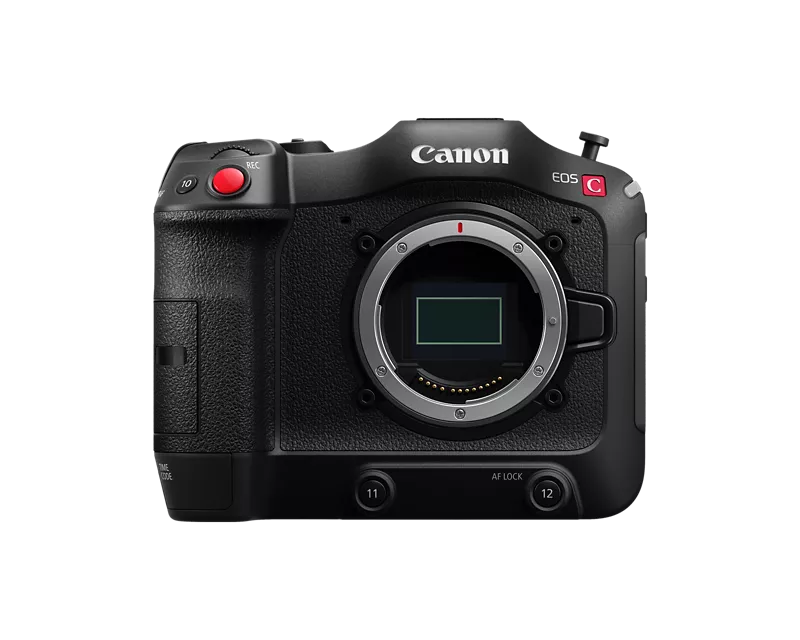
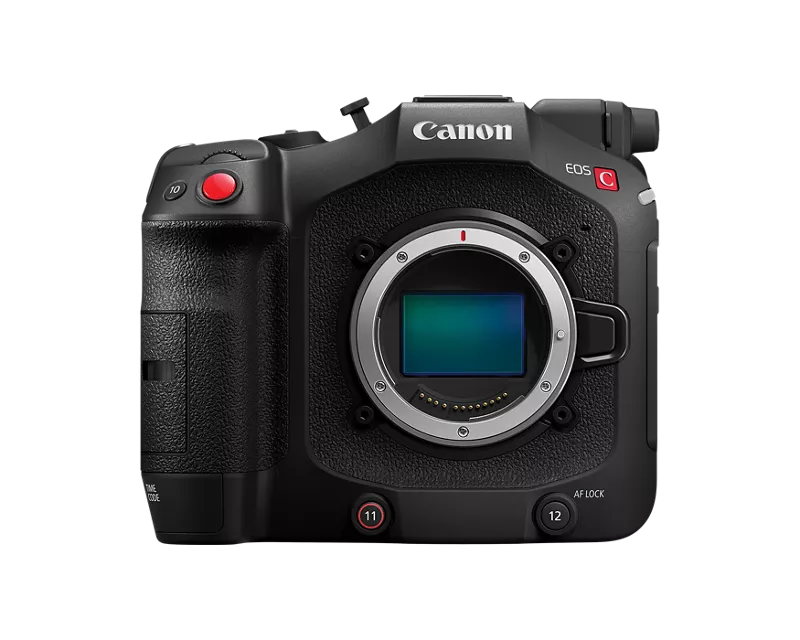
With the EOS C70 everything worked really well through USB-C on DJI RS3/RS4 Gimbals - You had run stop and even some basic motor control of AF lenses through the USB-C port. With the introduction of the EOS C80 I can't seem to get any system to communicate through that port for run stop. Tilta Nucleus M, Nano, Nano II motors don't speak to it, and direct connections through RS3 or RS4 will just disconnect after a second or two.
Is there something new about that port? Did Canon disable that functionality for some reason? Has anyone else had luck with other brands?
My C80 has mostly sat on the shelf since December since it is missing that R/S communication for remote head work. Very much looking forward to that update when I can utilize this great little cam!
Solved! Go to Solution.
37 REPLIES 37
Options
- Mark as New
- Bookmark
- Subscribe
- Mute
- Subscribe to RSS Feed
- Permalink
- Report Inappropriate Content
09-07-2026 08:28 PM
Hmmm well then you may be right on the c80 USBC port being bunk.
There is one setting that I found that maybe could be culprit- while unplugged from gimbal, go into settings on c80, go to the wrench, page 8, USB mode, set that to be Canon Apps GP-E2. I just tested it with the other option (apple) and it didn't work so it seems you have to be in this mode for it to communicate. This should be the default setting as I never messed with it on my cameras

Options
- Mark as New
- Bookmark
- Subscribe
- Mute
- Subscribe to RSS Feed
- Permalink
- Report Inappropriate Content
09-07-2026 08:38 PM
Dude. That was it! You are a wizard, @borrange! Thanks for taking the time to help troubleshoot that; people like you make these forums so valuable. Thank you!
Options
- Mark as New
- Bookmark
- Subscribe
- Mute
- Subscribe to RSS Feed
- Permalink
- Report Inappropriate Content
09-07-2026 08:49 PM
Nice! You're more than welcome, congrats on getting it working! It makes working with the c80 on gimbal so convenient now
Options
- Mark as New
- Bookmark
- Subscribe
- Mute
- Subscribe to RSS Feed
- Permalink
- Report Inappropriate Content
09-08-2026 10:38 AM
I just noticed that in the DJI Ronin app, it says that Aperture control is supported, but when I try to select it on the RS4 Pro, it's greyed out and unable to be selected. Any idea what's going on?

Options
- Mark as New
- Bookmark
- Subscribe
- Mute
- Subscribe to RSS Feed
- Permalink
- Report Inappropriate Content
09-08-2026 10:44 AM
That I don't know, I thought all those settings were only available when connected through Bluetooth so I never bothered to look into it - I'll do some digging today while on set and see if anything pops up on my end
Options
- Mark as New
- Bookmark
- Subscribe
- Mute
- Subscribe to RSS Feed
- Permalink
- Report Inappropriate Content
09-08-2026 11:01 AM
I didn't even know Bluetooth was an option. However, on the compatibility page image above, it says it works via the Multi-Camera Control Cable
Options
- Mark as New
- Bookmark
- Subscribe
- Mute
- Subscribe to RSS Feed
- Permalink
- Report Inappropriate Content
09-08-2026 11:13 AM
Bluetooth is not an option with that camera, which is why I assumed those settings would always be out of our reach. Your photo clearly says we can do it through the cable so we'll see!
Options
- Mark as New
- Bookmark
- Subscribe
- Mute
- Subscribe to RSS Feed
- Permalink
- Report Inappropriate Content
09-08-2026 11:40 AM
So open Ronin app and connect to gimbal. Go to Create and then Camera Settings. All the settings are available to me there. Not sure if there is any access to those settings in the gimbal itself, but I'm guessing if you were connected through raven eye you would see all these settings available to you on your phone screen. I don't use raven eye so I can't test that.


- « Previous
- Next »
- « Previous
- Next »
Announcements
07/22/2026: New firmware updates are available.
EOS R6 Mark III - Version 1.1.0
05/13/2026: New firmware updates are available.
EOS R5 Mark II - Version 1.3.0
EOS R6 Mark II - Version 1.7.0
04/28/2026: Service Notice: Caution Concerning use of Lithium Batteries
03/17/2026: New firmware updates are available.
SELPHY CP1500 - Version 1.0.7.0
02/23/2026: New firmware update is available for EOS C50- Version 1.0.3.1
01/23/2026: New firmware update is available for RF 24-105mm F4 IS USM- Version 2.0.7
01/20/2026: New firmware updates are available.
10/21/2025: Service Notice: To Users of the Compact Digital Camera PowerShot V1
10/15/2025: New firmware updates are available.
Speedlite EL-5 - Version 1.2.0
Speedlite EL-1 - Version 1.1.0
Speedlite Transmitter ST-E10 - Version 1.2.0
07/28/2025: Notice of Free Repair Service for the Mirrorless Camera EOS R50 (Black)
05/21/2025: New firmware update available for EOS C500 Mark II - Version 1.1.5.1

Ⓒ 2026
Canon U.S.A Inc. All Rights Reserved. Reproduction in whole or part without permission is prohibited.
