Turn on suggestions
Auto-suggest helps you quickly narrow down your search results by suggesting possible matches as you type.
- Canon Community
- Discussions & Help
- Video
- Professional Video
- Re: C80 USB-C Functionality Not Working
Options
- Subscribe to RSS Feed
- Mark Topic as New
- Mark Topic as Read
- Float this Topic for Current User
- Bookmark
- Subscribe
- Mute
- Printer Friendly Page

Options
- Mark as New
- Bookmark
- Subscribe
- Mute
- Subscribe to RSS Feed
- Permalink
- Report Inappropriate Content
04-24-2025 01:37 PM - edited 04-24-2025 01:43 PM
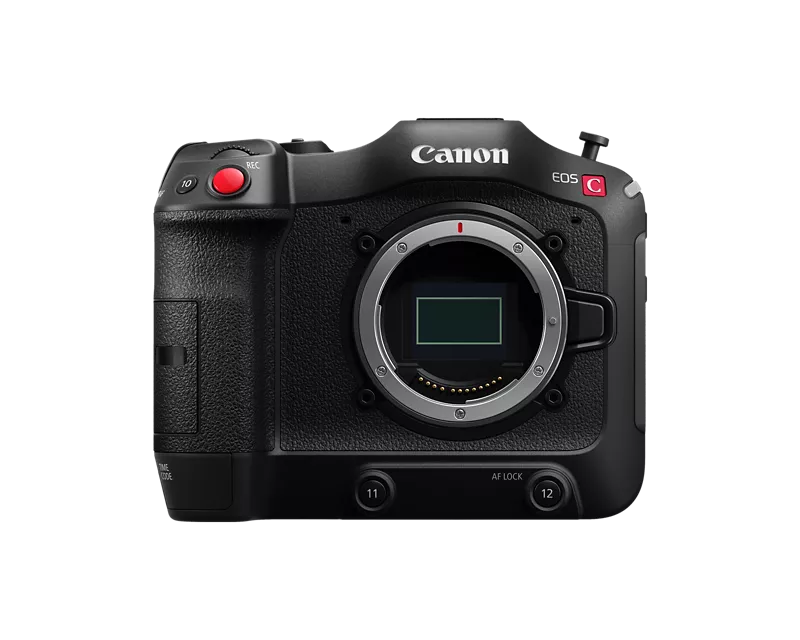
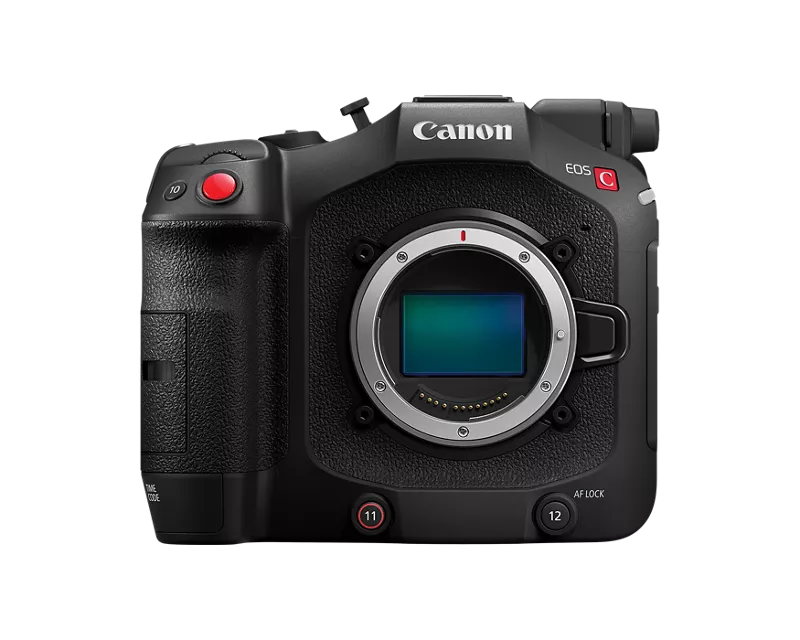
With the EOS C70 everything worked really well through USB-C on DJI RS3/RS4 Gimbals - You had run stop and even some basic motor control of AF lenses through the USB-C port. With the introduction of the EOS C80 I can't seem to get any system to communicate through that port for run stop. Tilta Nucleus M, Nano, Nano II motors don't speak to it, and direct connections through RS3 or RS4 will just disconnect after a second or two.
Is there something new about that port? Did Canon disable that functionality for some reason? Has anyone else had luck with other brands?
My C80 has mostly sat on the shelf since December since it is missing that R/S communication for remote head work. Very much looking forward to that update when I can utilize this great little cam!
Solved! Go to Solution.
1 ACCEPTED SOLUTION
Accepted Solutions
Options
- Mark as New
- Bookmark
- Subscribe
- Mute
- Subscribe to RSS Feed
- Permalink
- Report Inappropriate Content
06-27-2026 11:11 AM
Canon has implemented a solve, thank you!
New firmware 1.0.6.1 for the c80 solves both the run stop and internal motor control on the rs4 pro.
My Rs4 pro is on firmware 01.06.00.00, but not sure how much it matters on the gimbal side since this functionality seemed to be a limitation by canon.
18 REPLIES 18


Options
- Mark as New
- Bookmark
- Subscribe
- Mute
- Subscribe to RSS Feed
- Permalink
- Report Inappropriate Content
04-26-2025 05:10 PM
Hi borrange,
I understand your concern with the EOS C80 operating differently with the USB port. Through Canon support are limited on the trouble shooting we can offer on non-Canon equipment. We only have information on functionality and compatibility on products manufactured by Canon. Canon does not test non-Canon accessories so we are unable to confirm whether non-Canon devices are fully compatible. For trouble shooting the non-Canon accessory we would recommend contacting the manufacturer of the device.
On the EOS C80 the USB port is for using the camera as a webcam and for communicating with Canon Apps. To remotely control the recording start and stop through things like your gimbal we would recommend connecting through the 2.5mm Remote Terminal jack. If you connect through that port also make sure that REMOTE Term. in the camera menu is set to Standard.


Options
- Mark as New
- Bookmark
- Subscribe
- Mute
- Subscribe to RSS Feed
- Permalink
- Report Inappropriate Content
04-26-2025 05:33 PM
Greetings,
I didn't see the C70 or C80 listed as compatible with the 4s Pro. However, others are asking for support as well. I bet DJI will address.
https://forum.dji.com/forum.php?mod=viewthread&tid=326590&mobile=2
~Rick
Bay Area - CA
~R5 C (1.1.2.1), ~RF Trinity, ~RF 100 Macro, ~RF 100~400, ~RF 100~500, ~RF 200-800, ~RF 1.4x TC, BG-R10, 430EX III-RT ~DxO PhotoLab Elite ~DaVinci Resolve Studio ~ImageClass MF644Cdw MF656Cdw ~Pixel 10 ~CarePaks Are Worth It
Options
- Mark as New
- Bookmark
- Subscribe
- Mute
- Subscribe to RSS Feed
- Permalink
- Report Inappropriate Content
04-26-2025 11:59 PM
Hey Hazel_T, thanks for your reply. So I have been talking with DJI for a few months and can't get an answer on where the communication fail is happening which is why I am here. No updates on a fix for several months is starting to feel like this might no longer be possible for 3rd party to sort out. Whatever change Canon made cut off the flawless communication that worked so well, so I'm just wondering if it was intentional to drop a feature that made it a perfect combo for so many. Especially since it's a feature that, as you said, Canon doesn't even officially recognize.
I don't expect these questions to really be answered in a forum, but wanted to put it down in case this reaches someone that says, "We could have fixed it so easily if you had just let us know, it'll update in the next firmware"
Cheers
Options
- Mark as New
- Bookmark
- Subscribe
- Mute
- Subscribe to RSS Feed
- Permalink
- Report Inappropriate Content
04-27-2025 12:41 AM
Hey Rick, I've been in that forum for awhile as it's the main thread out there looking for an update. So I've reached out to canon and canon forums to continue the convo since there has been no updates as of yet.
Almost no Canon video cameras are officially recognized as compatible, I'm guessing because you don't have full camera control or bluetooth control like so many of the cameras they do support. I'm not looking for that deep of control, but utilizing the AF motors through a focus dial was an insanely efficient setup that allowed this build to fill the gap between the bigger gimbal work and not bringing a gimbal at all.
Cheers
Options
- Mark as New
- Bookmark
- Subscribe
- Mute
- Subscribe to RSS Feed
- Permalink
- Report Inappropriate Content
04-27-2025 12:58 AM - edited 04-27-2025 12:59 AM
I understand. I have an R5 C and although it's supported on the Ronin mostly, the lack of native Bluetooth and wireless in Cinema OS has always been a pain point.
If you go to the Canon USA homepage, there's a [+]Feedback option where you can leave feature requests. This gets the request in front of the right people at Canon.
~Rick
Bay Area - CA
~R5 C (1.1.2.1), ~RF Trinity, ~RF 100 Macro, ~RF 100~400, ~RF 100~500, ~RF 200-800, ~RF 1.4x TC, BG-R10, 430EX III-RT ~DxO PhotoLab Elite ~DaVinci Resolve Studio ~ImageClass MF644Cdw MF656Cdw ~Pixel 10 ~CarePaks Are Worth It
Options
- Mark as New
- Bookmark
- Subscribe
- Mute
- Subscribe to RSS Feed
- Permalink
- Report Inappropriate Content
04-27-2025 01:08 AM
Thanks I will definitely follow up on that!
Cheers
Options
- Mark as New
- Bookmark
- Subscribe
- Mute
- Subscribe to RSS Feed
- Permalink
- Report Inappropriate Content
06-02-2025 07:57 AM
Hello Hazel_T thank you for taking the time to write back to this issue. I’ve been writing to canon directly for the last few months with no response to this yet so figured I’d chime in here. This issue in theory shouldn’t require any third party support from Canon as the c70 worked totally fine with the ronin series gimbals. With the most up to date firmware, you could plug in a usbc cable to the c70 and have instant start/stop and ability to control internal RF/EF focus with the DJI finger wheel. With the c80, you no longer have that ability, and nothing has changed with the DJI gimbal series so this has to be a function canon has taken away between the c70 and the c80 upgrade. If canon would simply match the functionality between the c70s usbc port and the c80s usbc port this issue would be solved and the c80 would be a much more viable gimbal solution for many of us in the current market.
I hear you when you say the 2.5mm remote jack is the recommended solution for remote start/stop, however there is no way of utilizing this port with a DJI series gimbal to remote start stop the camera and have the ability to control internal focus via this port. It would be great if you would be able to escalate this issue to Canon support as this camera has been out for months now and this has not been addressed.
DJI has been more communicative about this issue so if anyone is seeing this post, you can click this link below and request the compatibility of the c80 for their gimbals in the meantime if canon does not address this issue.
https://www.dji.com/hk-en/support/compatibility

Options
- Mark as New
- Bookmark
- Subscribe
- Mute
- Subscribe to RSS Feed
- Permalink
- Report Inappropriate Content
06-29-2025 07:01 PM
Bumping this up again to see if I can get a response from a canon rep. Thanks!
Options
- Mark as New
- Bookmark
- Subscribe
- Mute
- Subscribe to RSS Feed
- Permalink
- Report Inappropriate Content
06-30-2025 01:55 AM
Greetings ,
Have you contacted Canon support? This in addition to leaving feedback, but called them and actually spoken to someone?
~Rick
Bay Area - CA
~R5 C (1.1.2.1), ~RF Trinity, ~RF 100 Macro, ~RF 100~400, ~RF 100~500, ~RF 200-800, ~RF 1.4x TC, BG-R10, 430EX III-RT ~DxO PhotoLab Elite ~DaVinci Resolve Studio ~ImageClass MF644Cdw MF656Cdw ~Pixel 10 ~CarePaks Are Worth It

Announcements
07/22/2026: New firmware updates are available.
EOS R6 Mark III - Version 1.1.0
05/13/2026: New firmware updates are available.
EOS R5 Mark II - Version 1.3.0
EOS R6 Mark II - Version 1.7.0
04/28/2026: Service Notice: Caution Concerning use of Lithium Batteries
03/17/2026: New firmware updates are available.
SELPHY CP1500 - Version 1.0.7.0
02/23/2026: New firmware update is available for EOS C50- Version 1.0.3.1
01/23/2026: New firmware update is available for RF 24-105mm F4 IS USM- Version 2.0.7
01/20/2026: New firmware updates are available.
10/21/2025: Service Notice: To Users of the Compact Digital Camera PowerShot V1
10/15/2025: New firmware updates are available.
Speedlite EL-5 - Version 1.2.0
Speedlite EL-1 - Version 1.1.0
Speedlite Transmitter ST-E10 - Version 1.2.0
07/28/2025: Notice of Free Repair Service for the Mirrorless Camera EOS R50 (Black)
05/21/2025: New firmware update available for EOS C500 Mark II - Version 1.1.5.1

Ⓒ 2026
Canon U.S.A Inc. All Rights Reserved. Reproduction in whole or part without permission is prohibited.
