10-14-2023 03:24 PM
I wanted to print this rendered image I created.
Before I start asking question though I want to point out that I have done about 150 various prints on this printer that I have had for about three years now without any issue.
I have the profile set and the colormetric set to Relative.
This is the original image
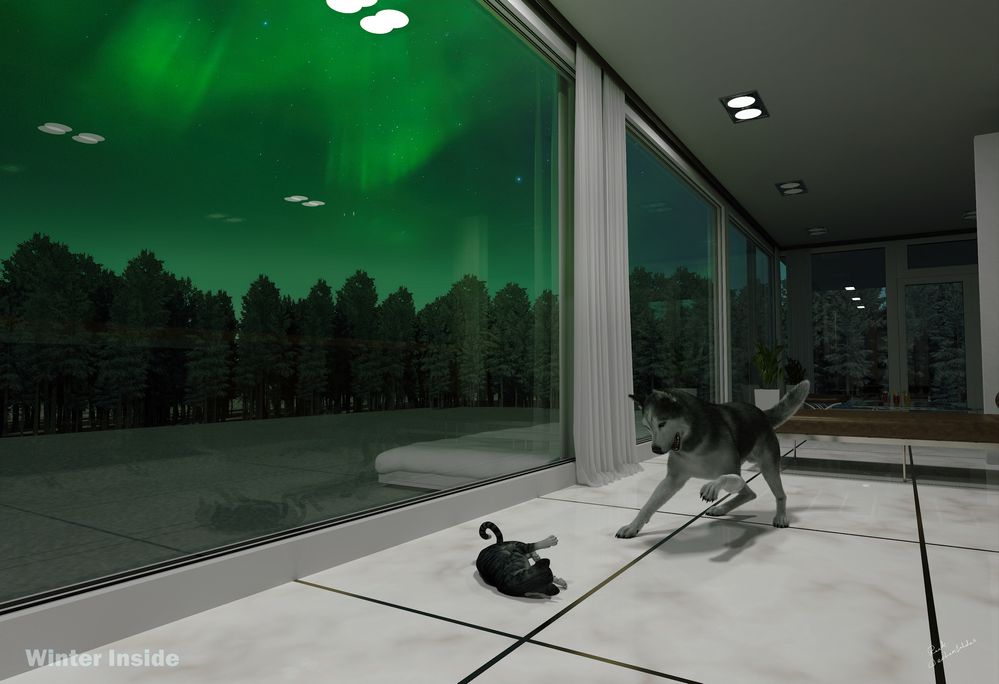
Winter inside FORUM SIZE.jpg
And this is how it comes out.
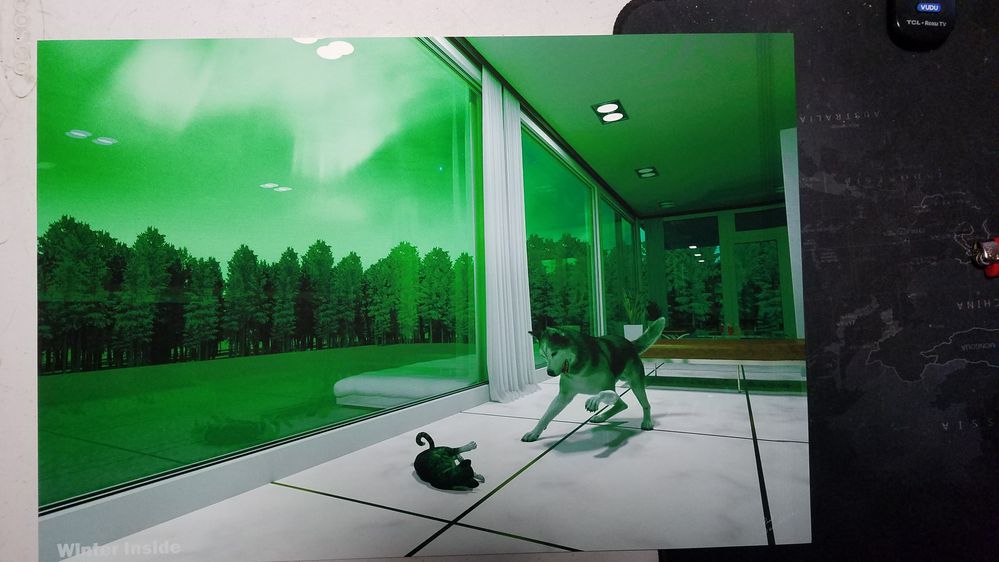
20231014_111606.jpg
What the heck is going on?
There's green where there shouldn't be, and white where it shouldn't be.
10-14-2023 04:11 PM
If anyone is willing to download the original and take a shot at it please do and let me know if you get better results, and how.
Thank you.
10-15-2023 12:39 PM
Please do a nozzle check, found under the Maintenance tab of the Pro-100 printer preferences. One of the print head nozzles may be clogged.
07/22/2026: New firmware updates are available.
EOS R6 Mark III - Version 1.1.0
05/13/2026: New firmware updates are available.
EOS R5 Mark II - Version 1.3.0
EOS R6 Mark II - Version 1.7.0
03/17/2026: New firmware updates are available.
SELPHY CP1500 - Version 1.0.7.0
01/20/2026: New firmware updates are available.
10/15/2025: New firmware updates are available.
Speedlite EL-5 - Version 1.2.0
Speedlite EL-1 - Version 1.1.0
Speedlite Transmitter ST-E10 - Version 1.2.0
Canon U.S.A Inc. All Rights Reserved. Reproduction in whole or part without permission is prohibited.

