11-07-2025
12:11 PM
- last edited on
11-07-2025
03:54 PM
by
Danny
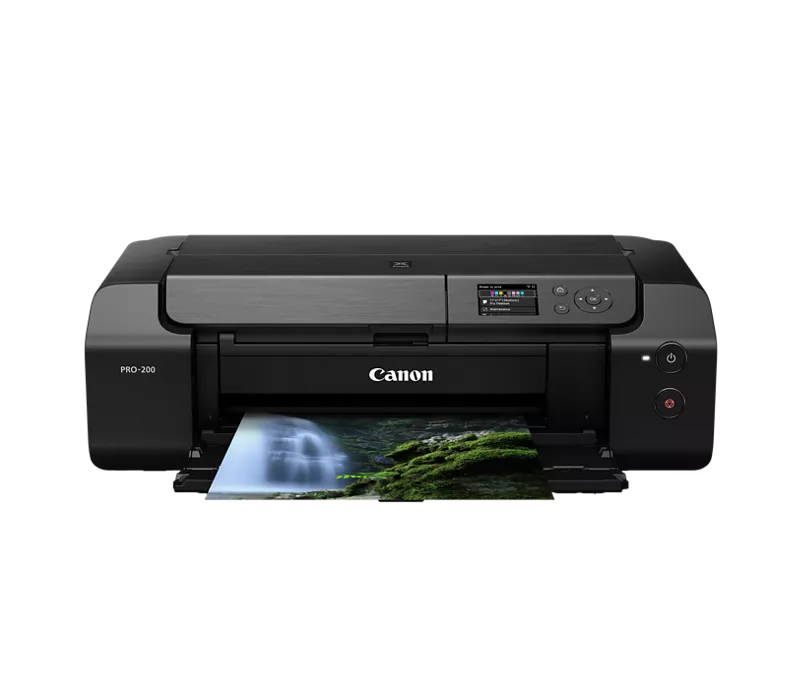
I have a Pro 200 printer and have been using it through wifi for a couple of years now. I've had intermittent issues with print speeds being very slow, a 4x6 taking 20minutes to print. I know the issues is due to the occasional flakiness of wifi so I recently purchased a long usb cable to connect directly to the printer. When I try to add the printer in the PPL software it will not see it. I have completely uninstalled the PPL software, uninstalled the wifi version of the printer and the drivers, reinstalled the printer with the latest drivers, and reinstalled PPL with the latest version. Windows 11 sees the printer with no issues and can print a test page. When I open PPL it only shows me the wifi printer with the IP address (wifi is turned off on the printer) and will not find the USB connected printer. What do I need to do besides uninstalling PPL to make it so that when I reinstall the software it will not load the wifi instance of the printer and find the USB printer? I've checked the print spooler service and the registry and the printer is not there but it still shows up in PPL.
11-14-2025 02:30 PM
Hi joedg,
With Professional Print & Layout open, in the upper right, in the Stored Settings section, please click the "Printer" drop down box.
You can click "Delete Printer" if there are printers appearing in the list that are no longer in use.
Please click "Add Printer". When you do that, the Add Printer dialog box will appear.
Please choose "Auto" in the Search Type drop down and then click the "Find Printer" button.
If you continue to have difficulties, please contact one of Canon's Technical Support Representatives via phone or chat. To contact a Technical Support Representative, please use the link below to log into your My Canon account:
https://mycanon.usa.canon.com
Once logged in, click on your PRO-200 and then click on the Product Support button. When that page loads, click on either the Phone Support button or the Chat Support button to access support.
Did this answer your question? If so, please click the Accept as Solution button below so that others may find the answer as well.

11/20/2025: New firmware updates are available.
EOS R6 Mark III - Version 1.0.1
EOS R5 Mark II - Version 1.2.0
PowerShot G7 X Mark III - Version 1.4.0
PowerShot SX740 HS - Version 1.0.2
10/15/2025: New firmware updates are available.
Speedlite EL-5 - Version 1.2.0
Speedlite EL-1 - Version 1.1.0
Speedlite Transmitter ST-E10 - Version 1.2.0
07/24/2025: New firmware updates are available.
07/23/2025: New firmware updates are available.
7/17/2025: New firmware updates are available.
02/20/2025: New firmware updates are available.
RF70-200mm F2.8 L IS USM Z - Version 1.0.6
RF24-105mm F2.8 L IS USM Z - Version 1.0.9
RF100-300mm F2.8 L IS USM - Version 1.0.8
RF50mm F1.4 L VCM - Version 1.0.2
RF24mm F1.4 L VCM - Version 1.0.3
Canon U.S.A Inc. All Rights Reserved. Reproduction in whole or part without permission is prohibited.