04-14-2021 08:25 AM
Hello,
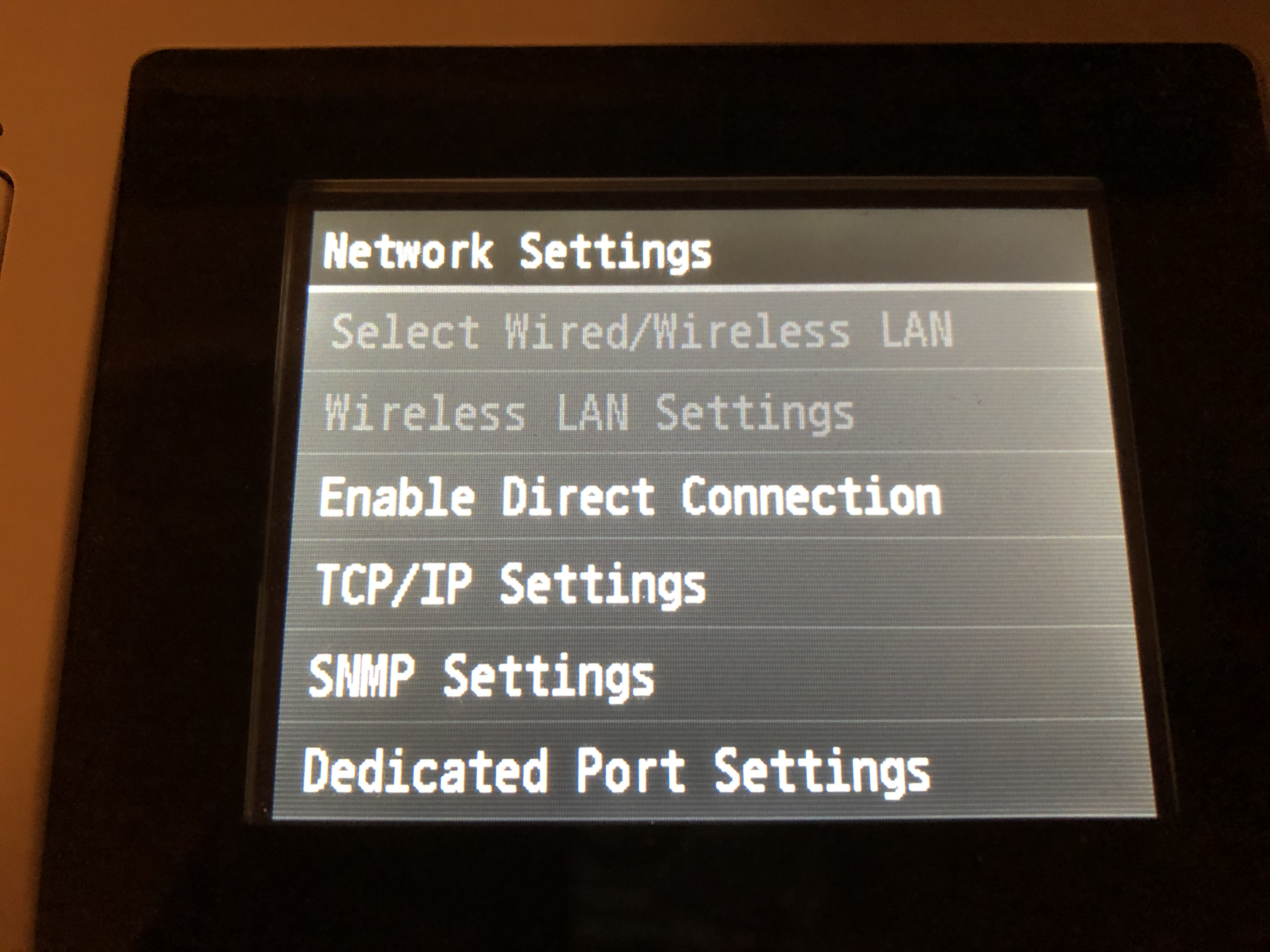
MF624Cw has been working fine for past couple of years, then about 2 weeks its wireless connectivity seemed to stop working. I am able to print if I connect thru USB connection. When I checked the network setting, the 2 options (Select wired/wireless LAN and Wireless LAN Settings) are disabled, see image below.
Appreciate any advise anyone can offer on what I should do... Thank you in advanced!
06-08-2021 04:10 PM
Hello irmanugroho,
It looks like the printer needs to be reset or the network settings have been locked. You can try resetting the MF624Cw settings using the steps in the link provided HERE. Once the settings have been reset, you can attempt to reconnect the printer to the network using the steps provided in the link HERE.
If you are still unable to change the settings, I would suggest contacting support at 1-800-652-2666. Our agents would be happy to assist with changing the setting.
11/20/2025: New firmware updates are available.
EOS R6 Mark III - Version 1.0.1
EOS R5 Mark II - Version 1.2.0
PowerShot G7 X Mark III - Version 1.4.0
PowerShot SX740 HS - Version 1.0.2
10/15/2025: New firmware updates are available.
Speedlite EL-5 - Version 1.2.0
Speedlite EL-1 - Version 1.1.0
Speedlite Transmitter ST-E10 - Version 1.2.0
07/24/2025: New firmware updates are available.
07/23/2025: New firmware updates are available.
7/17/2025: New firmware updates are available.
02/20/2025: New firmware updates are available.
RF70-200mm F2.8 L IS USM Z - Version 1.0.6
RF24-105mm F2.8 L IS USM Z - Version 1.0.9
RF100-300mm F2.8 L IS USM - Version 1.0.8
RF50mm F1.4 L VCM - Version 1.0.2
RF24mm F1.4 L VCM - Version 1.0.3
Canon U.S.A Inc. All Rights Reserved. Reproduction in whole or part without permission is prohibited.


