Turn on suggestions
Auto-suggest helps you quickly narrow down your search results by suggesting possible matches as you type.
- Canon Community
- Discussions & Help
- Camera
- Point & Shoot Digital Cameras
- Help, My Camera buttons does not work
Options
- Subscribe to RSS Feed
- Mark Topic as New
- Mark Topic as Read
- Float this Topic for Current User
- Bookmark
- Subscribe
- Mute
- Printer Friendly Page
Help, My Camera buttons does not work

Options
- Mark as New
- Bookmark
- Subscribe
- Mute
- Subscribe to RSS Feed
- Permalink
- Report Inappropriate Content
10-12-2019 05:38 PM
Hi, I dropped my Canon sx50 and the buttons (record video, delete, Disp, Menu, Func Set, Iso and the scroll wheel) stopped working, I hope someone could help me. Thanks.

3 REPLIES 3

Options
- Mark as New
- Bookmark
- Subscribe
- Mute
- Subscribe to RSS Feed
- Permalink
- Report Inappropriate Content
10-12-2019 05:56 PM
Unfortunately by dropping the camera you may have knocked a connection loose inside the body. You would have to take it apart to inspect that area where those controls are to start and if you are lucky you will find and fix the connection. Of course, by dropping the camera there are other problems you could have caused. In any case, unless you get lucky it will require you or someone to take it apart. Tapping it lightly against your palm might cause it to start working again but then the permanent fix would still require you to take it apart, find the connector in that area of controls and fix it.
Options
- Mark as New
- Bookmark
- Subscribe
- Mute
- Subscribe to RSS Feed
- Permalink
- Report Inappropriate Content
10-13-2019 07:11 PM
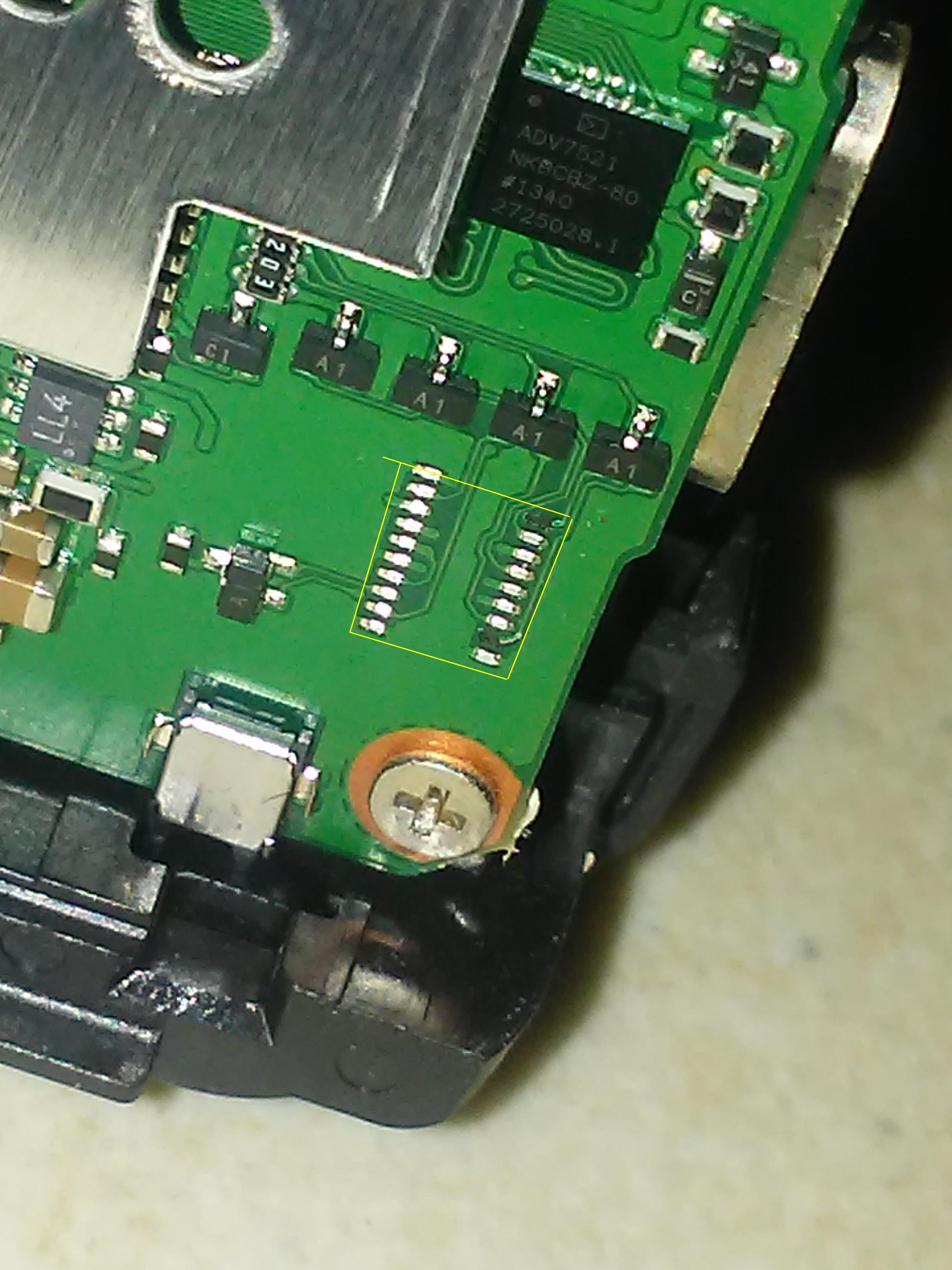
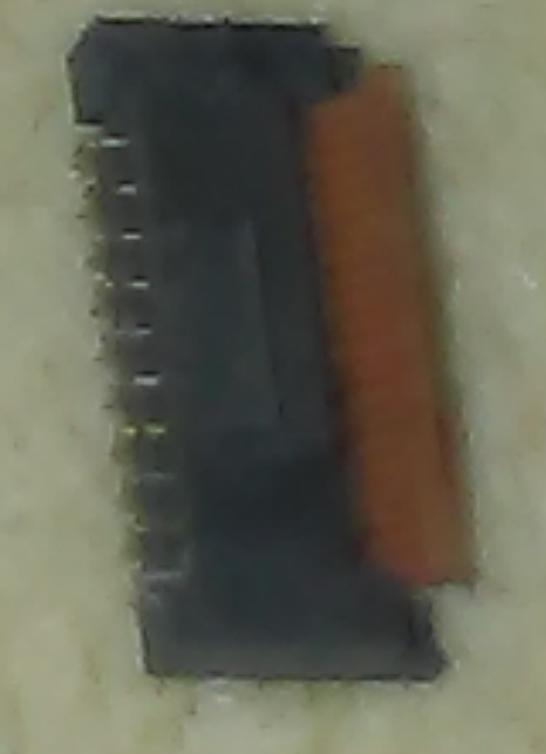
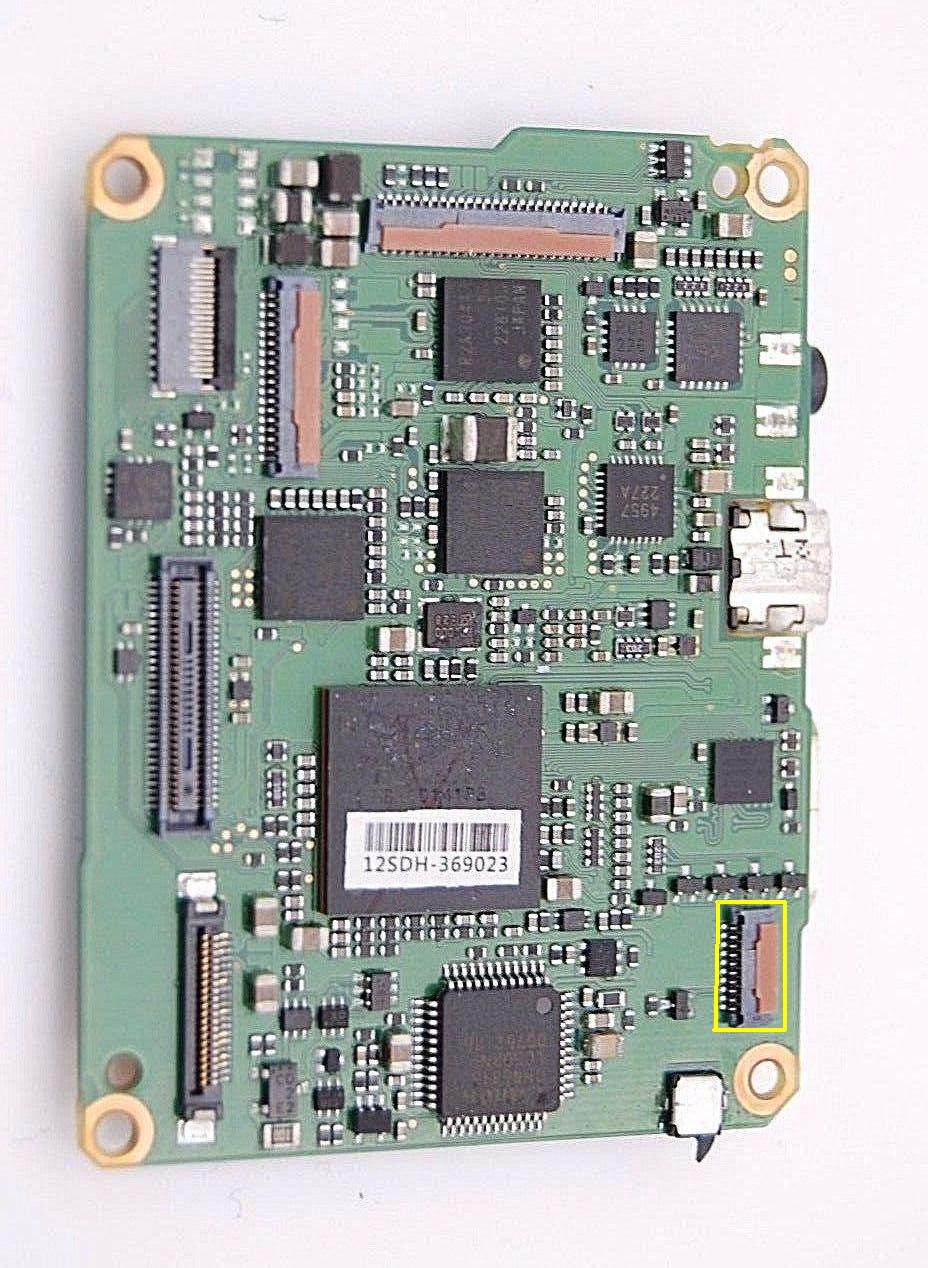
Thank you John for your quick answer, I found the problem, I disassemble the camera and this piece (the little lock of the ribbon cable) is loose from the main board, can be welded again? or I need a new board?
Options
- Mark as New
- Bookmark
- Subscribe
- Mute
- Subscribe to RSS Feed
- Permalink
- Report Inappropriate Content
10-13-2019 07:29 PM
You're welcome! It is hard to tell from the pictures exactly how it broke or if that can be repaired, resoldered or perhaps use a quick setting epoxy? At this point, you have nothing to lose and more to gain. If the repair fails then you will need to replace the board. Resoldering it in place, if possible, would be worth a shot. If it is just the plastic piece that holds the cable then maybe a quick setting epoxy would work if you can hold it in place while it dries with a clothespin or something. You have demonstrated you have the courage and skill to give it a try, I would!

Announcements
07/22/2026: New firmware updates are available.
EOS R6 Mark III - Version 1.1.0
05/13/2026: New firmware updates are available.
EOS R5 Mark II - Version 1.3.0
EOS R6 Mark II - Version 1.7.0
04/28/2026: Service Notice: Caution Concerning use of Lithium Batteries
03/17/2026: New firmware updates are available.
SELPHY CP1500 - Version 1.0.7.0
02/23/2026: New firmware update is available for EOS C50- Version 1.0.3.1
01/23/2026: New firmware update is available for RF 24-105mm F4 IS USM- Version 2.0.7
01/20/2026: New firmware updates are available.
10/21/2025: Service Notice: To Users of the Compact Digital Camera PowerShot V1
10/15/2025: New firmware updates are available.
Speedlite EL-5 - Version 1.2.0
Speedlite EL-1 - Version 1.1.0
Speedlite Transmitter ST-E10 - Version 1.2.0
07/28/2025: Notice of Free Repair Service for the Mirrorless Camera EOS R50 (Black)
05/21/2025: New firmware update available for EOS C500 Mark II - Version 1.1.5.1
Related Content
- Dropped my canon powershot elph360 A in Point & Shoot Digital Cameras
- T8i AEB and 2 second time delay in EOS DSLR & Mirrorless Cameras
- Trouble using hot shoe on EOS R6 V in EOS DSLR & Mirrorless Cameras
- Canon 24-70mm F2.8 II stopped focusing in EF & RF Lenses
- DPP4: "Target file does not exist" in Camera Software

Ⓒ 2026
Canon U.S.A Inc. All Rights Reserved. Reproduction in whole or part without permission is prohibited.
