06-05-2018 03:18 PM
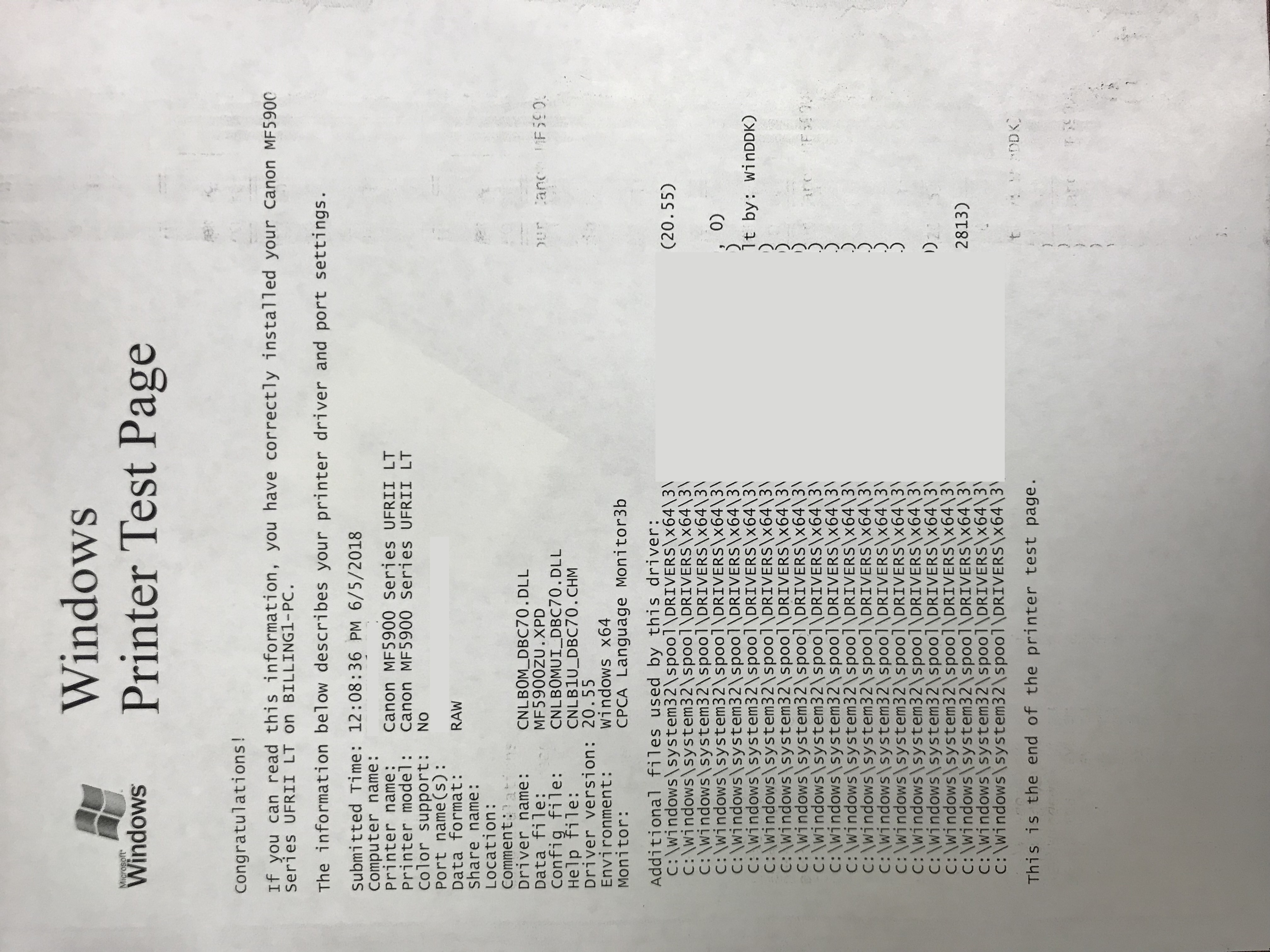
My mf5950 had a paper jam at the output area so I try to gently pull the paper out, but as I was pulling I heard paper ripping so I opened up the back cover and tried to remove the jam from there. I was able to pull out the jam but it took a piece of the paper with it and when I look into the opening from the back, I can see a piece of paper stuck on the roller that's on top of the red roller. Tried to get that piece of paper out with a paperclip but it seems like that piece of paper is stuck on the roller. I can still print but it leaves a blank streak on the right side (pictured). Please advise possible solution. Thanks in advance!!
06-06-2018 04:08 AM
Hi johnnylic
Click HERE for instructions to remove jams from your unit.
If you continue to have difficulties, please contact our support group using the following link:
http://Canon.us/ContactLI
05/13/2026: New firmware updates are available.
EOS R5 Mark II - Version 1.3.0
EOS R6 Mark II - Version 1.7.0
03/17/2026: New firmware updates are available.
SELPHY CP1500 - Version 1.0.7.0
01/20/2026: New firmware updates are available.
10/15/2025: New firmware updates are available.
Speedlite EL-5 - Version 1.2.0
Speedlite EL-1 - Version 1.1.0
Speedlite Transmitter ST-E10 - Version 1.2.0
Canon U.S.A Inc. All Rights Reserved. Reproduction in whole or part without permission is prohibited.

