- Meet Our Illuminaries
- Discussions & Help
- Printer
- Desktop Inkjet Printers
- Printer Software & Networking
- Office Printers
- Desktop Inkjet Printers
- Professional Photo Printers
- Mobile & Compact Printers
- Scanners
- Printer Software & Networking
- Production Printing
- Office Printers
- Professional Photo Printers
- Mobile & Compact Printers
- Scanners
- Production Printing
- Camera
- EOS Webcam Utility Pro
- Printer
- Desktop Inkjet Printers
- Printer Software & Networking
- Office Printers
- Desktop Inkjet Printers
- Professional Photo Printers
- Mobile & Compact Printers
- Scanners
- Printer Software & Networking
- Production Printing
- Office Printers
- Professional Photo Printers
- Mobile & Compact Printers
- Scanners
- Production Printing
- Video
- General Discussion
- Camera
- Gear Guide
- EOS Webcam Utility Pro
- Video
- General Discussion
- Gear Guide
- Printer
- Gallery
- Learn With Canon
- About Our Community
- Meet Our Illuminaries
- Discussions & Help
- Printer
- Desktop Inkjet Printers
- Printer Software & Networking
- Office Printers
- Desktop Inkjet Printers
- Professional Photo Printers
- Mobile & Compact Printers
- Scanners
- Printer Software & Networking
- Production Printing
- Office Printers
- Professional Photo Printers
- Mobile & Compact Printers
- Scanners
- Production Printing
- Camera
- EOS Webcam Utility Pro
- Printer
- Desktop Inkjet Printers
- Printer Software & Networking
- Office Printers
- Desktop Inkjet Printers
- Professional Photo Printers
- Mobile & Compact Printers
- Scanners
- Printer Software & Networking
- Production Printing
- Office Printers
- Professional Photo Printers
- Mobile & Compact Printers
- Scanners
- Production Printing
- Video
- General Discussion
- Camera
- Gear Guide
- EOS Webcam Utility Pro
- Video
- General Discussion
- Gear Guide
- Printer
- Gallery
- Learn With Canon
- About Our Community
Turn on suggestions
Auto-suggest helps you quickly narrow down your search results by suggesting possible matches as you type.
- Canon Community
- Discussions & Help
- Printer
- Mobile & Compact Printers
- Re: Selphy CP1500 Windows 11 USB Connection Issues
Options
- Subscribe to RSS Feed
- Mark Topic as New
- Mark Topic as Read
- Float this Topic for Current User
- Bookmark
- Subscribe
- Mute
- Printer Friendly Page

Options
- Mark as New
- Bookmark
- Subscribe
- Mute
- Subscribe to RSS Feed
- Permalink
- Report Inappropriate Content
10-22-2025 10:41 PM
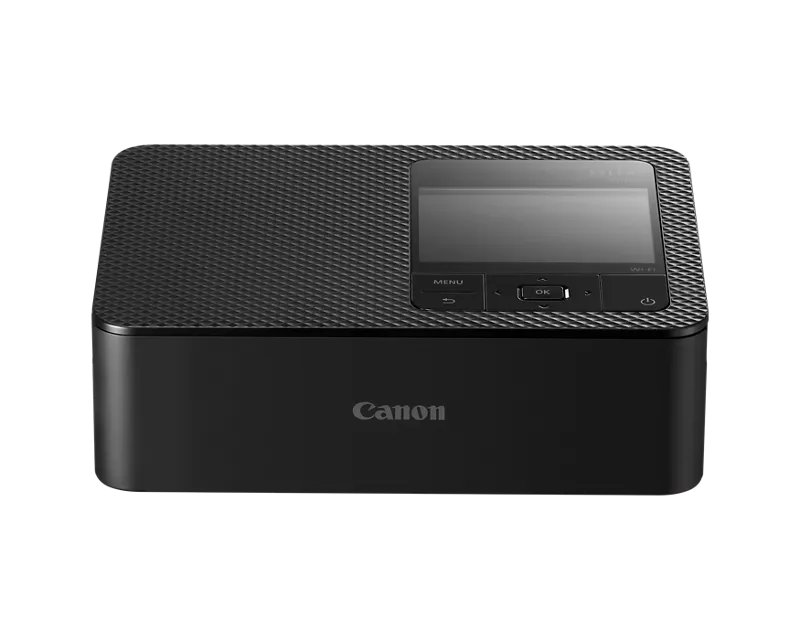
I am brand new to the Selphy system and purchased it specifically because the product info states it can work with a PC.
I need to connect to the printer via USB to print without a wireless connection. My camera will be tethered via USB to the laptop.
- I tried allowing Windows to install the driver, but see an ! in Device Manager. Some help guides say to ignore and still print, but I got an error in Windows.
- It is my understanding that this is a Mopria supported printer, but have had no luck in Windows despite this.
- I have read that more recent Windows updates are causing the incorrect driver to be installed.
- I have gotten it to print via PC via WiFi only but this does not solve my issue. I need to connect via USB.
My keeping this printer is dependent on this functionality. Has anyone been able to resolve this and what steps did you follow? I don't understand why some Selphy printers have drivers and others don't. There should be an available driver for this printer.
Solved! Go to Solution.
1 ACCEPTED SOLUTION
Accepted Solutions
Options
- Mark as New
- Bookmark
- Subscribe
- Mute
- Subscribe to RSS Feed
- Permalink
- Report Inappropriate Content
10-30-2025 08:33 AM
Posting an update to help others
If you can get the printer to install properly in one way, whether by wireless or cable, you can adjust settings in the other printer in regedit to fix the issue with paper size.
Ultimately, this started as it working on USB and not WiFi, then switched to the opposite.
Copied from my post in the other forum:
I went to regedit and exported the DsDriver and PrinterDriverData portions only from under the working printer and the non-working printer.
I copied all BUT the .gsd file name (from PrinterDriverData) details from the working to the non-working printer. This helped ensure the right driver was being sourced.
However, if you copy the .gsd filename so that both printers use the same one, you'll get a configuration error next time you go to print to the non-working printer.
So, I went into C:\Windows\System32\spool\V4Dirs\ and searched for the .gsd file from the non-working printer. I ran Notepad as an administrator and then opened this file. I also opened the .gsd from the working printer. they cannot use the same file
I copied everything from the working file to the non working file and saved it.
Boom, both WiFi and USB printing now works.
2 REPLIES 2
Options
- Mark as New
- Bookmark
- Subscribe
- Mute
- Subscribe to RSS Feed
- Permalink
- Report Inappropriate Content
10-23-2025 10:09 AM
Adding an update
I got the USB portion to work but honestly I'm not sure how. I tried again today and suddenly it worked via USB. It installs the printer separately when used on WiFi vs USB. Because I like backup plans, I tested the WiFi connected one again. It is now stuck on a paper size of letter or A4 and grayscale.
I would muchly prefer everything work, but it seems this is just a clunky connection to Windows. I did call Canon support and their only suggestion was to try and update firmware. I understand the reliance on drivers provided via Windows, but in some cases believe a manual installation is just necessary and the driver should be available.
I saw another forum where someone used a CP1300 driver, but this did not work for me.
Options
- Mark as New
- Bookmark
- Subscribe
- Mute
- Subscribe to RSS Feed
- Permalink
- Report Inappropriate Content
10-30-2025 08:33 AM
Posting an update to help others
If you can get the printer to install properly in one way, whether by wireless or cable, you can adjust settings in the other printer in regedit to fix the issue with paper size.
Ultimately, this started as it working on USB and not WiFi, then switched to the opposite.
Copied from my post in the other forum:
I went to regedit and exported the DsDriver and PrinterDriverData portions only from under the working printer and the non-working printer.
I copied all BUT the .gsd file name (from PrinterDriverData) details from the working to the non-working printer. This helped ensure the right driver was being sourced.
However, if you copy the .gsd filename so that both printers use the same one, you'll get a configuration error next time you go to print to the non-working printer.
So, I went into C:\Windows\System32\spool\V4Dirs\ and searched for the .gsd file from the non-working printer. I ran Notepad as an administrator and then opened this file. I also opened the .gsd from the working printer. they cannot use the same file
I copied everything from the working file to the non working file and saved it.
Boom, both WiFi and USB printing now works.

Announcements
01/20/2026: New firmware updates are available.
12/22/2025: New firmware update is available for EOS R6 Mark III- Version 1.0.2
11/20/2025: New firmware updates are available.
EOS R5 Mark II - Version 1.2.0
PowerShot G7 X Mark III - Version 1.4.0
PowerShot SX740 HS - Version 1.0.2
10/21/2025: Service Notice: To Users of the Compact Digital Camera PowerShot V1
10/15/2025: New firmware updates are available.
Speedlite EL-5 - Version 1.2.0
Speedlite EL-1 - Version 1.1.0
Speedlite Transmitter ST-E10 - Version 1.2.0
07/28/2025: Notice of Free Repair Service for the Mirrorless Camera EOS R50 (Black)
7/17/2025: New firmware updates are available.
05/21/2025: New firmware update available for EOS C500 Mark II - Version 1.1.5.1
02/20/2025: New firmware updates are available.
RF70-200mm F2.8 L IS USM Z - Version 1.0.6
RF24-105mm F2.8 L IS USM Z - Version 1.0.9
RF100-300mm F2.8 L IS USM - Version 1.0.8
Related Content
- Pixma 6020 not connecting in Desktop Inkjet Printers
- PIXMA TR7550 driver or connection problem in Printer Software & Networking
- PIXMA MG2541S won't connect to my computer after Windows upgrade in Desktop Inkjet Printers
- LiDE 300 scanner app not working on Mac Sequoia, but scanner is fine in Scanners
- PIXMA TS9120 Wireless connection issue with Windows computer, Mac OK in Printer Software & Networking

Ⓒ 2026
Canon U.S.A Inc. All Rights Reserved. Reproduction in whole or part without permission is prohibited.
