- Meet Our Illuminaries
- Discussions & Help
- Gallery
- Learn With Canon
- About Our Community
- Meet Our Illuminaries
- Discussions & Help
- Gallery
- Learn With Canon
- About Our Community
Turn on suggestions
Auto-suggest helps you quickly narrow down your search results by suggesting possible matches as you type.
- Canon Community
- Discussions & Help
- Camera
- EOS DSLR & Mirrorless Cameras
- Re: external mic doesn't work
Options
- Subscribe to RSS Feed
- Mark Topic as New
- Mark Topic as Read
- Float this Topic for Current User
- Bookmark
- Subscribe
- Mute
- Printer Friendly Page
external mic doesn't work

Options
- Mark as New
- Bookmark
- Subscribe
- Mute
- Subscribe to RSS Feed
- Permalink
- Report Inappropriate Content
08-10-2018 02:53 PM
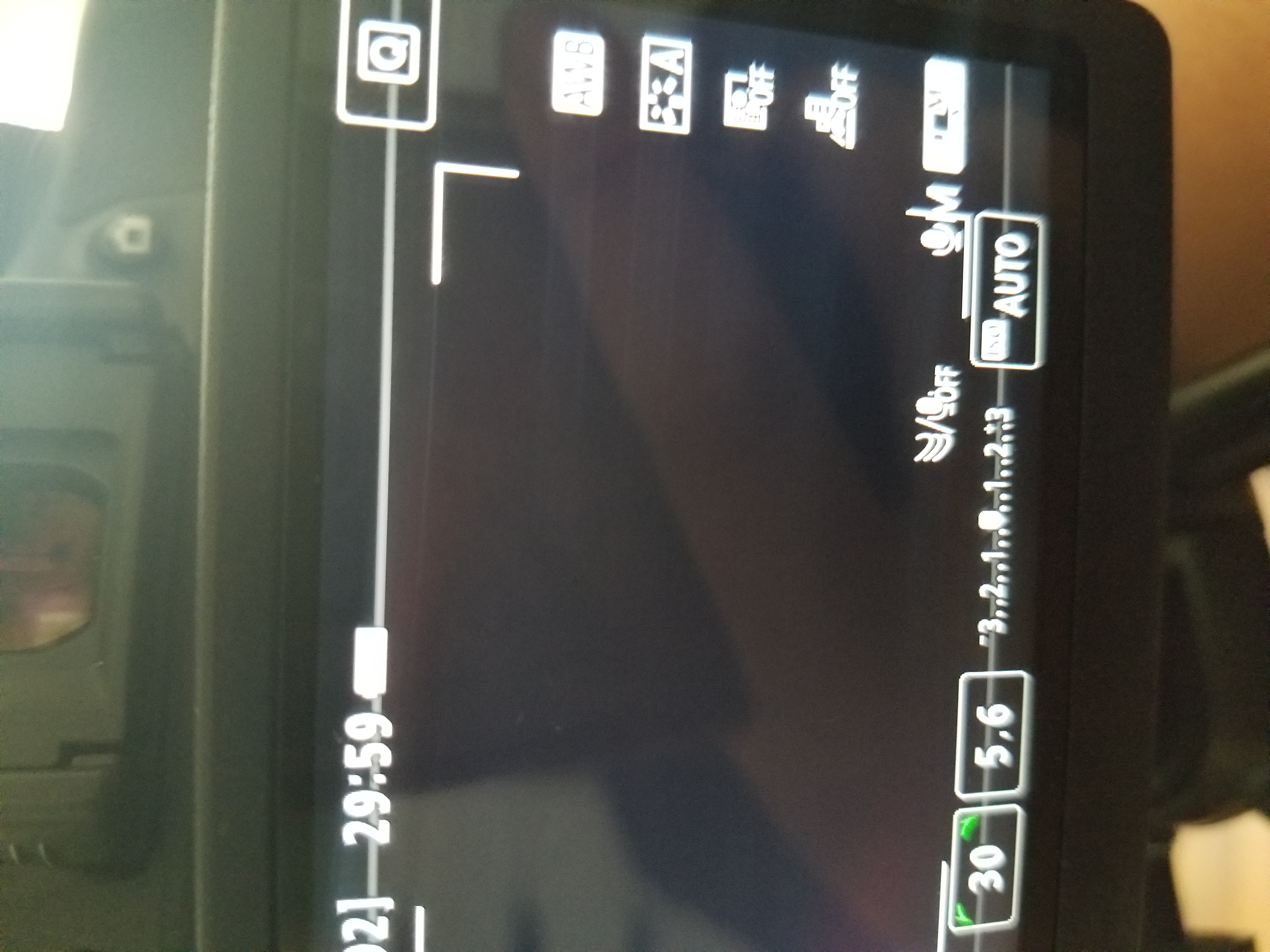
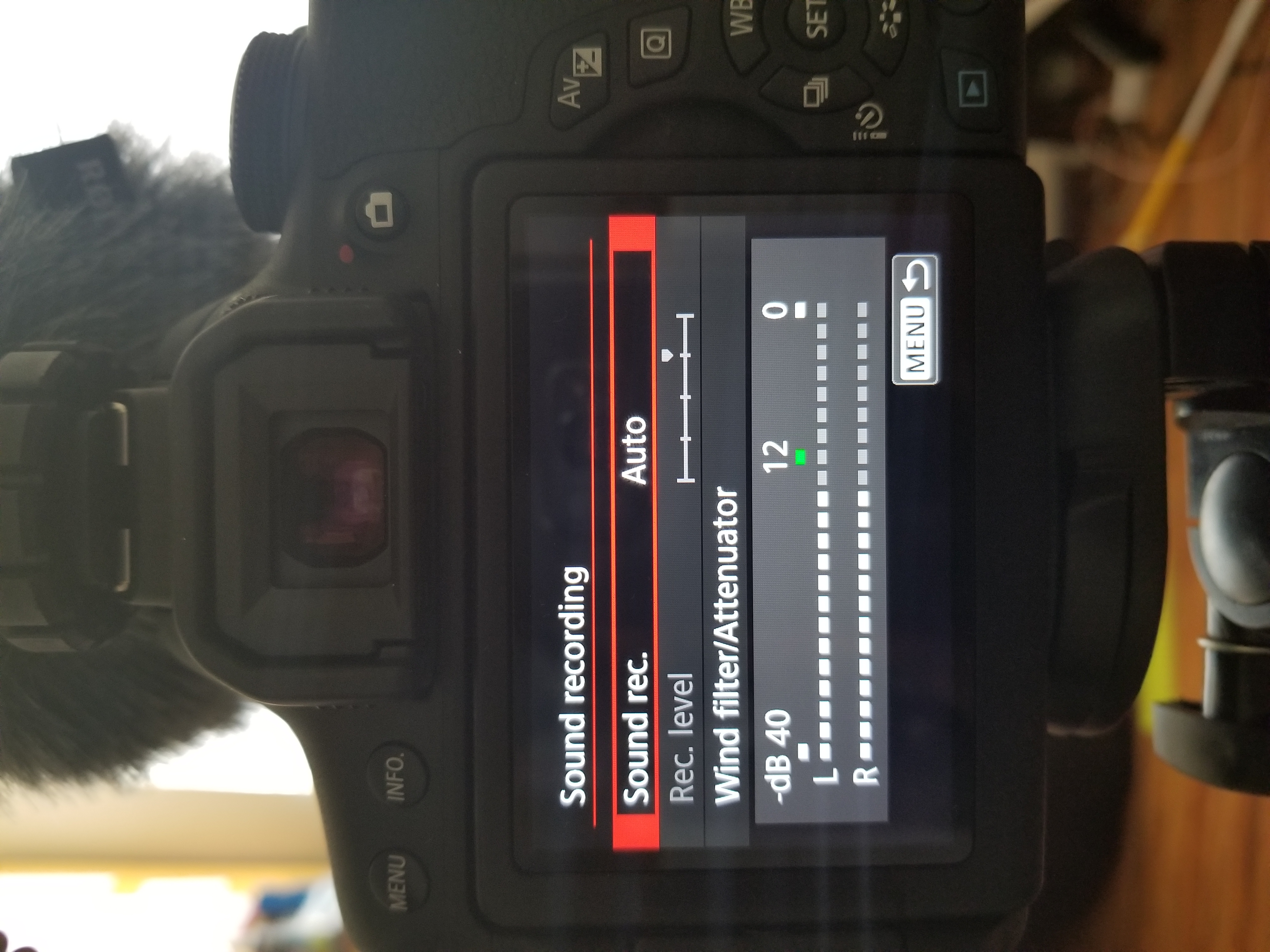
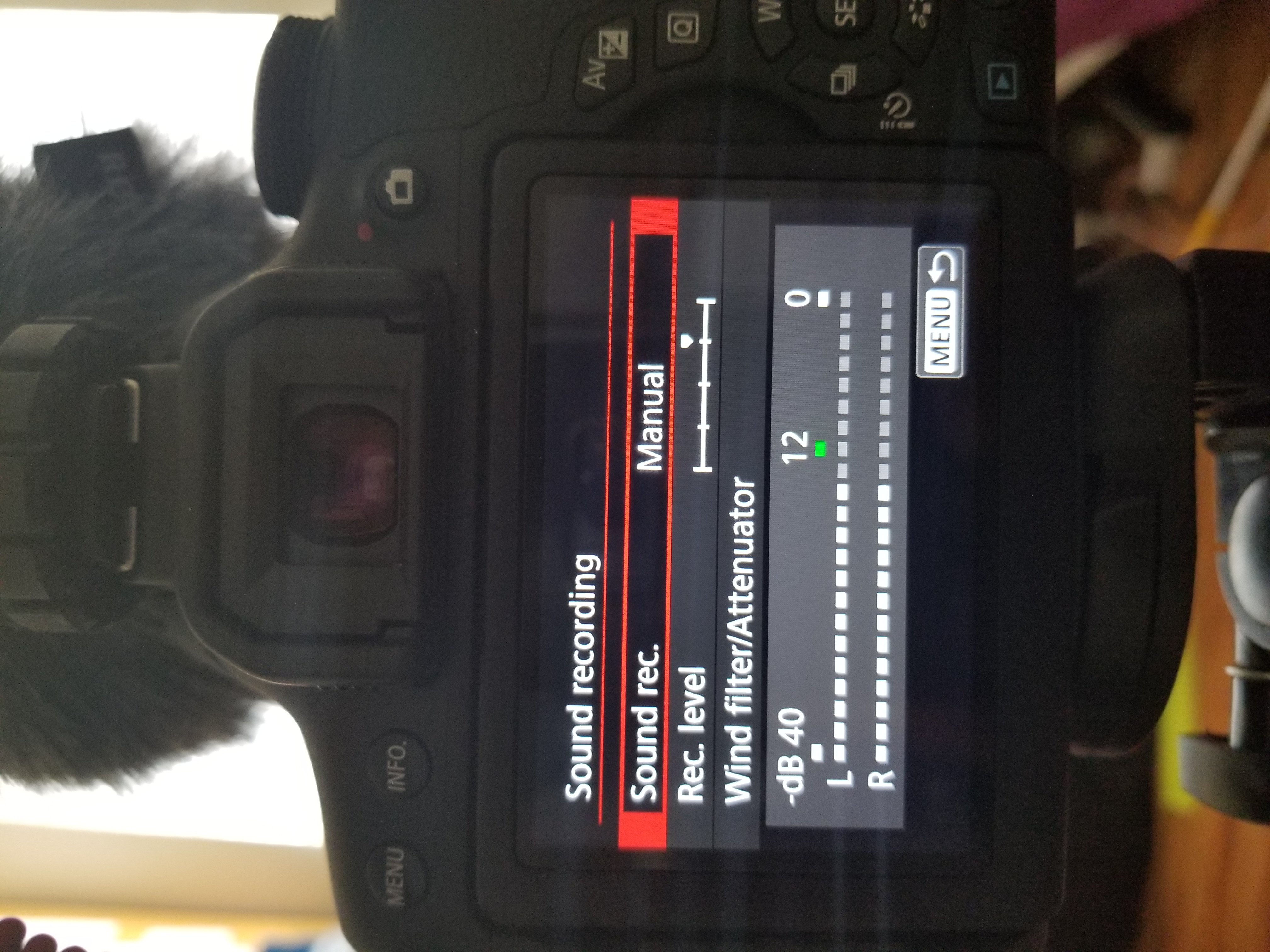
I have tried both manual and auto settings, but I constantly get the three check marks and the mic off sign (first picture), Please help me. The mic I'm using is the Video Micro from Rode.
8 REPLIES 8
Options
- Mark as New
- Bookmark
- Subscribe
- Mute
- Subscribe to RSS Feed
- Permalink
- Report Inappropriate Content
08-10-2018 04:33 PM
Hello dlarlQma,
You may wish to let the community know how this microphone is connected. Does it connect through the microphone terminal? If so, it should be given priority over the onboard microphone.
Did this answer your question? Please click the Accept as Solution button so that others may find the answer as well.
Options
- Mark as New
- Bookmark
- Subscribe
- Mute
- Subscribe to RSS Feed
- Permalink
- Report Inappropriate Content
08-10-2018 04:48 PM
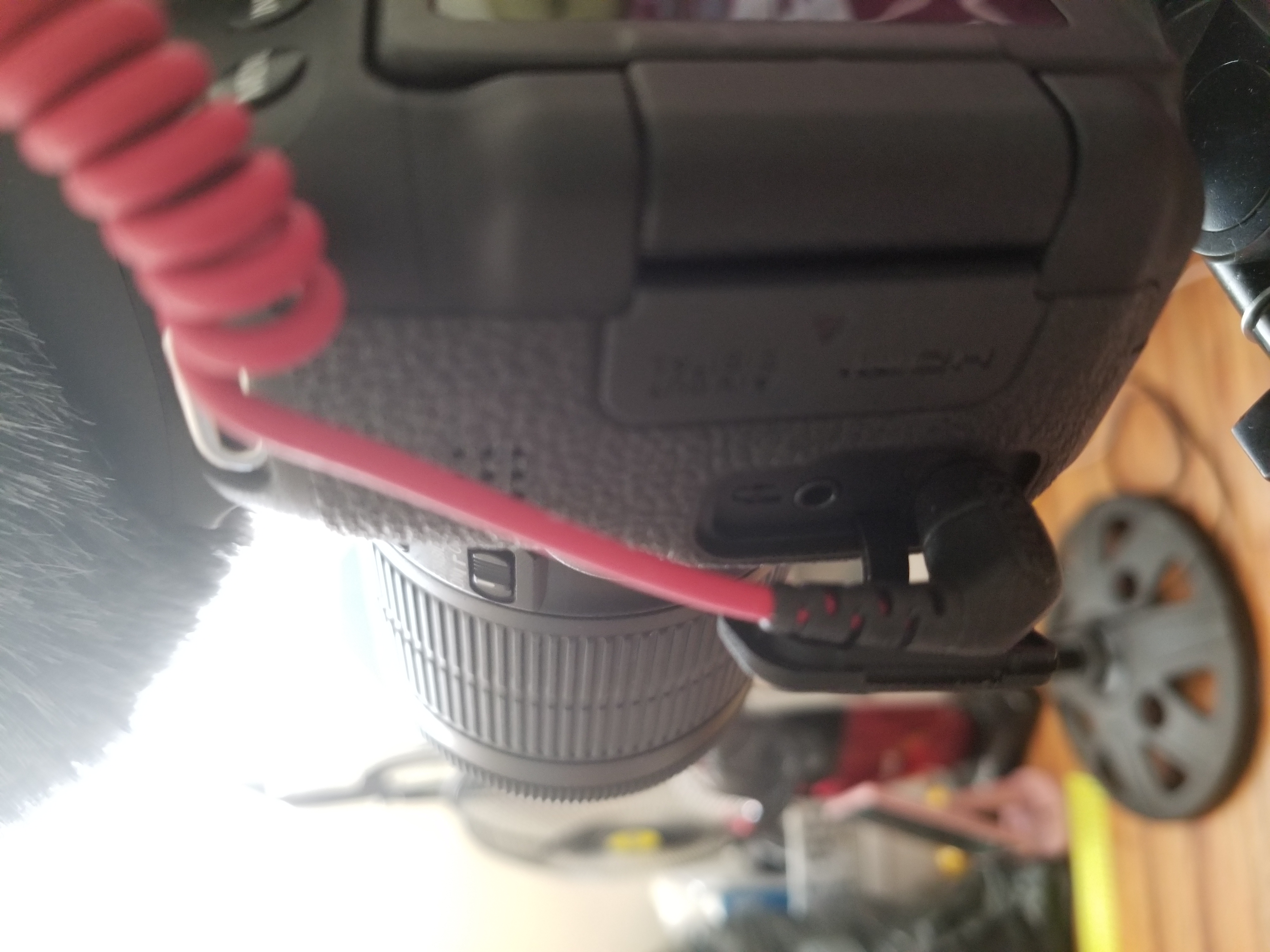
This is how I connect the mic to the camera.


Options
- Mark as New
- Bookmark
- Subscribe
- Mute
- Subscribe to RSS Feed
- Permalink
- Report Inappropriate Content
08-10-2018 06:34 PM
The Rode VideoMicro requires power from the microphone jack that it connects to. What camera are you using?
--------------------------------------------------------
"Enjoying photography since 1972."
"Enjoying photography since 1972."
Options
- Mark as New
- Bookmark
- Subscribe
- Mute
- Subscribe to RSS Feed
- Permalink
- Report Inappropriate Content
08-11-2018 12:19 AM
i use the canon t6i
Options
- Mark as New
- Bookmark
- Subscribe
- Mute
- Subscribe to RSS Feed
- Permalink
- Report Inappropriate Content
08-11-2018 10:25 AM
@dlarlQma wrote:
i use the canon t6i
The microphone requires a microphone input that provides phantom power, which I believe your Rebel does not provide.
--------------------------------------------------------
"Enjoying photography since 1972."
"Enjoying photography since 1972."
Options
- Mark as New
- Bookmark
- Subscribe
- Mute
- Subscribe to RSS Feed
- Permalink
- Report Inappropriate Content
08-11-2018 10:48 AM
i saw a youtube video and the person just plugged the mic directly into the camera.
Options
- Mark as New
- Bookmark
- Subscribe
- Mute
- Subscribe to RSS Feed
- Permalink
- Report Inappropriate Content
08-11-2018 11:03 AM
@dlarlQma wrote:
i saw a youtube video and the person just plugged the mic directly into the camera.
So, what. What camera were they using? Look for a YouTube video about Phantom Power for microphones.
--------------------------------------------------------
"Enjoying photography since 1972."
"Enjoying photography since 1972."
Options
- Mark as New
- Bookmark
- Subscribe
- Mute
- Subscribe to RSS Feed
- Permalink
- Report Inappropriate Content
08-11-2018 11:07 AM
@dlarlQma wrote:
i saw a youtube video and the person just plugged the mic directly into the camera.
You could also have a bad microphone. Take it up with Rode.
--------------------------------------------------------
"Enjoying photography since 1972."
"Enjoying photography since 1972."


Announcements
07/22/2026: New firmware updates are available.
EOS R6 Mark III - Version 1.1.0
05/13/2026: New firmware updates are available.
EOS R5 Mark II - Version 1.3.0
EOS R6 Mark II - Version 1.7.0
04/28/2026: Service Notice: Caution Concerning use of Lithium Batteries
03/17/2026: New firmware updates are available.
SELPHY CP1500 - Version 1.0.7.0
02/23/2026: New firmware update is available for EOS C50- Version 1.0.3.1
01/23/2026: New firmware update is available for RF 24-105mm F4 IS USM- Version 2.0.7
01/20/2026: New firmware updates are available.
10/21/2025: Service Notice: To Users of the Compact Digital Camera PowerShot V1
10/15/2025: New firmware updates are available.
Speedlite EL-5 - Version 1.2.0
Speedlite EL-1 - Version 1.1.0
Speedlite Transmitter ST-E10 - Version 1.2.0
07/28/2025: Notice of Free Repair Service for the Mirrorless Camera EOS R50 (Black)
05/21/2025: New firmware update available for EOS C500 Mark II - Version 1.1.5.1
Related Content
- EOS R10 rejecting all SD cards except for one in EOS DSLR & Mirrorless Cameras
- EOS R5 USB C / USB A connectivity problem in EOS DSLR & Mirrorless Cameras
- what EOS registration drivers am i meant to use to access my photos on my EOS Kiss X4? in Camera Software
- EOS R5 Mark II firmware 1.30 notes in Camera Software
- EOS R6 II won't capture photos in Lightroom Classic's tether capture or EOS utilites in Camera Software

Ⓒ 2026
Canon U.S.A Inc. All Rights Reserved. Reproduction in whole or part without permission is prohibited.
