Turn on suggestions
Auto-suggest helps you quickly narrow down your search results by suggesting possible matches as you type.
- Canon Community
- Discussions & Help
- Camera
- EOS DSLR & Mirrorless Cameras
- Video Button Doesn't Work
Options
- Subscribe to RSS Feed
- Mark Topic as New
- Mark Topic as Read
- Float this Topic for Current User
- Bookmark
- Subscribe
- Mute
- Printer Friendly Page
Video Button Doesn't Work

Options
- Mark as New
- Bookmark
- Subscribe
- Mute
- Subscribe to RSS Feed
- Permalink
- Report Inappropriate Content
03-23-2021 12:10 AM
Hi everyone. I recently bought a new EOS M200, and when I push the red video button, nothing happens. It's as if the button is dead.
How do I activate this button? Please help. I need to record video with this camera.
3 REPLIES 3


Options
- Mark as New
- Bookmark
- Subscribe
- Mute
- Subscribe to RSS Feed
- Permalink
- Report Inappropriate Content
03-23-2021 08:56 AM
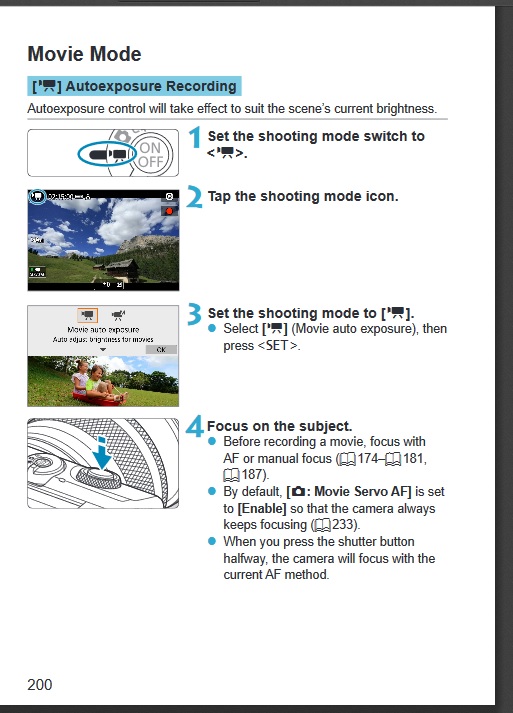
Do you have the mode switch set to movies?
Options
- Mark as New
- Bookmark
- Subscribe
- Mute
- Subscribe to RSS Feed
- Permalink
- Report Inappropriate Content
03-23-2021 09:14 AM
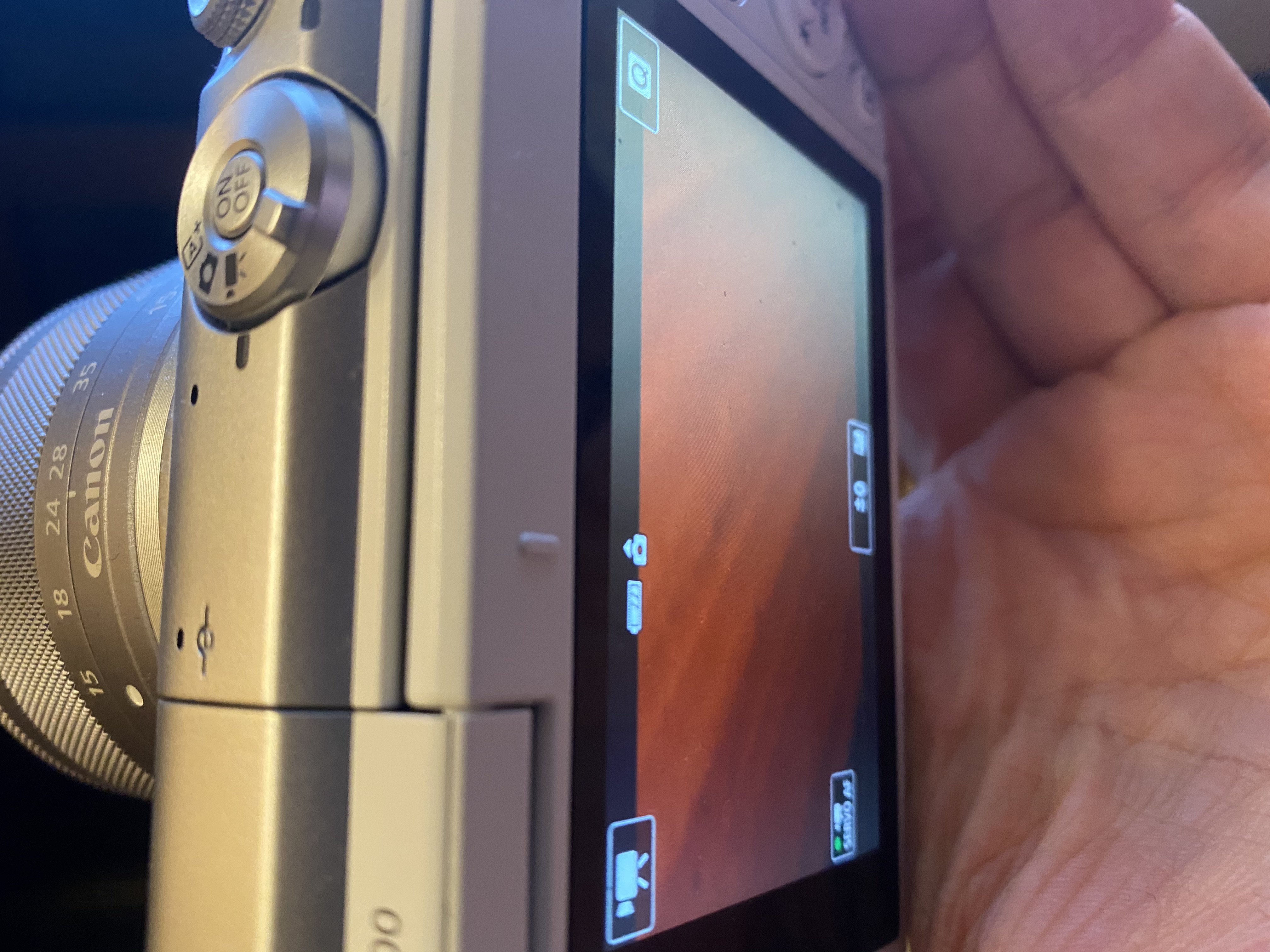
Thanks so much for getting back to me. Yes, I do have the mode switch set to movies. Please see the attached photo.
Could there be a setting somewhere that could disable the fuction of the red video button? I've been using the camera as a webcam for Zoom/Teams/Skype etc.
Options
- Mark as New
- Bookmark
- Subscribe
- Mute
- Subscribe to RSS Feed
- Permalink
- Report Inappropriate Content
03-23-2021 10:11 AM
I don't know, but you should be able to get into the menus and reset the camera settings.


Announcements
07/22/2026: New firmware updates are available.
EOS R6 Mark III - Version 1.1.0
05/13/2026: New firmware updates are available.
EOS R5 Mark II - Version 1.3.0
EOS R6 Mark II - Version 1.7.0
04/28/2026: Service Notice: Caution Concerning use of Lithium Batteries
03/17/2026: New firmware updates are available.
SELPHY CP1500 - Version 1.0.7.0
02/23/2026: New firmware update is available for EOS C50- Version 1.0.3.1
01/23/2026: New firmware update is available for RF 24-105mm F4 IS USM- Version 2.0.7
01/20/2026: New firmware updates are available.
10/21/2025: Service Notice: To Users of the Compact Digital Camera PowerShot V1
10/15/2025: New firmware updates are available.
Speedlite EL-5 - Version 1.2.0
Speedlite EL-1 - Version 1.1.0
Speedlite Transmitter ST-E10 - Version 1.2.0
07/28/2025: Notice of Free Repair Service for the Mirrorless Camera EOS R50 (Black)
05/21/2025: New firmware update available for EOS C500 Mark II - Version 1.1.5.1
Related Content
- EOS R6 Mark III How to retain video settings like on EOS R6 in EOS DSLR & Mirrorless Cameras
- Has anyone figured out a faster way to set VIDEO white balance on the Canon R5? in EOS DSLR & Mirrorless Cameras
- R5 Mark II Shutter Continuously Firing in EOS DSLR & Mirrorless Cameras
- [BUG] EOS R5 Mark II Firmware 1.3.0 - Touch & Drag AF Locks Out All Controls (Requires Battery Pull) in EOS DSLR & Mirrorless Cameras
- EOS R5 Mark II firmware 1.30 notes in Camera Software

Ⓒ 2026
Canon U.S.A Inc. All Rights Reserved. Reproduction in whole or part without permission is prohibited.
