Turn on suggestions
Auto-suggest helps you quickly narrow down your search results by suggesting possible matches as you type.
- Canon Community
- Discussions & Help
- Camera
- EOS DSLR & Mirrorless Cameras
- EOS R8 freezes and fails video recording after 1.5...
Options
- Subscribe to RSS Feed
- Mark Topic as New
- Mark Topic as Read
- Float this Topic for Current User
- Bookmark
- Subscribe
- Mute
- Printer Friendly Page

Options
- Mark as New
- Bookmark
- Subscribe
- Mute
- Subscribe to RSS Feed
- Permalink
- Report Inappropriate Content
01-20-2026 05:11 PM
I've been using the 1.4.0 firmware for a year without any incident. Recording 10 to 60 minute videos in 4k 29fps low bitrate, cinema gamut, onto my Sandisk Extreme Pro 512GB microsd. It has always worked well, aside from the occasional overheating.
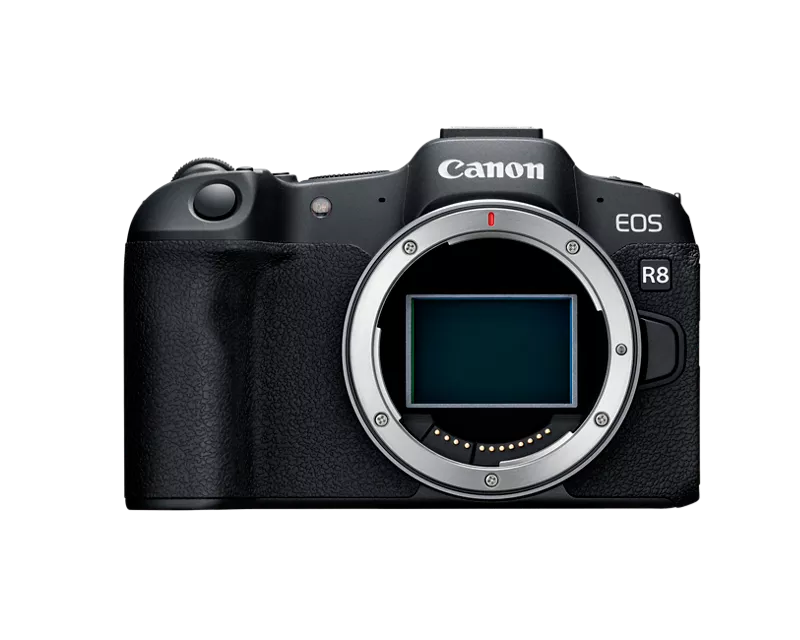
Last week I finally upgraded the firmware to 1.5.0. Now video recording fails more often than not, after 1-2 minutes, with the camera freezing. Sometimes it cannot even be turned off, by which I mean, turning it off still leaves the screen on and frozen. Example attached.
Can I downgrade the firmware on this camera?

Solved! Go to Solution.
1 ACCEPTED SOLUTION
Accepted Solutions


Options
- Mark as New
- Bookmark
- Subscribe
- Mute
- Subscribe to RSS Feed
- Permalink
- Report Inappropriate Content
01-20-2026 06:57 PM
Greetings ,
"micro SD".... Afraid there's nothing more to say. It's merely a coincidence (and lucky) extremely lucky you've been able to use a micro SD card and adapter successfully and without data loss for any amount of time whatsoever.
This is not speculation. Truthfully all you are doing is putting yourself at risk. The example image you have provided is confirmation.
Downgrading firmware. Is it possible? Yes. Is it supported or recommended, no. Although what was introduced in v1.5.0 is hardly what many might consider worthwhile or beneficial, I do not suggest downgrading.
Please take these recommendations seriously. Respectfully, the problem is your storage media choice. Micro SD cards with adapters are not recommended or compatible.
Get yourself one or more full size SD cards v60 or v90. 😉
~Rick
Bay Area - CA
~R5 C (1.1.2.1), ~R50v (1.1.1) ~RF Trinity, ~RF 100 Macro, ~RF 100~400, ~RF 100~500, ~RF 200-800 +RF 1.4x TC, BG-R10, 430EX III-RT ~DxO PhotoLab Elite ~DaVinci Resolve Studio ~ImageClass MF644Cdw/MF656Cdw ~Pixel 10 ~CarePaks Are Worth It
3 REPLIES 3
Options
- Mark as New
- Bookmark
- Subscribe
- Mute
- Subscribe to RSS Feed
- Permalink
- Report Inappropriate Content
01-20-2026 06:57 PM
Greetings ,
"micro SD".... Afraid there's nothing more to say. It's merely a coincidence (and lucky) extremely lucky you've been able to use a micro SD card and adapter successfully and without data loss for any amount of time whatsoever.
This is not speculation. Truthfully all you are doing is putting yourself at risk. The example image you have provided is confirmation.
Downgrading firmware. Is it possible? Yes. Is it supported or recommended, no. Although what was introduced in v1.5.0 is hardly what many might consider worthwhile or beneficial, I do not suggest downgrading.
Please take these recommendations seriously. Respectfully, the problem is your storage media choice. Micro SD cards with adapters are not recommended or compatible.
Get yourself one or more full size SD cards v60 or v90. 😉
~Rick
Bay Area - CA
~R5 C (1.1.2.1), ~R50v (1.1.1) ~RF Trinity, ~RF 100 Macro, ~RF 100~400, ~RF 100~500, ~RF 200-800 +RF 1.4x TC, BG-R10, 430EX III-RT ~DxO PhotoLab Elite ~DaVinci Resolve Studio ~ImageClass MF644Cdw/MF656Cdw ~Pixel 10 ~CarePaks Are Worth It
Options
- Mark as New
- Bookmark
- Subscribe
- Mute
- Subscribe to RSS Feed
- Permalink
- Report Inappropriate Content
01-20-2026 09:31 PM
Thank you I will give that a try.
Options
- Mark as New
- Bookmark
- Subscribe
- Mute
- Subscribe to RSS Feed
- Permalink
- Report Inappropriate Content
01-28-2026 10:39 PM
Yes sir. We're here if you need more assistance. 😉
~Rick
Bay Area - CA
~R5 C (1.1.2.1), ~R50v (1.1.1) ~RF Trinity, ~RF 100 Macro, ~RF 100~400, ~RF 100~500, ~RF 200-800 +RF 1.4x TC, BG-R10, 430EX III-RT ~DxO PhotoLab Elite ~DaVinci Resolve Studio ~ImageClass MF644Cdw/MF656Cdw ~Pixel 10 ~CarePaks Are Worth It


Announcements
05/13/2026: New firmware updates are available.
EOS R5 Mark II - Version 1.3.0
EOS R6 Mark II - Version 1.7.0
04/28/2026: Service Notice: Caution Concerning use of Lithium Batteries
03/17/2026: New firmware updates are available.
SELPHY CP1500 - Version 1.0.7.0
02/23/2026: New firmware update is available for EOS C50- Version 1.0.3.1
01/23/2026: New firmware update is available for RF 24-105mm F4 IS USM- Version 2.0.7
01/20/2026: New firmware updates are available.
12/22/2025: New firmware update is available for EOS R6 Mark III- Version 1.0.2
10/21/2025: Service Notice: To Users of the Compact Digital Camera PowerShot V1
10/15/2025: New firmware updates are available.
Speedlite EL-5 - Version 1.2.0
Speedlite EL-1 - Version 1.1.0
Speedlite Transmitter ST-E10 - Version 1.2.0
07/28/2025: Notice of Free Repair Service for the Mirrorless Camera EOS R50 (Black)
05/21/2025: New firmware update available for EOS C500 Mark II - Version 1.1.5.1
Related Content
- EOS R8 overheats after 60-120 seconds in EOS DSLR & Mirrorless Cameras
- Powershot SX530 HS video stops randomly in Point & Shoot Digital Cameras
- EOS R5 Mark II firmware 1.30 notes in Camera Software
- Reminder to all R5 Mark II owners to update your firmware to the new ver. 1.3.0 in EOS DSLR & Mirrorless Cameras
- To all RF24-105mm F4 L IS USM owners...: Firmware update reminder in EF & RF Lenses

Ⓒ 2026
Canon U.S.A Inc. All Rights Reserved. Reproduction in whole or part without permission is prohibited.
