Turn on suggestions
Auto-suggest helps you quickly narrow down your search results by suggesting possible matches as you type.
- Canon Community
- Discussions & Help
- Camera
- EOS DSLR & Mirrorless Cameras
- EOS R6 Mark III Playback shows second-to-last phot...
Options
- Subscribe to RSS Feed
- Mark Topic as New
- Mark Topic as Read
- Float this Topic for Current User
- Bookmark
- Subscribe
- Mute
- Printer Friendly Page
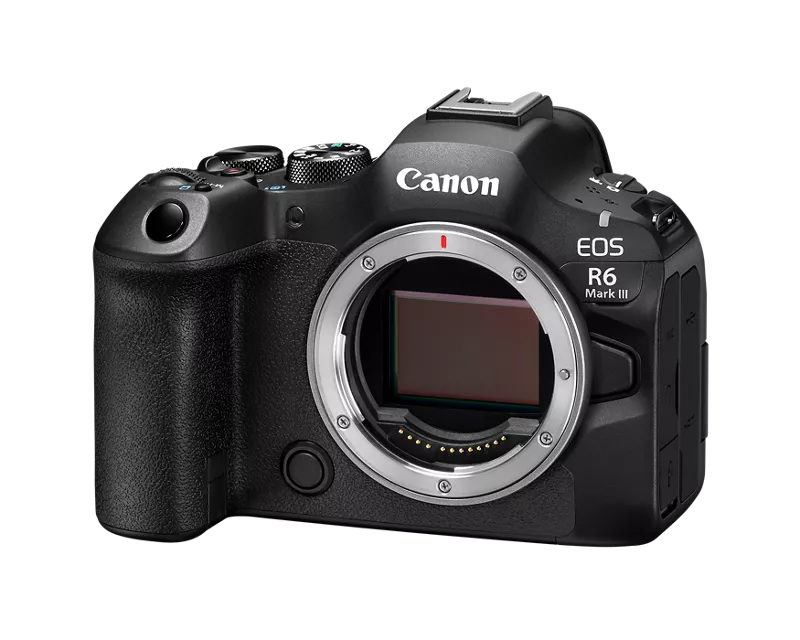
EOS R6 Mark III Playback shows second-to-last photo instead of last photo

Options
- Mark as New
- Bookmark
- Subscribe
- Mute
- Subscribe to RSS Feed
- Permalink
- Report Inappropriate Content
01-07-2026
10:16 AM
- last edited on
01-07-2026
10:18 AM
by
 Danny
Danny
Hi guys,
I'm experiencing an annoying problem with my new Canon R6 Mk. III:
After taking a few pictures (slow single shots, not even burst mode), the camera shows the second to last picture instead of the most recent one, when I press the playback button.
- The camera is running the latest firmware 1.02.
- Error occurs both on old SD cards and new, fast CF Express cards.
- I'm shooting only in RAW.
- I'm shooting only in RAW.
- Full reset of the camera doesn't work.
I'm on my 3rd R6 and have been using Canon for the last 20 years. I have never experienced this error before. Anybody with the same error? And know how to fix it?
Thanks in advance for any advice!
I'm on my 3rd R6 and have been using Canon for the last 20 years. I have never experienced this error before. Anybody with the same error? And know how to fix it?
Thanks in advance for any advice!
Cheers,
Soren
3 REPLIES 3

Options
- Mark as New
- Bookmark
- Subscribe
- Mute
- Subscribe to RSS Feed
- Permalink
- Report Inappropriate Content
01-10-2026 05:20 PM
Hi SPJuul,
I'm sorry to hear the camera isn't playing back your most recent photo. When you press the playback button it can either show the most recent file taken or it can show the most recent file played back. When this is happening is it always the second most recent file, or is it bringing up the same image each time during a session? Also are you still able to navigate to the most recent photo once you are in playback?
There is one thing to check with an issue like this. If the search got limited it would change the files the camera would display. To clear that go into the camera menu, go to the fourth page under the Playback tab, select Set Image Search Conditions, and on the next screen press the trash can button to clear the search settings. That will reset the search conditions to the factory default, so that should cause it to go back to displaying the most recent photo you took.
Options
- Mark as New
- Bookmark
- Subscribe
- Mute
- Subscribe to RSS Feed
- Permalink
- Report Inappropriate Content
01-11-2026 01:37 PM
Dear Hazel,
Thank you for your attention to my issue and for your kind advice.
I've followed your advice and reset the search conditions, but unfortunately that didn't help.
My problem is as follows:
When I've taken a couple of pictures (slow single shots), the camera displays the second-to-last image. If I take a burst of images in burst mode, the playback lags even more. It seems like a buffer issue.
I'm using CFexpress Gold Professional cards with 1750 MB/s read/1500 MB/s write speeds - and the playback lags even with slow single shots. The problems also occur if I use V60 or faster SD cards.
It's possible to manually scroll from the second-to-last to the last image without any lag.
I used V60 SD cards in my old R6 Mark II and didn't experience any problems while using the camera the exact same way as I use the Mark III.
I visited my local Canon dealer the other day, and they acknowledged that it seemed a bit strange. I'm waiting for the dealer to get an R6 Mark III back in stock so we can test whether the issue also occurs on other R6 Mk. III. I'll let you know when I know more.
Options
- Mark as New
- Bookmark
- Subscribe
- Mute
- Subscribe to RSS Feed
- Permalink
- Report Inappropriate Content
01-30-2026 10:26 AM
Hi 🙂
I have an update on this matter. I visited my Canon dealer, who performed a 1:1 comparison with another R6 Mk. III. Unfortunately, the other camera has the same “issue” and shows the second-to-last photo if you press the playback button too quickly - even when using a super fast CF Express card.
I hope a firmware update will resolve this problem in the future. It’s frustrating.


Announcements
05/13/2026: New firmware updates are available.
EOS R5 Mark II - Version 1.3.0
EOS R6 Mark II - Version 1.7.0
04/28/2026: Service Notice: Caution Concerning use of Lithium Batteries
03/17/2026: New firmware updates are available.
SELPHY CP1500 - Version 1.0.7.0
02/23/2026: New firmware update is available for EOS C50- Version 1.0.3.1
01/23/2026: New firmware update is available for RF 24-105mm F4 IS USM- Version 2.0.7
01/20/2026: New firmware updates are available.
12/22/2025: New firmware update is available for EOS R6 Mark III- Version 1.0.2
10/21/2025: Service Notice: To Users of the Compact Digital Camera PowerShot V1
10/15/2025: New firmware updates are available.
Speedlite EL-5 - Version 1.2.0
Speedlite EL-1 - Version 1.1.0
Speedlite Transmitter ST-E10 - Version 1.2.0
07/28/2025: Notice of Free Repair Service for the Mirrorless Camera EOS R50 (Black)
05/21/2025: New firmware update available for EOS C500 Mark II - Version 1.1.5.1
Related Content
- EOS R5 Mark II minor Firmware Update, Version 1.3.1 in Camera Software
- EOS 5D Mark III sRAW and RAW image dimensions are inconsistent in EOS DSLR & Mirrorless Cameras
- Location in metadata on camera but no longer transferring across since last R7ii firmware update. in EOS DSLR & Mirrorless Cameras
- R5 Mark II Owners Update Your Firmware to Version 1.3.1 in EOS DSLR & Mirrorless Cameras
- EOS R6 Mk 2 - Display of lens focal length in Playback display in EOS DSLR & Mirrorless Cameras

Ⓒ 2026
Canon U.S.A Inc. All Rights Reserved. Reproduction in whole or part without permission is prohibited.
