Turn on suggestions
Auto-suggest helps you quickly narrow down your search results by suggesting possible matches as you type.
- Canon Community
- Discussions & Help
- Camera
- EOS DSLR & Mirrorless Cameras
- EOS R5 Mark II + RF 600mm F4 L IS USM switching to...
Options
- Subscribe to RSS Feed
- Mark Topic as New
- Mark Topic as Read
- Float this Topic for Current User
- Bookmark
- Subscribe
- Mute
- Printer Friendly Page

Options
- Mark as New
- Bookmark
- Subscribe
- Mute
- Subscribe to RSS Feed
- Permalink
- Report Inappropriate Content
12-13-2025
11:36 AM
- last edited on
12-15-2025
08:43 AM
by
 James_C
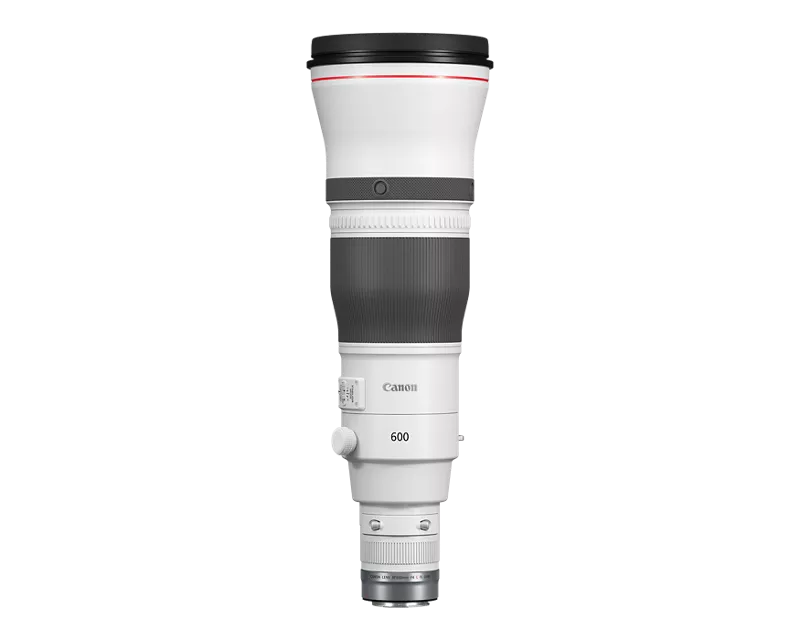
I have started having issues using my Canon R5 Mark ii with the RF 600mm F4 L IS USM lens. Occasionally, it switches to manual focus mode, by itself. I.E. I do not change the lens switch or any other setting, but auto-focus stops working and the viewfinder shows manual focusing aids. Turning the camera off and on does not fix it. However, turning the focus ring does! (I don't remember changing any settings that might cause this and I do not remember it happening before the last week.) Any ideas what could be the problem, before I send them to Canon to be fixed, only to be told it is a user error?
Solved! Go to Solution.

1 ACCEPTED SOLUTION
Accepted Solutions
Options
- Mark as New
- Bookmark
- Subscribe
- Mute
- Subscribe to RSS Feed
- Permalink
- Report Inappropriate Content
02-11-2026 12:49 PM
I thought I would follow-up in case anyone else has the same problem.
I found time to send the complete setup to my Canon Service Centre and it is now fixed. Actually, there was nothing wrong with it 😀. The other thing I neglected to mention was that the lens has a Lens Coat camo-cover on it. It appears that the covers over the focus ring and the focus preset ring had moved, such that moving the focus ring also moved the preset ring and held it in position. Apparently doing that switched to manual focus mode and caused the problems I had been seeing. (Hence turning the focus ring the opposite direction freed up the preset ring, enabling auto-focus again.)
Simple fixes are rearranging the ring covers or turning the preset function off.
All a bit embarrassing, but glad it was nothing serious wrong.
12 REPLIES 12


Options
- Mark as New
- Bookmark
- Subscribe
- Mute
- Subscribe to RSS Feed
- Permalink
- Report Inappropriate Content
12-13-2025 01:48 PM
Your lens is capable of entering a “manual override” focus mode. That’s all I know.
--------------------------------------------------------
"Enjoying photography since 1972."
"Enjoying photography since 1972."

Anonymous
Not applicable
Options
- Mark as New
- Bookmark
- Subscribe
- Mute
- Subscribe to RSS Feed
- Permalink
- Report Inappropriate Content
12-14-2025 05:04 AM
Maybe the camera looses (partial)contact with the lens, try cleaning the contacts. See if the metal rings on camera/lens are still firmly attached.
Options
- Mark as New
- Bookmark
- Subscribe
- Mute
- Subscribe to RSS Feed
- Permalink
- Report Inappropriate Content
12-14-2025 08:31 AM
“ Maybe the camera looses (partial)contact with the lens, try cleaning the contacts. See if the metal rings on camera/lens are still firmly attached. “
Unless you can see debris on the contacts, cleaning them rarely works. In fact, you are likely to damage the gold plating if you are not careful.
The lens has a switch that can disable AF temporarily, putting it into a manual focus mode.’

--------------------------------------------------------
"Enjoying photography since 1972."
"Enjoying photography since 1972."
Anonymous
Not applicable
Options
- Mark as New
- Bookmark
- Subscribe
- Mute
- Subscribe to RSS Feed
- Permalink
- Report Inappropriate Content
12-14-2025 08:48 AM
'The lens has a switch that can disable AF temporarily, putting it into a manual focus mode.’
But the OP says: ' I do not change the lens switch or any other setting' although it could be a defect in the switch. These switches are very hard to accidentally move. With heavy lenses there's more change of a bit of play/bad contacts.
Anonymous
Not applicable
Options
- Mark as New
- Bookmark
- Subscribe
- Mute
- Subscribe to RSS Feed
- Permalink
- Report Inappropriate Content
12-14-2025 08:55 AM
Or or you talking about these buttons? This works only as long as you press the button. I own the RF400 2.8, functionally the same lens(they even share the manual) and I've never managed to accidentally press one, they are to far forward(or my arms are too short😄).

Options
- Mark as New
- Bookmark
- Subscribe
- Mute
- Subscribe to RSS Feed
- Permalink
- Report Inappropriate Content
12-14-2025 09:11 AM
Yes. The “AF Stop” button(s).
--------------------------------------------------------
"Enjoying photography since 1972."
"Enjoying photography since 1972."
Options
- Mark as New
- Bookmark
- Subscribe
- Mute
- Subscribe to RSS Feed
- Permalink
- Report Inappropriate Content
12-14-2025 10:19 AM
Those buttons are far to distant to accidentally press 😀
Also, the AF/MF switch is not easy to move accidentally, either.
I will check the contacts for anything obvious, but I have switched in/out my RF 1.4x TC a few times, so my guess is that should have resolved a contact issue.
I think the biggest clue is that it is fixed by manually altering focus. But I have no idea what that could mean.
I have plans for the next few weeks, so I will live with it and hope it does not get worse and, if it does not miraculously fix itself, it looks like it will all be on the way to Canon in the New Year to take a look!
Thanks for the suggestions.
Options
- Mark as New
- Bookmark
- Subscribe
- Mute
- Subscribe to RSS Feed
- Permalink
- Report Inappropriate Content
12-14-2025 01:42 PM
Those buttons are far to distant to accidentally press
Also, the AF/MF switch is not easy to move accidentally, either.
I agree, my answer was to Waddizzle.
I think the biggest clue is that it is fixed by manually altering focus. But I have no idea what that could mean.
That partly why I was thinking play/loose contact, as soon as you grab/move the focussing ring you're altering pressure on the lens and contacts.
Options
- Mark as New
- Bookmark
- Subscribe
- Mute
- Subscribe to RSS Feed
- Permalink
- Report Inappropriate Content
12-14-2025 02:10 PM
Hmm. Next time it happens, I'll try to remember to just try moving the camera/lens join and see if that works. Would confirm the hypothesis and the need to go back to Canon to be fixed.

Announcements
07/22/2026: New firmware updates are available.
EOS R6 Mark III - Version 1.1.0
05/13/2026: New firmware updates are available.
EOS R5 Mark II - Version 1.3.0
EOS R6 Mark II - Version 1.7.0
04/28/2026: Service Notice: Caution Concerning use of Lithium Batteries
03/17/2026: New firmware updates are available.
SELPHY CP1500 - Version 1.0.7.0
02/23/2026: New firmware update is available for EOS C50- Version 1.0.3.1
01/23/2026: New firmware update is available for RF 24-105mm F4 IS USM- Version 2.0.7
01/20/2026: New firmware updates are available.
10/21/2025: Service Notice: To Users of the Compact Digital Camera PowerShot V1
10/15/2025: New firmware updates are available.
Speedlite EL-5 - Version 1.2.0
Speedlite EL-1 - Version 1.1.0
Speedlite Transmitter ST-E10 - Version 1.2.0
07/28/2025: Notice of Free Repair Service for the Mirrorless Camera EOS R50 (Black)
05/21/2025: New firmware update available for EOS C500 Mark II - Version 1.1.5.1
Related Content
- Canon 24-70mm F2.8 II stopped focusing in EF & RF Lenses
- Disappointed with EOS Rebel T7, issues with washed out, blurred images in EOS DSLR & Mirrorless Cameras
- Trouble Using Prefocus Setting EF600 f/4 USM III and Canon R5 Mk II in EF & RF Lenses
- Manual focus not working with Canon RF 24-70mm F2.8L on R6MII in EF & RF Lenses
- Extender EF 2x III compatible with EF 100-300 f/5.6L on EOS R? in Camera Accessories

Ⓒ 2026
Canon U.S.A Inc. All Rights Reserved. Reproduction in whole or part without permission is prohibited.
