Turn on suggestions
Auto-suggest helps you quickly narrow down your search results by suggesting possible matches as you type.
- Canon Community
- Discussions & Help
- Camera
- EOS DSLR & Mirrorless Cameras
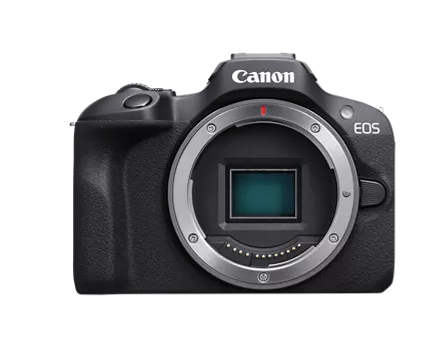
- EOS R100 Camera Settings for Aviation Photography
Options
- Subscribe to RSS Feed
- Mark Topic as New
- Mark Topic as Read
- Float this Topic for Current User
- Bookmark
- Subscribe
- Mute
- Printer Friendly Page
EOS R100 Camera Settings for Aviation Photography

Options
- Mark as New
- Bookmark
- Subscribe
- Mute
- Subscribe to RSS Feed
- Permalink
- Report Inappropriate Content
08-14-2026
11:52 AM
- last edited on
08-14-2026
12:39 PM
by
 Danny
Danny
Hey, so I do aviation photography but I'm kind of new to photography overall and I've been finding myself with kind of bad and low quality images that aren't as good as other photos I've seen taken with the R100 and I don't know how to kind of achieve this level of sharpness with my camera, another thing is I don't know if it's the lens I have either (RF75-300mm) and I should look into getting something better like an RF55-210mm or RF200-800mm and yea. So if you have some settings you would use or do use on you're R100 for this stuff and would like to share or if you think I should get a better lens either works! Thank you!

high quality image using same camera

My low quality image (unedited as imported)
3 REPLIES 3


Options
- Mark as New
- Bookmark
- Subscribe
- Mute
- Subscribe to RSS Feed
- Permalink
- Report Inappropriate Content
08-14-2026 12:23 PM - edited 08-14-2026 12:24 PM
On a calibrated monitor zoomed I cannot tell the difference in quality of the image. Are they the same aperture and shutter speed? It could be that the second suffers a bit from the length of the plane vs the focal plane. The first one clearly has a slow enough shutter speed to show your tracking of the plane. So, you might need to increase shutter speed so that your shot doesn't have to depend upon your tracking the plane accurately. So my best recommendation is increase the shutter speed and raise your ISOs to ensure the shot isn't as dependent upon your personal ability to track the movement of the plane. It might help if you share your settings on the shots, but that's a first-order approximation (aka "guess").
>> Owns/Owned both Canon EOS mirrorless full-frame and APS-C cameras and associated RF, RF-S and EF adapted lenses - inventory tends to change on short notice. Same for flashes, tripods, bags, straps, etc.
Plus>> Canon imagePROGRAF PRO-1100 Printer. My photos are edited using no Adobe products.
>>The opinions and assistance are my own. Please don't blame Canon for any mistakes on my part.
Options
- Mark as New
- Bookmark
- Subscribe
- Mute
- Subscribe to RSS Feed
- Permalink
- Report Inappropriate Content
08-14-2026 12:47 PM
@SignifDigits the first image that shows the AirEuropa 737 is an example of a high quality image that someone else has taken with that camera, the second image is my personal image. The settings used with taking the second image were, ISO 200, 130mm, F/8, 1/1250, so its not the shutter speed that's the issue. I don't know if its a mix of my ISO being at 200 and my aperture being F/8, but if you have any other ideas I would love to hear!

Options
- Mark as New
- Bookmark
- Subscribe
- Mute
- Subscribe to RSS Feed
- Permalink
- Report Inappropriate Content
08-14-2026 09:20 PM
TuckerW,
You say that your second photo is unedited. When I blow it up, I'm seeing chromatic aberration around the outline of the 0lane, the engines and the wheels.
You might want to go into DPP4, or another editing program and see if you can correct for that.
Steve Thomas


Announcements
07/22/2026: New firmware updates are available.
EOS R6 Mark III - Version 1.1.0
05/13/2026: New firmware updates are available.
EOS R5 Mark II - Version 1.3.0
EOS R6 Mark II - Version 1.7.0
04/28/2026: Service Notice: Caution Concerning use of Lithium Batteries
03/17/2026: New firmware updates are available.
SELPHY CP1500 - Version 1.0.7.0
02/23/2026: New firmware update is available for EOS C50- Version 1.0.3.1
01/23/2026: New firmware update is available for RF 24-105mm F4 IS USM- Version 2.0.7
01/20/2026: New firmware updates are available.
10/21/2025: Service Notice: To Users of the Compact Digital Camera PowerShot V1
10/15/2025: New firmware updates are available.
Speedlite EL-5 - Version 1.2.0
Speedlite EL-1 - Version 1.1.0
Speedlite Transmitter ST-E10 - Version 1.2.0
07/28/2025: Notice of Free Repair Service for the Mirrorless Camera EOS R50 (Black)
05/21/2025: New firmware update available for EOS C500 Mark II - Version 1.1.5.1
Related Content

Ⓒ 2026
Canon U.S.A Inc. All Rights Reserved. Reproduction in whole or part without permission is prohibited.
