Turn on suggestions
Auto-suggest helps you quickly narrow down your search results by suggesting possible matches as you type.
- Canon Community
- Discussions & Help
- Camera
- EOS DSLR & Mirrorless Cameras
- Re: EOS Canon R6 mkIII Image write failure
Options
- Subscribe to RSS Feed
- Mark Topic as New
- Mark Topic as Read
- Float this Topic for Current User
- Bookmark
- Subscribe
- Mute
- Printer Friendly Page
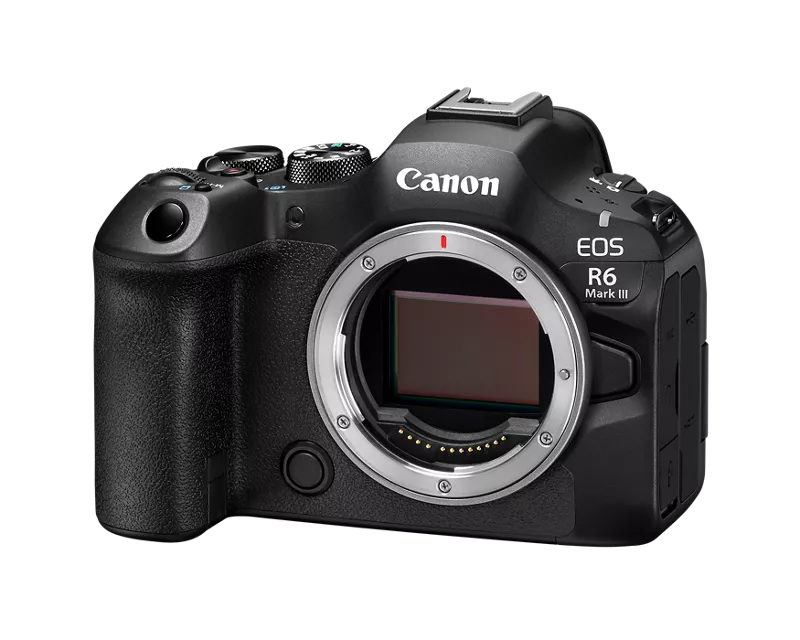
EOS Canon R6 mkIII Image write failure

Options
- Mark as New
- Bookmark
- Subscribe
- Mute
- Subscribe to RSS Feed
- Permalink
- Report Inappropriate Content
09-07-2026 11:38 AM
I was shooting a wedding yesterday on a new R6 mkIII which I've used for a few weddings with no issues. I updated the firmware to 1.1.0 and was using it for the first time since the updating the firmware.
I was about 30 shots into the day. I lifted my camera to find the viewfinder screen visible, showing what was through the lens but all the camera setting info and focus points weren't visible. I pressed the shutter button and nothing was working so I turned off the camera (did not remove the battery) and turned it back on and it was working as normally.
I continued to shoot and then decided to check my camera and review an image and all of the images I had shot since turning the camera off where not viewable in the camera. I then turned off the camera (did not remove battery) and the screen said 'saving' 132 images. I let the camera sit for 45 minutes and it still said 'saving' with no change.
I then removed the battery and checked the camera to find the images were still not showing on the memory card. I even checked the 101EOSR6 folder in both cards through the computer and no luck.
I'm using Sandisk extreme pro memory cards (both a few months old) and was shooting images only, not in burst mode so there shouldn't have been any buffering issues. My memory cards were freshly formatted in camera at the beginning of the shoot and the images were set to RAW + JPEG. The write data was set to 'Rec to Multiple' and both cards have no images.
I have yet to try any recovery software but I fear there was some sort of issue with the camera communicating with the memory cards.
Any one have any issues like this before? Any thoughts?
8 REPLIES 8


Options
- Mark as New
- Bookmark
- Subscribe
- Mute
- Subscribe to RSS Feed
- Permalink
- Report Inappropriate Content
09-07-2026 03:14 PM
“ I'm using Sandisk extreme pro memory cards (both a few months old) and was shooting images only, not in burst mode so there shouldn't have been any buffering issues. My memory cards were freshly formatted in camera at the beginning of the shoot and the images were set to RAW + JPEG. The write data was set to 'Rec to Multiple' and both cards have no images. “
Sounds like a memory card issue. I don’t think your issues have anything to do with the firmware update because hundreds, or even thousands, of others have updated their firmware without issues.
I would recommend replacing the memory cards. What are the specs on the cards you’re using.
Where did purchase your current memory cards?
--------------------------------------------------------
"Enjoying photography since 1972."
"Enjoying photography since 1972."
Options
- Mark as New
- Bookmark
- Subscribe
- Mute
- Subscribe to RSS Feed
- Permalink
- Report Inappropriate Content
09-08-2026 02:35 PM
Thanks for the reply.
I'm hoping that's the case but I'm pretty bummed that my faith in the camera has been shaken. Mostly that the camera let me continue shooting despite having the release shutter w/o memory card disabled. Clearly the cards weren't communicating with the camera properly.
I've been photographing professionally for 15+ years and been using canon since the 5d2 and never had anything like this happen... glad it hasn't happened to anyone else with the new firmware.

Options
- Mark as New
- Bookmark
- Subscribe
- Mute
- Subscribe to RSS Feed
- Permalink
- Report Inappropriate Content
09-08-2026 04:35 PM
Maybe one of the Canon moderators can provide insight - does the camera just physically determine that a card is installed via microswitch or does it electronically confirm write ability. The former would be much easier, since it is already set up to detect a locked card.
John Hoffman
Conway, NH
R6 Mark III, M200 (converted to infrared), RF lenses, Pixma PRO-100, Pixma TR8620a, Lr Classic
Conway, NH
R6 Mark III, M200 (converted to infrared), RF lenses, Pixma PRO-100, Pixma TR8620a, Lr Classic
Options
- Mark as New
- Bookmark
- Subscribe
- Mute
- Subscribe to RSS Feed
- Permalink
- Report Inappropriate Content
09-10-2026 07:41 PM
I'd love to know that as well. The fact BOTH cards didn't have any data (confirmed with san disk recovery software) makes me think it's less likely a memory card issue.
Options
- Mark as New
- Bookmark
- Subscribe
- Mute
- Subscribe to RSS Feed
- Permalink
- Report Inappropriate Content
09-11-2026 02:35 AM
“ I'd love to know that as well. The fact BOTH cards didn't have any data (confirmed with san disk recovery software) makes me think it's less likely a memory card issue. “
I suggest that you set up a service ticket with Canon. Send the camera in for a checkup. Explain the issue in exacting detail. Be sure to include your memory cards when you send it in.
--------------------------------------------------------
"Enjoying photography since 1972."
"Enjoying photography since 1972."
Options
- Mark as New
- Bookmark
- Subscribe
- Mute
- Subscribe to RSS Feed
- Permalink
- Report Inappropriate Content
09-11-2026 06:18 AM
I agree.
John Hoffman
Conway, NH
R6 Mark III, M200 (converted to infrared), RF lenses, Pixma PRO-100, Pixma TR8620a, Lr Classic
Conway, NH
R6 Mark III, M200 (converted to infrared), RF lenses, Pixma PRO-100, Pixma TR8620a, Lr Classic
Options
- Mark as New
- Bookmark
- Subscribe
- Mute
- Subscribe to RSS Feed
- Permalink
- Report Inappropriate Content
09-14-2026 02:10 PM
UPDATE: I was shooting another wedding this past weekend with a different R6 Mark III body and different memory cards, and it happened again! This time, there was no freezing or any other indication that something was wrong. I went to review an image, and it simply wasn’t there. Again, when I turned the camera off, it displayed “Saving” as if the images were still being written, but they never made it to the memory cards.
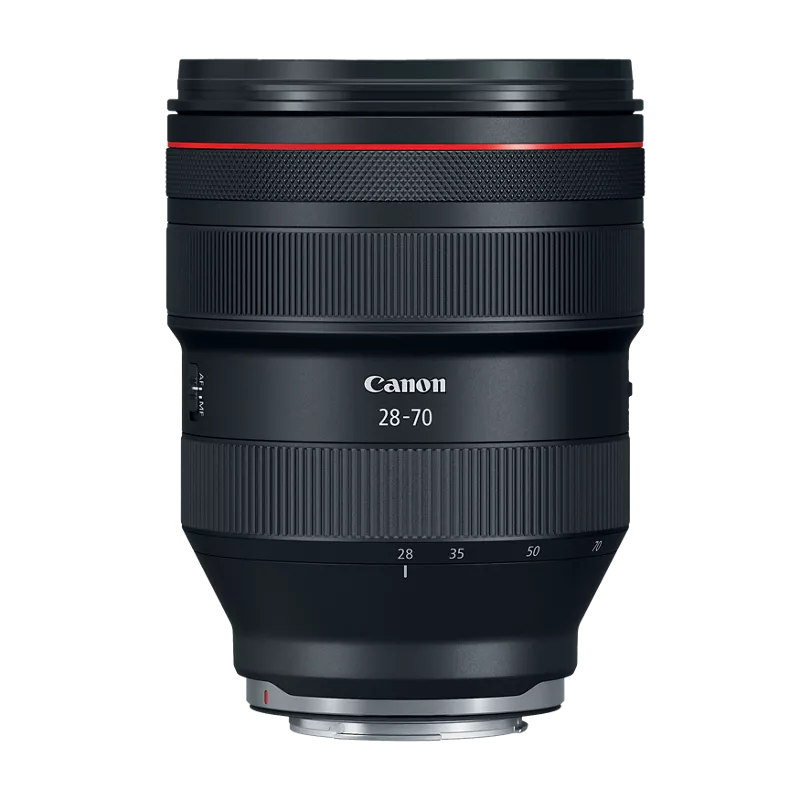
At this point, this seems to rule out the memory cards and the camera body as the cause. The one thing that remained consistent was the lens. I was using the same RF 28-70mm f/2L both times.
In the meantime, I contacted Canon CPS, and they told me that a battery or lens could potentially have a short that might cause this type of issue.
I’ve used this same lens extensively on the original Canon R6 with no problems. Even after the first occurrence. My guess is that there may be some newer software or protection built into the R6 Mark III that detects or responds to a potential short differently than the original R6. That’s just a theory at this point, though.
Both R6 Mark III bodies are now in Canon CPS’s hands, and I’ll update this post when I have more information.
Hopefully leaving this information here will help someone else troubleshoot the issue a little faster if they experience something similar.
Options
- Mark as New
- Bookmark
- Subscribe
- Mute
- Subscribe to RSS Feed
- Permalink
- Report Inappropriate Content
09-14-2026 02:48 PM
Thank you for keeping us updated.
John Hoffman
Conway, NH
R6 Mark III, M200 (converted to infrared), RF lenses, Pixma PRO-100, Pixma TR8620a, Lr Classic
Conway, NH
R6 Mark III, M200 (converted to infrared), RF lenses, Pixma PRO-100, Pixma TR8620a, Lr Classic


Announcements
07/22/2026: New firmware updates are available.
EOS R6 Mark III - Version 1.1.0
05/13/2026: New firmware updates are available.
EOS R5 Mark II - Version 1.3.0
EOS R6 Mark II - Version 1.7.0
04/28/2026: Service Notice: Caution Concerning use of Lithium Batteries
03/17/2026: New firmware updates are available.
SELPHY CP1500 - Version 1.0.7.0
02/23/2026: New firmware update is available for EOS C50- Version 1.0.3.1
01/23/2026: New firmware update is available for RF 24-105mm F4 IS USM- Version 2.0.7
01/20/2026: New firmware updates are available.
10/21/2025: Service Notice: To Users of the Compact Digital Camera PowerShot V1
10/15/2025: New firmware updates are available.
Speedlite EL-5 - Version 1.2.0
Speedlite EL-1 - Version 1.1.0
Speedlite Transmitter ST-E10 - Version 1.2.0
07/28/2025: Notice of Free Repair Service for the Mirrorless Camera EOS R50 (Black)
05/21/2025: New firmware update available for EOS C500 Mark II - Version 1.1.5.1
Related Content
- EOS Canon R6 mkIII Image write failure in EOS DSLR & Mirrorless Cameras
- DPP4: "Target file does not exist" in Camera Software
- EOS 7D Mark II - will not connect to laptop in EOS DSLR & Mirrorless Cameras
- EOS R5 Mark II firmware 1.30 notes in Camera Software
- EOS R6 Mark II SD card can't be read error in EOS DSLR & Mirrorless Cameras

Ⓒ 2026
Canon U.S.A Inc. All Rights Reserved. Reproduction in whole or part without permission is prohibited.
