Turn on suggestions
Auto-suggest helps you quickly narrow down your search results by suggesting possible matches as you type.
- Canon Community
- Discussions & Help
- Camera
- EOS DSLR & Mirrorless Cameras
- Re: Cannon T7i
Options
- Subscribe to RSS Feed
- Mark Topic as New
- Mark Topic as Read
- Float this Topic for Current User
- Bookmark
- Subscribe
- Mute
- Printer Friendly Page

Options
- Mark as New
- Bookmark
- Subscribe
- Mute
- Subscribe to RSS Feed
- Permalink
- Report Inappropriate Content
12-02-2019 10:04 AM
Ok so I do not know a thing about this camera other then it is going to be awesome
but fo those of you who have had one , what are some basics and some tips to know about this camera
THANK YOU EVERYONE for your help with picking it out for me
glad I went from just a T7 to a T7i
look s like more features for me to play with
Solved! Go to Solution.
63 REPLIES 63


Options
- Mark as New
- Bookmark
- Subscribe
- Mute
- Subscribe to RSS Feed
- Permalink
- Report Inappropriate Content
12-09-2019 10:48 AM
"If you have one of those "wide angle lens" filters that attach to the front of a lens, throw it away."
If you have one of two of these type add-on lenses, do not use it ever, never ever. It can and will damage the Canon lens.
EB
EOS 1DX and many lenses.
EOS 1DX and many lenses.
Options
- Mark as New
- Bookmark
- Subscribe
- Mute
- Subscribe to RSS Feed
- Permalink
- Report Inappropriate Content
12-09-2019 10:56 AM
"What WB would you suggest?"
"(it) is best when there is still natural light, low iso and daylight/tungsten WB, ..." "I have always been keen on low light photography/night photography ..."
The answer to all your questions is, post editing. You need a good post editor like Photoshop or Photoshop Elements if you don't want the full blown PS. You got a free editor, DPP4, with your camera from Canon which will do a good job, too.
Why? Because you need to be shooting Raw file format. Never jpg, you can not get the best pictures from jpg. Almost no camera setting effects a Raw file. All that is set in the editor and you can set it where ever you want it or like it. Exposure and focus are the main most important thing to get with Raw. And, even exposure can be adjusted several stops in Raw. You need to nail focus, however.
EB
EOS 1DX and many lenses.
EOS 1DX and many lenses.
Options
- Mark as New
- Bookmark
- Subscribe
- Mute
- Subscribe to RSS Feed
- Permalink
- Report Inappropriate Content
12-09-2019 11:02 AM
"I’ve been practicing with the auto mode and the P setting and trying to figure out the rest
Need family pictures soon and it’s always taken on the front porch full of white lights"
First get a small piece of electrical tape and cover the green square on the mode dial with it. That way you will not be temped to use it ever again. Matter of fact cover all the auto modes on that side of the dial while you are at it.
When you need an auto setting use P mode. Otherwise stick with Av, Tv and or full manual M mode. You need to change your file format to Raw. Not jpg, there is almost never a good reason to use jpg anymore. You should make all you adjustment in a good post editor like I suggested in the above post.
EB
EOS 1DX and many lenses.
EOS 1DX and many lenses.
Options
- Mark as New
- Bookmark
- Subscribe
- Mute
- Subscribe to RSS Feed
- Permalink
- Report Inappropriate Content
12-09-2019 11:10 AM
Need family pictures soon and it’s always taken on the front porch full of white lights"
Here is how you do this, set average metering. Get there s bit before you intend to take the real shot and make a few test shots. No people or you can have a volunteer step in for a test subject. Check the settings in the camera and determine which is best. If you notice the SS is very slow, then you need to employ your tripod. If DOF isn't enough for a fully sharp photo adjust the Av setting to a smaller f-number. Etc, etc and son on. Shoot Raw format and edit the shots in post.
If on the other hand you just set Auto, jpg, and hope for the best, you are probably going to be disappointed. Been there done that, right?
EB
EOS 1DX and many lenses.
EOS 1DX and many lenses.
Options
- Mark as New
- Bookmark
- Subscribe
- Mute
- Subscribe to RSS Feed
- Permalink
- Report Inappropriate Content
12-10-2019 10:50 AM
I did these last night as I was passing a park. Hand held. 
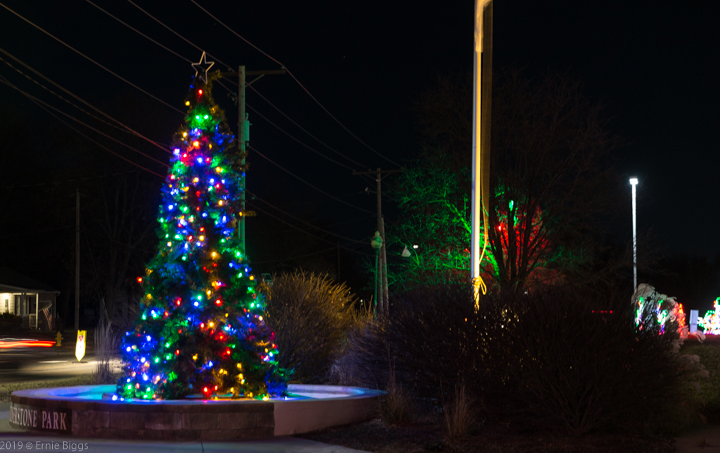
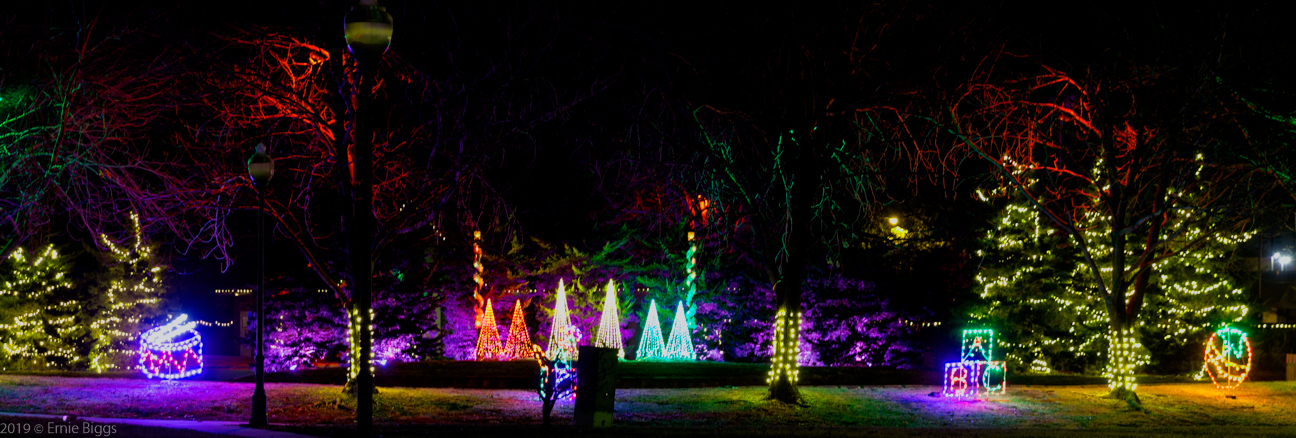
EOS 1DX, ISO 400, 70mm @f2.8 for 1/2 sec.
EB
EOS 1DX and many lenses.
EOS 1DX and many lenses.
Options
- Mark as New
- Bookmark
- Subscribe
- Mute
- Subscribe to RSS Feed
- Permalink
- Report Inappropriate Content
12-11-2019 09:08 PM
WOW That is beautiful
Options
- Mark as New
- Bookmark
- Subscribe
- Mute
- Subscribe to RSS Feed
- Permalink
- Report Inappropriate Content
12-11-2019 09:13 PM

Options
- Mark as New
- Bookmark
- Subscribe
- Mute
- Subscribe to RSS Feed
- Permalink
- Report Inappropriate Content
12-11-2019 09:14 PM
Options
- Mark as New
- Bookmark
- Subscribe
- Mute
- Subscribe to RSS Feed
- Permalink
- Report Inappropriate Content
12-11-2019 09:14 PM
Been working with AV and P modes and some manual

Options
- Mark as New
- Bookmark
- Subscribe
- Mute
- Subscribe to RSS Feed
- Permalink
- Report Inappropriate Content
12-11-2019 10:21 PM
@Barby64 wrote:Been working with AV and P modes and some manual
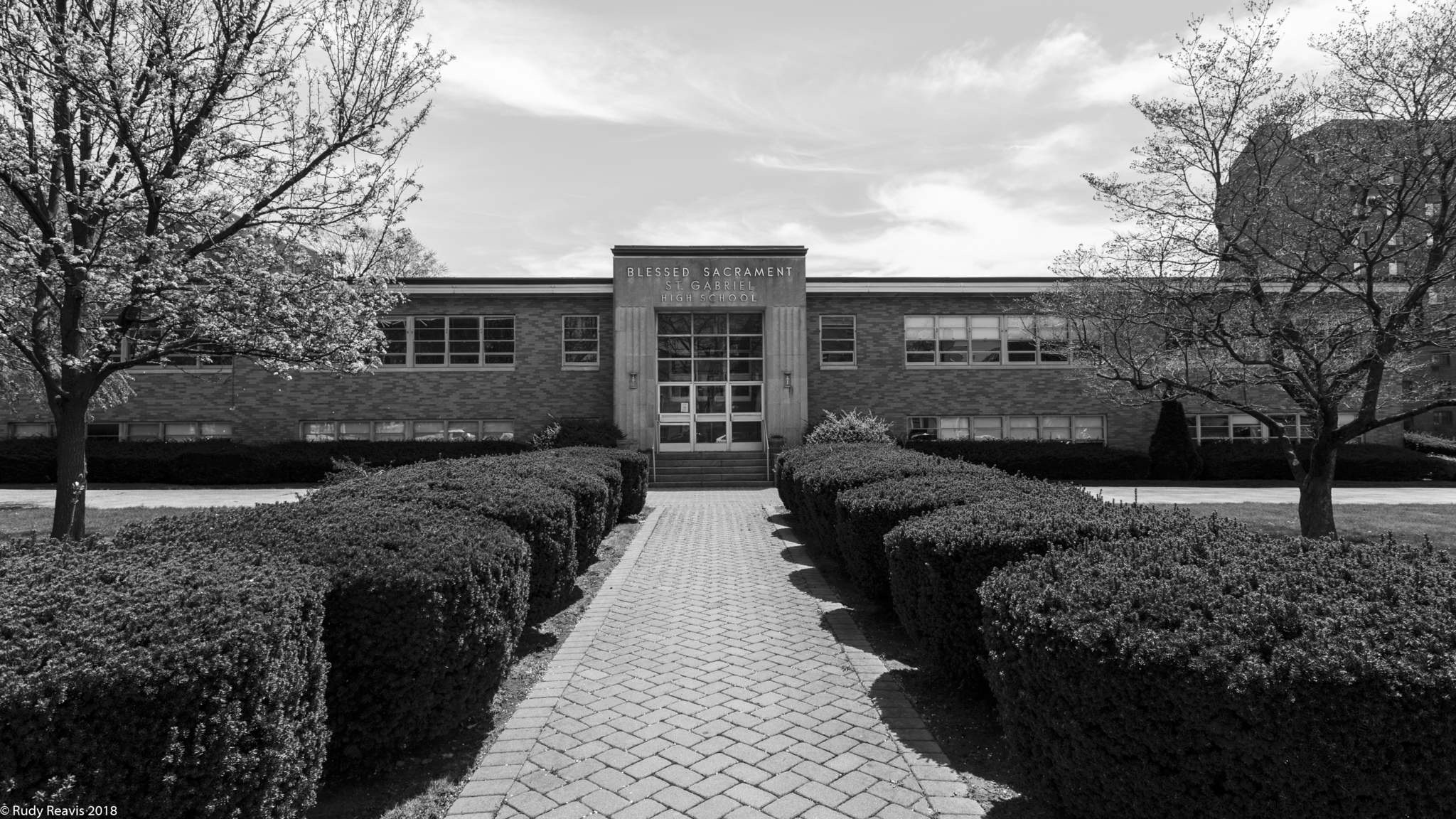
Nice. Experiment with post processing. Shooting black and white with a prime lens, or just one focal length with a zoom, for a whole day is a great exercise.
#shoot10000
--------------------------------------------------------
"Enjoying photography since 1972."
"Enjoying photography since 1972."


Announcements
05/13/2026: New firmware updates are available.
EOS R5 Mark II - Version 1.3.0
EOS R6 Mark II - Version 1.7.0
04/28/2026: Service Notice: Caution Concerning use of Lithium Batteries
03/17/2026: New firmware updates are available.
SELPHY CP1500 - Version 1.0.7.0
02/23/2026: New firmware update is available for EOS C50- Version 1.0.3.1
01/23/2026: New firmware update is available for RF 24-105mm F4 IS USM- Version 2.0.7
01/20/2026: New firmware updates are available.
12/22/2025: New firmware update is available for EOS R6 Mark III- Version 1.0.2
10/21/2025: Service Notice: To Users of the Compact Digital Camera PowerShot V1
10/15/2025: New firmware updates are available.
Speedlite EL-5 - Version 1.2.0
Speedlite EL-1 - Version 1.1.0
Speedlite Transmitter ST-E10 - Version 1.2.0
07/28/2025: Notice of Free Repair Service for the Mirrorless Camera EOS R50 (Black)
05/21/2025: New firmware update available for EOS C500 Mark II - Version 1.1.5.1
Related Content
- Help with EOS 90D serial number registration. in EOS DSLR & Mirrorless Cameras
- Inconsistent Exposure with Canon R8 and flash photography in EOS DSLR & Mirrorless Cameras
- Cannon 7D - trouble connecting to computer via USB in EOS DSLR & Mirrorless Cameras
- How to use iPhone as external monitor with EOS-1D X Mark II, Help! in EOS DSLR & Mirrorless Cameras
- EOS Rebel T3 How to save pics as JPG instead of RAW; duplicate files when downloading in EOS DSLR & Mirrorless Cameras

Ⓒ 2026
Canon U.S.A Inc. All Rights Reserved. Reproduction in whole or part without permission is prohibited.
