07-11-2025
03:07 PM
- last edited on
07-11-2025
03:52 PM
by
Danny
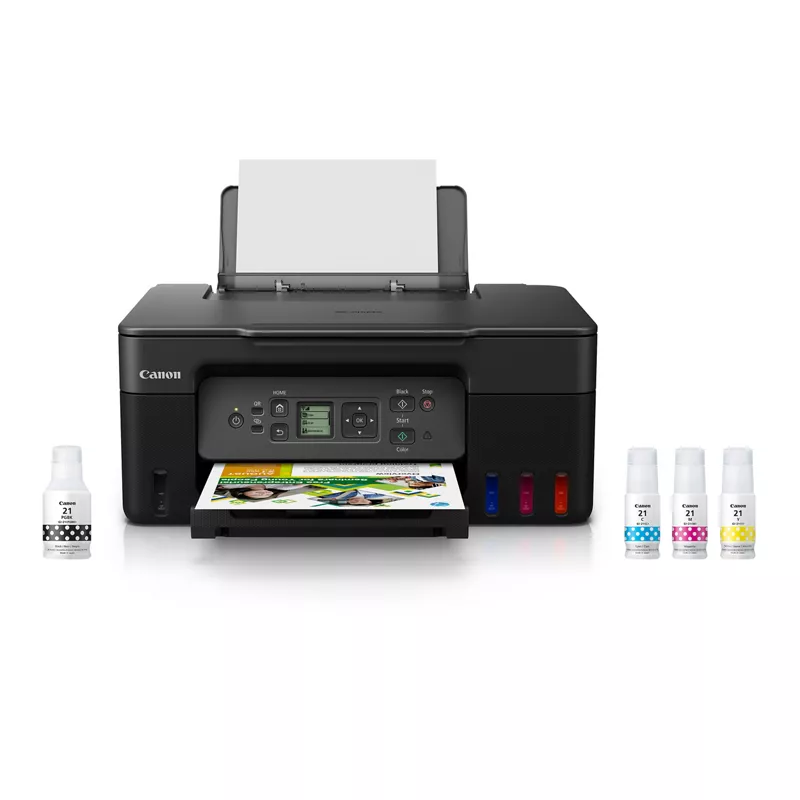
I just got the Pixma megatank G3270, it arrived on Wednesday and today is Friday. I tried printing a page with standard settings and it came our very sad and dull, was told different page settings may assist with vibrancy and decided to do a multiple pass page set up to find out which setting works best. Even with each print being only a small portion of the page, it sounded like it was printing the entire page line by line. After about 8 or so passes that looks to be exactly what happened. But even when printing a page with standard settings there is still fuzzy/grainy-ness in the background where the pages should be blank/white. Unsure what to do since it is a brand new printer. Please see photos for what I mean, the color wheel page next to a standard unprinted on page shows how it greys, and the CMYK page shows the graininess next to a standard unprinted page as well.
Additionally, I am printing from an iPad, tried JPEG vs PNG, as well as procreate vs photo and there is no difference. Color Wheel Paper Type - Vibrancy Calibration
CMYK Calibration
07-15-2025 03:46 PM
Hi CRead,
Please contact one of Canon's Technical Support Representatives via phone or chat. To contact a Technical Support Representative, please use the link below to log into your My Canon account:
https://mycanon.usa.canon.com
Once logged in, click on your PIXMA G3270 and then click on the Product Support button. When that page loads, click on either the Phone Support button or the Chat Support button to access support.
Did this answer your question? If so, please click the Accept as Solution button below so that others may find the answer as well.
10/15/2025: New firmware updates are available.
Speedlite EL-5 - Version 1.2.0
Speedlite EL-1 - Version 1.1.0
Speedlite Transmitter ST-E10 - Version 1.2.0
07/24/2025: New firmware updates are available.
EOS R5 Mark II - Version 1.1.1
07/23/2025: New firmware updates are available.
7/17/2025: New firmware updates are available.
EOS R6 Mark II - Version 1.6.0
02/20/2025: New firmware updates are available.
RF70-200mm F2.8 L IS USM Z - Version 1.0.6
RF24-105mm F2.8 L IS USM Z - Version 1.0.9
RF100-300mm F2.8 L IS USM - Version 1.0.8
RF50mm F1.4 L VCM - Version 1.0.2
RF24mm F1.4 L VCM - Version 1.0.3
Canon U.S.A Inc. All Rights Reserved. Reproduction in whole or part without permission is prohibited.