02-27-2023
01:03 PM
- last edited on
02-28-2023
10:03 AM
by
Danny
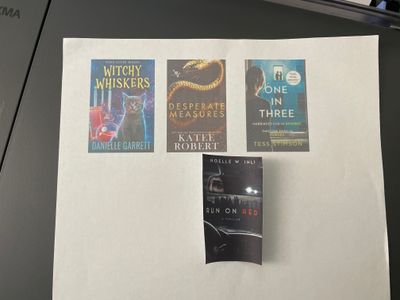
I just purchased the Canon G3260 and the color saturation is low and hazy. I tried printing this very first page twice but it came out the same. Photo for reference the small pierce is from a previous canon printer. The saturation is very low on the new print out? How can I fix this.
03-02-2023 03:10 PM
Hi Warrenb24,
I can assist you this this, but I would need a little more information.
What version of Windows is installed on your computer? If you are using a Mac, what version of OSX is installed?
Are you using your G3260 wirelessly?
or with a USB cable?
What is the type of paper that you are printing on?
What program on your computer are you using to print your images? Have you tried using Easy-PhotoPrint Editor?

12/18/2025: New firmware updates are available.
11/20/2025: New firmware updates are available.
EOS R5 Mark II - Version 1.2.0
PowerShot G7 X Mark III - Version 1.4.0
PowerShot SX740 HS - Version 1.0.2
10/15/2025: New firmware updates are available.
Speedlite EL-5 - Version 1.2.0
Speedlite EL-1 - Version 1.1.0
Speedlite Transmitter ST-E10 - Version 1.2.0
7/17/2025: New firmware updates are available.
02/20/2025: New firmware updates are available.
RF70-200mm F2.8 L IS USM Z - Version 1.0.6
RF24-105mm F2.8 L IS USM Z - Version 1.0.9
RF100-300mm F2.8 L IS USM - Version 1.0.8
Canon U.S.A Inc. All Rights Reserved. Reproduction in whole or part without permission is prohibited.