Turn on suggestions
Auto-suggest helps you quickly narrow down your search results by suggesting possible matches as you type.
- Canon Community
- Discussions & Help
- Camera
- Camera Software
- EOS VR Utility How to stitch footage for editing
Options
- Subscribe to RSS Feed
- Mark Topic as New
- Mark Topic as Read
- Float this Topic for Current User
- Bookmark
- Subscribe
- Mute
- Printer Friendly Page
EOS VR Utility How to stitch footage for editing

Options
- Mark as New
- Bookmark
- Subscribe
- Mute
- Subscribe to RSS Feed
- Permalink
- Report Inappropriate Content
05-28-2026
02:50 PM
- last edited on
05-29-2026
01:43 PM
by
 Danny
Danny
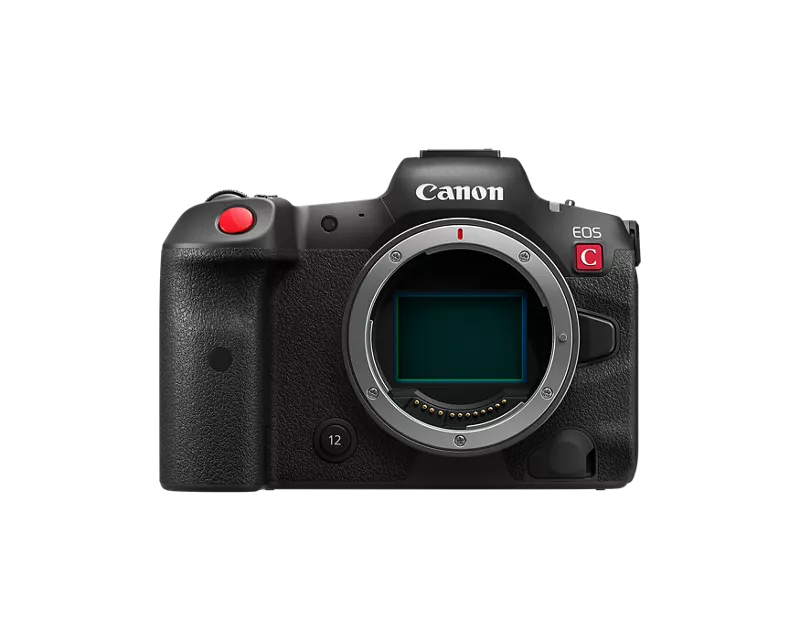
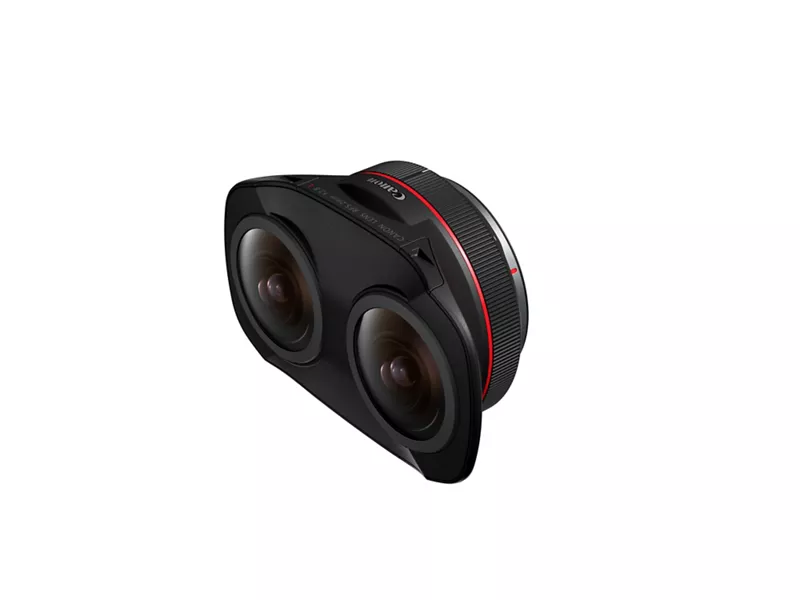
I shot some 180VR footage on the EOS R5 C with the Dual Fisheye lens. I cannot find anyway to properly stitch the footage for editing. The EOS VR Utility does not work and it will not even recognize my footage to import. The EOS VR Premiere Pro Plug In does not work either, it doesn't even show up. I have tried both many times. I am assuming that no canon software works with any .MXF files. I converted the files to .mp4, and still nothing works or will recognize the files. I have even tried Insta360 studio and Mistika Boutique. I tried putting it in premiere pro and exporting and it only shows the left eye in VR View, although I have all my settings to stereoscopic side by side.
Does anyone have any suggestions of anything else I could try? Is there any possible way to stitch .MXF 180VR footage? Any advice on how to move forward would be greatly appreciated.
2 REPLIES 2


Options
- Mark as New
- Bookmark
- Subscribe
- Mute
- Subscribe to RSS Feed
- Permalink
- Report Inappropriate Content
05-28-2026 04:24 PM - edited 05-28-2026 04:47 PM
Greetings,
Have you reviewed the user guide and do you have a subscription?
Canon : Product Manual : EOS VR Utility Instruction Manual
https://share.google/5FwNkJgTpyOKJc6TN
Clips have to be saved your computer before they can be imported.
I do understand the documentation is not very complete.
~Rick
Bay Area - CA
~R5 C (1.1.2.1), ~R50v (1.1.1) ~RF Trinity, ~RF 100 Macro, ~RF 100~400, ~RF 100~500, ~RF 200-800 +RF 1.4x TC, BG-R10, 430EX III-RT ~DxO PhotoLab Elite ~DaVinci Resolve Studio ~ImageClass MF644Cdw/MF656Cdw ~Pixel 10 ~CarePaks Are Worth It
Options
- Mark as New
- Bookmark
- Subscribe
- Mute
- Subscribe to RSS Feed
- Permalink
- Report Inappropriate Content
05-29-2026 10:12 AM
Hello,
Yes I have read the user guide and yes I do have a subscription. The clips are saved to my computer. It still says 'there are no clips' when I try to import the folder my clips are in.
Thank you


Announcements
05/13/2026: New firmware updates are available.
EOS R5 Mark II - Version 1.3.0
EOS R6 Mark II - Version 1.7.0
04/28/2026: Service Notice: Caution Concerning use of Lithium Batteries
03/17/2026: New firmware updates are available.
SELPHY CP1500 - Version 1.0.7.0
02/23/2026: New firmware update is available for EOS C50- Version 1.0.3.1
01/23/2026: New firmware update is available for RF 24-105mm F4 IS USM- Version 2.0.7
01/20/2026: New firmware updates are available.
12/22/2025: New firmware update is available for EOS R6 Mark III- Version 1.0.2
10/21/2025: Service Notice: To Users of the Compact Digital Camera PowerShot V1
10/15/2025: New firmware updates are available.
Speedlite EL-5 - Version 1.2.0
Speedlite EL-1 - Version 1.1.0
Speedlite Transmitter ST-E10 - Version 1.2.0
07/28/2025: Notice of Free Repair Service for the Mirrorless Camera EOS R50 (Black)
05/21/2025: New firmware update available for EOS C500 Mark II - Version 1.1.5.1

Ⓒ 2026
Canon U.S.A Inc. All Rights Reserved. Reproduction in whole or part without permission is prohibited.
