Turn on suggestions
Auto-suggest helps you quickly narrow down your search results by suggesting possible matches as you type.
- Canon Community
- Discussions & Help
- Camera
- Camera Software
- Re: EOS Utility 3 and R6iii, image number always 0...
Options
- Subscribe to RSS Feed
- Mark Topic as New
- Mark Topic as Read
- Float this Topic for Current User
- Bookmark
- Subscribe
- Mute
- Printer Friendly Page
EOS Utility 3 and R6iii, image number always 0000

Options
- Mark as New
- Bookmark
- Subscribe
- Mute
- Subscribe to RSS Feed
- Permalink
- Report Inappropriate Content
05-16-2026 03:40 PM
Hello!
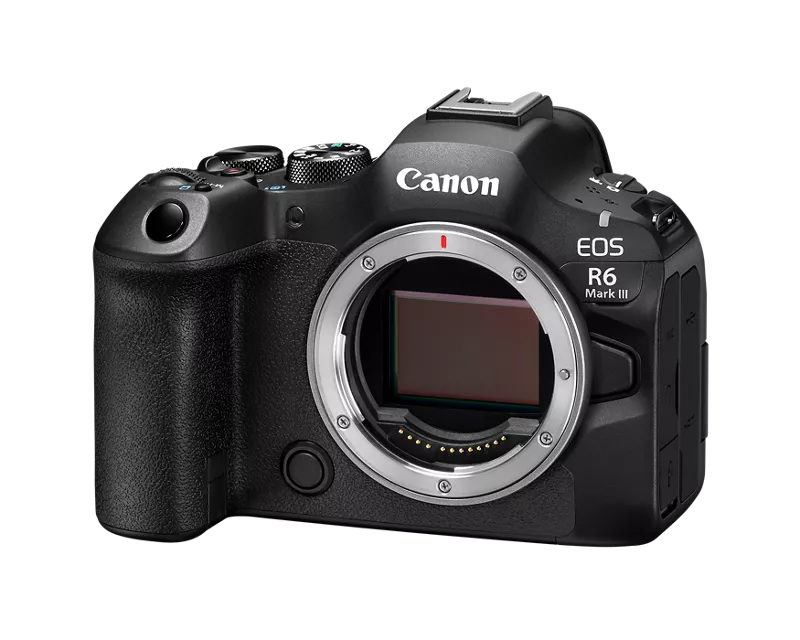
I just bought Canon R6iii and now downloading the first batch of photos using EOS Utility 3. I have long history of using this software with many cameras, and I always use it in the same way. I set a custom file name with image number and shooting date from the camera.
However, this time, when downloading the images, they all download with image number 0000. The files on the memory card have an image number, so I wonder why this happens. Does anyone know?
Currently, the customized file name is R6iii-<Image Number>-<Shooting Date>. Typically this makes files like this:
R6iii-0001-20260515, R6iii-0002-20260515, R6iii-0003-20260515... and so on.
But now, the files look like this:
R6iii-0000-20260515, R6iii-0000-20260515, R6iii-0000-20260515...
What can cause this? Is it because I have been shooting with electronic shutter only? Could it count only the mechanical shots? And if so, why would the files on the memory card have an image number? Also I have many videos, and typically they receive a number too.
My EOS Utility version is the newest at the moment, v.3.20.10.2. Camera firmware is also up to date. Image numbering is set to continuous in the camera.
This is very important for my archiving purposes. I appreciate any and all help. Thank you!
6 REPLIES 6


Options
- Mark as New
- Bookmark
- Subscribe
- Mute
- Subscribe to RSS Feed
- Permalink
- Report Inappropriate Content
05-16-2026 04:23 PM
I like using the file renaming feature, too. Except, I have the camera create a folder named for the date when the photos were captured. If I downloaded photos shot today, they would be stored in t”May@ folder, within the “2026” folder.
Hsve you tried downloading files from a different camera?
--------------------------------------------------------
"Enjoying photography since 1972."
"Enjoying photography since 1972."
Options
- Mark as New
- Bookmark
- Subscribe
- Mute
- Subscribe to RSS Feed
- Permalink
- Report Inappropriate Content
05-17-2026 11:37 AM
Hey! Thank you for your reply. I posted too soon before thoroughly investigating the matter. It appears that the images are getting the image number correctly, and only the video files have 0000 as the number. The downloading process that was ongoing when I posted the original question led me to believe that all files were getting 0000 because the EOS Utility downloaded videos first and images last. I am used to seeing the downloads in chronological order and this new way of doing it confused me. I will adjust my question accordingly.
In my previous cameras (R5 and R6ii), the images and videos were both numbered, and they used the same numbering in chronological order.
This changes my problem slightly. I need to find a way to either add some type of numbering to the video files. That might be difficult. Based on what the manual says, it might not be possible. So, I might have to do it on the computer. I guess this is not a Canon-related problem anymore. Pity if they got rid of the well-functioning old system. Interesting to see how the upcoming new EOS Utility will be.
Answer to your question: No, I haven't tried downloading using a different camera. At the moment, I only have R5 and M6ii and neither of them recognizes the video files from R6iii.
Options
- Mark as New
- Bookmark
- Subscribe
- Mute
- Subscribe to RSS Feed
- Permalink
- Report Inappropriate Content
05-17-2026 02:32 PM
“ Answer to your question: No, I haven't tried downloading using a different camera. At the moment, I only have R5 and M6ii and neither of them recognizes the video files from R6iii. “
I meant try to download files created by a different camera. As you have discovered, the camera will ignore files that are written to the memory card by other devices. Doing so can corrupt image files created by the camera!
I am also going to suggest that you stop trying to renumber the files. Add a prefix or a suffix to the file name the camera creates. Store files in dated folders. There is no need to incorporate the date into the file name.
--------------------------------------------------------
"Enjoying photography since 1972."
"Enjoying photography since 1972."
Options
- Mark as New
- Bookmark
- Subscribe
- Mute
- Subscribe to RSS Feed
- Permalink
- Report Inappropriate Content
05-24-2026 02:12 PM
Okay, I misunderstood. I tried downloading R6iii videos with R5, but it didn't recognize them. I have also downloaded R5ii files from a CFexpress card using R6iii + EOS Utility, because I had no card reader and had already returned the rental R5ii. That worked without issues. Not sure if the camera recognized the files, but EOS Utility did, and that is what matters.
Your storage logic doesn't work for my purposes, unfortunately, and I will need the date in the file name. The camera adds it automatically, so that is not a problem. All I wanted was to have the original-style file numbering where images and movies run the same numbering, plus the date and time. But that is no longer possible, which is disappointing.
I have now had some time to carefully look at the new naming logic for the movie files. It makes no sense. I have no clue who is served by this new way of naming. I really hope the upcoming update of EOS Utility will bring new options to fix this nonsense.
Options
- Mark as New
- Bookmark
- Subscribe
- Mute
- Subscribe to RSS Feed
- Permalink
- Report Inappropriate Content
05-24-2026 02:41 PM - edited 05-24-2026 02:52 PM
“ Your storage logic doesn't work for my purposes, unfortunately, and I will need the date in the file name. The camera adds it automatically, so that is not a problem.”
“ I have now had some time to carefully look at the new naming logic for the movie files. It makes no sense.”
What has changed? What was it? What is it now?
AFAIK, the file naming convention should not have changed. That’s not Canon’s decision to make. All camera manufacturers conform to an industry standard.
I fail to understand why you would want to remember the files. I have been working with computers and data storage for decades. Here’s my rule of thumb for naming folders and files.
The folder path name combined with file name and file extensions should be able to tell you what is inside the file. As you read it, it should almost sound like Master Yoda soeaking. RON, reverse polish notation.
If you need to open a file to figure out what’s inside of it, then you should rethink the way you name folders and files.
--------------------------------------------------------
"Enjoying photography since 1972."
"Enjoying photography since 1972."
Options
- Mark as New
- Bookmark
- Subscribe
- Mute
- Subscribe to RSS Feed
- Permalink
- Report Inappropriate Content
05-24-2026 02:54 PM
If you have not used the newest cameras, here is a link to the manual in case you are interested. Check the part "Movie file name structure" at https://cam.start.canon/en/C022/manual/html/UG-08_Set-up_0060.html.
Your logic works if the files are always in the dated folders. But if individual files are sent here and there, it is very useful that they are uniquely numbered and have dates in the file name. It was also very nice that the unique number (folder + image number) used the same number sequence for both videos and images. In this way it was really fast to see in what order the files were shot, without comparing the dates and times.
"If you need to open a file to figure out what’s inside of it, then you should rethink the way you name folders and files." This is true, but it's impossible to do automatically with video files. Maybe AI will help one day. :))

Announcements
07/22/2026: New firmware updates are available.
EOS R6 Mark III - Version 1.1.0
05/13/2026: New firmware updates are available.
EOS R5 Mark II - Version 1.3.0
EOS R6 Mark II - Version 1.7.0
04/28/2026: Service Notice: Caution Concerning use of Lithium Batteries
03/17/2026: New firmware updates are available.
SELPHY CP1500 - Version 1.0.7.0
02/23/2026: New firmware update is available for EOS C50- Version 1.0.3.1
01/23/2026: New firmware update is available for RF 24-105mm F4 IS USM- Version 2.0.7
01/20/2026: New firmware updates are available.
10/21/2025: Service Notice: To Users of the Compact Digital Camera PowerShot V1
10/15/2025: New firmware updates are available.
Speedlite EL-5 - Version 1.2.0
Speedlite EL-1 - Version 1.1.0
Speedlite Transmitter ST-E10 - Version 1.2.0
07/28/2025: Notice of Free Repair Service for the Mirrorless Camera EOS R50 (Black)
05/21/2025: New firmware update available for EOS C500 Mark II - Version 1.1.5.1
Related Content
- PowerShot V1 file name numbers? in Point & Shoot Digital Cameras
- Best way to transfer/back up photo and video files to external SSD in EOS DSLR & Mirrorless Cameras
- DPP4: "Target file does not exist" in Camera Software
- Canon EOS Utility download for 5D Mk III and IV in Camera Software
- Disappointed with EOS Rebel T7, issues with washed out, blurred images in EOS DSLR & Mirrorless Cameras

Ⓒ 2026
Canon U.S.A Inc. All Rights Reserved. Reproduction in whole or part without permission is prohibited.
