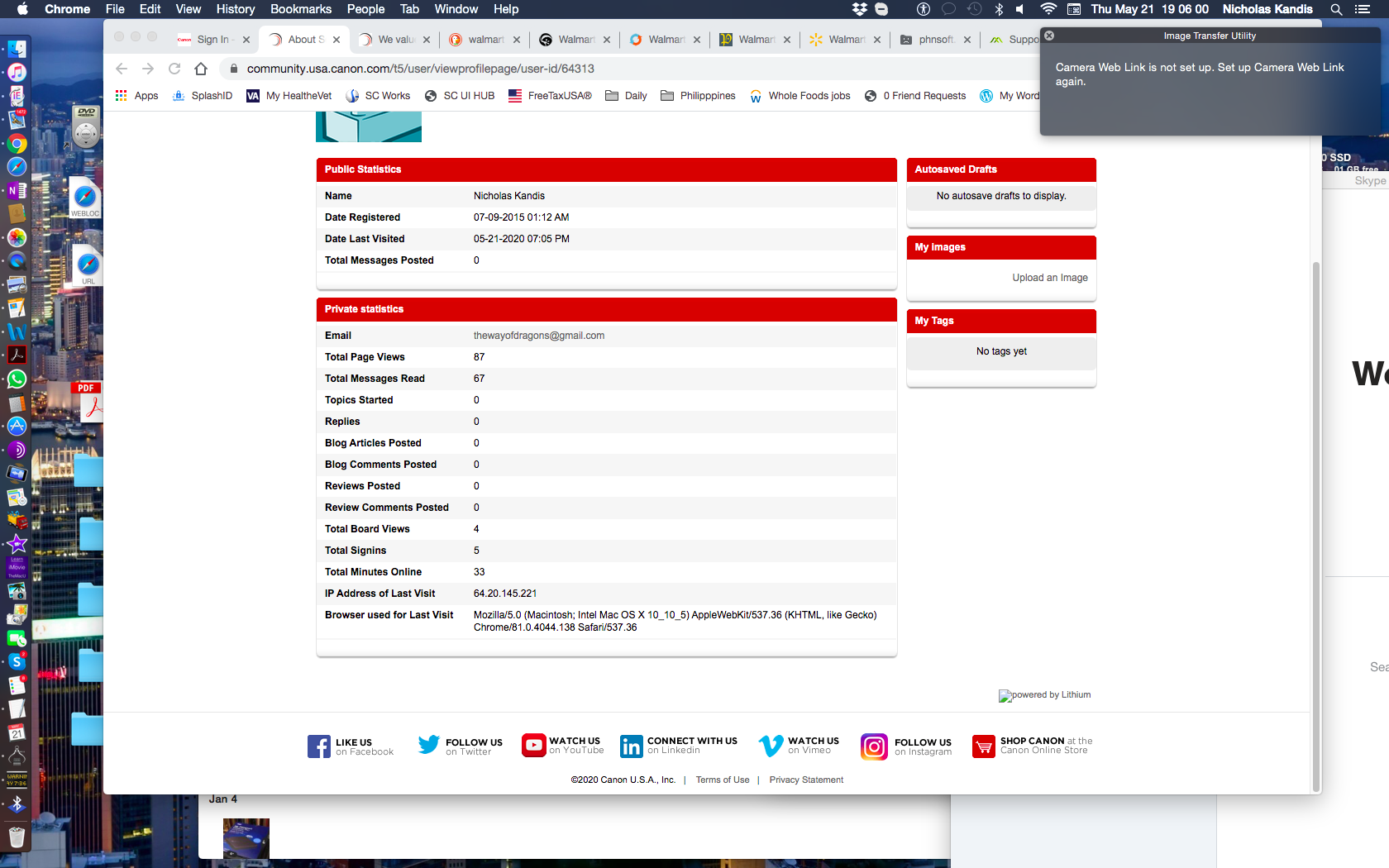
Problem: Popup window appears on Desktop, causing all work in any other non-Canon application to stop until popup message is acknowledged. The popup window has the header "Image Transfer Utility". The message: "Camera Web Link is not set up. Set up Camera Web Link again." See attached screenshot. Popup is in upper right corner of screenshot.
Background: Powershot ELPH 350 HS, purchased 2015. Installed all associated Canon software supplied at the time: CameraWindow, ImageBrowserEX, PhotoStitch, MapUtility, Image Transfer Utility, et al. Fast forward to April 2020. Per Canon website instructions, accessed (relatively) newly published image.canon. Then the troubles began. I am using a 2009 iMac running Mac OS 10.10.5 Yosemite. This Mac will handle OS 10.11.x, and that's it. Cannot run 10.12 or beyond. I have not upgraded to 10.11.x yet because of this and other unrelated issues. I contacted Canon Tech Support by phone in April 2020. The support dude advised me to delete ITU from MacIntosh HD, the main drive. After completing the call, the issue persisted. I then deleted all Powershot 350-associated Canon software, and securely emptied the Trash. The issue persists. In Finder, no Canon software can be found in This Computer, All My Files, MacIntosh HD, anywhere! Yet I am still getting a popup from ITU. And this occurs approximately every 15-30 minutes I am at this computer, whether on- or offline. Whatever other application I am working in, I have to close the popup before I can return to the task at hand. Imaginably quite frustrating.
Fix? As far as I am concerned, Canon is responsible for creating this problem. I followed instructions to upgrade to image.canon. I followed the advice of Canon Technical Support. Still no resolution. I want Canon to fix this. And I refuse to pay for it. But I am not up for a lesson in legal fine print. Anyone have any ideas? I will be grateful for any input. Thanks. -NK