Turn on suggestions
Auto-suggest helps you quickly narrow down your search results by suggesting possible matches as you type.
- Canon Community
- Discussions & Help
- Camera
- EOS DSLR & Mirrorless Cameras
- EOS R7 - Horizontal lines in low-light
Options
- Subscribe to RSS Feed
- Mark Topic as New
- Mark Topic as Read
- Float this Topic for Current User
- Bookmark
- Subscribe
- Mute
- Printer Friendly Page
EOS R7 - Horizontal lines in low-light

Options
- Mark as New
- Bookmark
- Subscribe
- Mute
- Subscribe to RSS Feed
- Permalink
- Report Inappropriate Content
12-01-2024
11:34 AM
- last edited on
12-07-2024
12:10 PM
by
 SamanthaW
I recently got a EOS R7 which I have been having a lot of fun with, unless I'm in a low light / artificial light situation where there is so much horizontal noise on my images that they are pretty much unusable, see the following photo. I've already dialed back the ISO to 3200, but the issue is still there.

The issue becomes the most notable when I turn the camera on with the lens cap still on:

Am I doing something wrong here? Did I miss some setting, or is my sensor malfunctioning? My old EOS 700D also produces noise, but at least that's somewhat uniform....
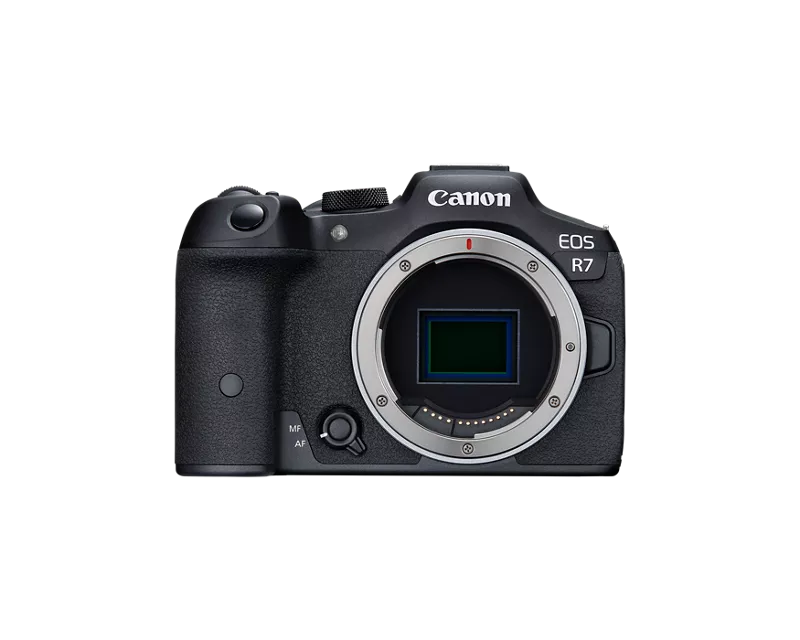
6 REPLIES 6


Options
- Mark as New
- Bookmark
- Subscribe
- Mute
- Subscribe to RSS Feed
- Permalink
- Report Inappropriate Content
12-01-2024 11:39 AM
That doesn’t look right. Looks like service is required. If it’s within return period you might want to contact seller.
John Hoffman
Conway, NH
R6 Mark III, M200 (converted to infrared), RF lenses, Pixma PRO-100, Pixma TR8620a, Lr Classic
Conway, NH
R6 Mark III, M200 (converted to infrared), RF lenses, Pixma PRO-100, Pixma TR8620a, Lr Classic

Options
- Mark as New
- Bookmark
- Subscribe
- Mute
- Subscribe to RSS Feed
- Permalink
- Report Inappropriate Content
12-01-2024 06:08 PM - edited 12-01-2024 06:10 PM
I found the EOS R7 to be quite noisy at high ISO but not that bad. One thing I noticed from your photo is that you have the camera set to HDR PQ mode, and this can be part of the cause of the noise appearing. With HDR PQ the camera is recording a greater dynamic range, and this coupled with the highlight tone priority being set to D+ can make the shadows more noisy than if you switch off HDR shooting. You are recording a RAW and HEIF image, the RAW will be the same regardless of whether you use HDR shooting or not, but instead of a HEIF image you will get a JPG. HDR shooting switches on the D+ highlight tone priority setting, but you can choose to override this and set highlight tone priority to disable which gives better performance in the shadows.
I don't have the EOS R7, but the EOS R10 that I do have shows a clean black LCD with the lens cap on when HDR shooting is off, but when it is switched on then the screen looks more noisy.
Brian
EOS specialist trainer, photographer and author
-- Note: my spell checker is set for EN-GB, not EN-US --
Options
- Mark as New
- Bookmark
- Subscribe
- Mute
- Subscribe to RSS Feed
- Permalink
- Report Inappropriate Content
12-02-2024 04:03 AM
Thanks Brian,
disabling HDR PQ really removes a lot of the noise, and the preview screen with the lens cap on is now pretty much noise free. It took some turning on/off to get rid of the vertical lines - they haven´t appeared again yet, but looking at my past photos, this seems to be a sporadic problem. I have photos at ISO 6400 with HDR PR without lines, and also plenty with lines. I will monitor the behavior over the next days and consider a repair if the issue comes back again.
Thanks for your help.
Options
- Mark as New
- Bookmark
- Subscribe
- Mute
- Subscribe to RSS Feed
- Permalink
- Report Inappropriate Content
12-02-2024 04:58 AM
You could try using HDR shooting and changing highlight tone priority to OFF as well. When highlight tone priority is enabled it does increase the noise in shadow areas of an image.
Brian
EOS specialist trainer, photographer and author
-- Note: my spell checker is set for EN-GB, not EN-US --
Options
- Mark as New
- Bookmark
- Subscribe
- Mute
- Subscribe to RSS Feed
- Permalink
- Report Inappropriate Content
12-02-2024 05:29 PM
Here's another shot, this time with HDR off:
RAW:

JPEG (from Camera):

ISO 6400. Still can see some lines even in the JPEG that's coming out of the camera.
Options
- Mark as New
- Bookmark
- Subscribe
- Mute
- Subscribe to RSS Feed
- Permalink
- Report Inappropriate Content
12-02-2024 05:31 PM - edited 12-02-2024 06:22 PM
See my reply below with HDR turned off - still getting distinct lines in both RAW and the JPEG.


Announcements
05/13/2026: New firmware updates are available.
EOS R5 Mark II - Version 1.3.0
EOS R6 Mark II - Version 1.7.0
04/28/2026: Service Notice: Caution Concerning use of Lithium Batteries
03/17/2026: New firmware updates are available.
SELPHY CP1500 - Version 1.0.7.0
02/23/2026: New firmware update is available for EOS C50- Version 1.0.3.1
01/23/2026: New firmware update is available for RF 24-105mm F4 IS USM- Version 2.0.7
01/20/2026: New firmware updates are available.
12/22/2025: New firmware update is available for EOS R6 Mark III- Version 1.0.2
10/21/2025: Service Notice: To Users of the Compact Digital Camera PowerShot V1
10/15/2025: New firmware updates are available.
Speedlite EL-5 - Version 1.2.0
Speedlite EL-1 - Version 1.1.0
Speedlite Transmitter ST-E10 - Version 1.2.0
07/28/2025: Notice of Free Repair Service for the Mirrorless Camera EOS R50 (Black)
05/21/2025: New firmware update available for EOS C500 Mark II - Version 1.1.5.1
Related Content
- EOS R7 LCD Fault - lines appear on screen in EOS DSLR & Mirrorless Cameras
- JPEG chroma subsampling in Camera Software
- G7X III stopped while in use, lens stuck extended. in Point & Shoot Digital Cameras
- EOS 1300D on camera display show horizontal lines in EOS DSLR & Mirrorless Cameras
- Determining a Nodal Point (no Parallax Point) in EF & RF Lenses

Ⓒ 2026
Canon U.S.A Inc. All Rights Reserved. Reproduction in whole or part without permission is prohibited.
