Turn on suggestions
Auto-suggest helps you quickly narrow down your search results by suggesting possible matches as you type.
- Canon Community
- Discussions & Help
- Printer
- Professional Photo Printers
- Pro-1100 major issue: banding and ink cutting out ...
Options
- Subscribe to RSS Feed
- Mark Topic as New
- Mark Topic as Read
- Float this Topic for Current User
- Bookmark
- Subscribe
- Mute
- Printer Friendly Page
Pro-1100 major issue: banding and ink cutting out in last 1-inch of image

Options
- Mark as New
- Bookmark
- Subscribe
- Mute
- Subscribe to RSS Feed
- Permalink
- Report Inappropriate Content
11-13-2025 09:39 AM - edited 11-13-2025 09:59 AM
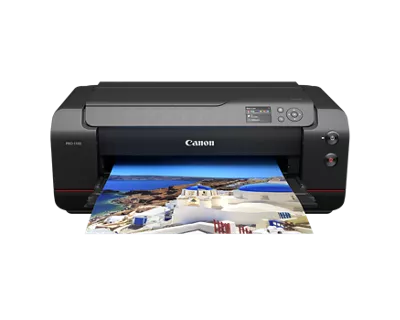
Hi guys, I am a recent Pro-1100 purchaser, and a 25-year professional photographer and digital printer. I am having an issue with my Pro-1100 w/ Mac Monterey + Canon PPL software. It looks like the black channel and possibly others are partially cutting out about 1 inch from the end of the image, leaving a pale banded section in the last inch of the image. It doesn't happen every time, only on images with higher ink density, in both B&W and color mode. I have experimented with every possible combination of head cleanings, calibrations, uni-directional printing, high quality versus highest quality, changing media, changing ink cartridges, printing from PS instead of Canon PPL, etc., wasting a lot of $$ in ink and paper in the process. Nothing solves it. It is not a clogged nozzle because nozzle checks show that all the nozzles are working fine, and there is no banding anywhere else on my prints. I also notice that the paper feed tends to slow down and stall out a bit right at the end of the print, which is also when the banding/dropout occurs. Does anyone know if Canon is actively working on this, to hopefully solve it with a firmware update?
5 REPLIES 5
Options
- Mark as New
- Bookmark
- Subscribe
- Mute
- Subscribe to RSS Feed
- Permalink
- Report Inappropriate Content
11-14-2025 04:40 PM
Hey is there anyone from Canon who reads these? How can I contact Canon and talk to someone? My business relies on this printer and it is causing me huge problems here. Thank you for any help.
Options
- Mark as New
- Bookmark
- Subscribe
- Mute
- Subscribe to RSS Feed
- Permalink
- Report Inappropriate Content
11-15-2025 10:19 AM
Tried going through the whole process of creating custom media and adjusting media feed using the media configuration software. Same problem persists. Banding in the last 1-2 inches of the print, rending them unusable. Incredibly frustrating, especially to be getting NO response from Canon.
Options
- Mark as New
- Bookmark
- Subscribe
- Mute
- Subscribe to RSS Feed
- Permalink
- Report Inappropriate Content
11-16-2025 10:36 AM
Reinstalled drivers, firmware, and all software, didn't solve. The banding issue occurs with all types and sizes of media. Appears to be the gray channel cutting out about 2 inches from the end of every print, leaving a pale patch and banding artifacts in the last inch or so of every print. Otherwise no banding or other problems anywhere in the prints.


Options
- Mark as New
- Bookmark
- Subscribe
- Mute
- Subscribe to RSS Feed
- Permalink
- Report Inappropriate Content
11-18-2025 12:51 PM
Thanks for joining the conversation, ChrisJordan!
This community is designed for your fellow Canon owners to help each other out with any problems they may encounter. If this is a time-sensitive matter, click HERE search our knowledge base or register your Canon gear HERE to access additional support options.
Thanks and have a great day!

Options
- Mark as New
- Bookmark
- Subscribe
- Mute
- Subscribe to RSS Feed
- Permalink
- Report Inappropriate Content
11-18-2025 01:21 PM
Hi ChrisJordan,
Please contact one of Canon's Technical Support Representatives via phone or chat. To contact a Technical Support Representative, please use the link below to log into your My Canon account:
https://mycanon.usa.canon.com
Once logged in, click on your PRO-1100 and then click on the Product Support button. When that page loads, click on either the Phone Support button or the Chat Support button to access support. A Technical Support Representative can determine the cause of the issue and resolve it or provide you with your available service options.
Did this answer your question? If so, please click the Accept as Solution button below so that others may find the answer as well.


Announcements
05/13/2026: New firmware updates are available.
EOS R5 Mark II - Version 1.3.0
EOS R6 Mark II - Version 1.7.0
04/28/2026: Service Notice: Caution Concerning use of Lithium Batteries
03/17/2026: New firmware updates are available.
SELPHY CP1500 - Version 1.0.7.0
02/23/2026: New firmware update is available for EOS C50- Version 1.0.3.1
01/23/2026: New firmware update is available for RF 24-105mm F4 IS USM- Version 2.0.7
01/20/2026: New firmware updates are available.
12/22/2025: New firmware update is available for EOS R6 Mark III- Version 1.0.2
10/21/2025: Service Notice: To Users of the Compact Digital Camera PowerShot V1
10/15/2025: New firmware updates are available.
Speedlite EL-5 - Version 1.2.0
Speedlite EL-1 - Version 1.1.0
Speedlite Transmitter ST-E10 - Version 1.2.0
07/28/2025: Notice of Free Repair Service for the Mirrorless Camera EOS R50 (Black)
05/21/2025: New firmware update available for EOS C500 Mark II - Version 1.1.5.1

Ⓒ 2026
Canon U.S.A Inc. All Rights Reserved. Reproduction in whole or part without permission is prohibited.
