Turn on suggestions
Auto-suggest helps you quickly narrow down your search results by suggesting possible matches as you type.
- Canon Community
- Discussions & Help
- Camera
- EOS DSLR & Mirrorless Cameras
- Re: EOS R6 mark II bad focus help!
Options
- Subscribe to RSS Feed
- Mark Topic as New
- Mark Topic as Read
- Float this Topic for Current User
- Bookmark
- Subscribe
- Mute
- Printer Friendly Page
EOS R6 Mark II bad focus help!

Options
- Mark as New
- Bookmark
- Subscribe
- Mute
- Subscribe to RSS Feed
- Permalink
- Report Inappropriate Content
11-19-2025
06:36 AM
- last edited on
11-20-2025
07:55 AM
by
 James_C
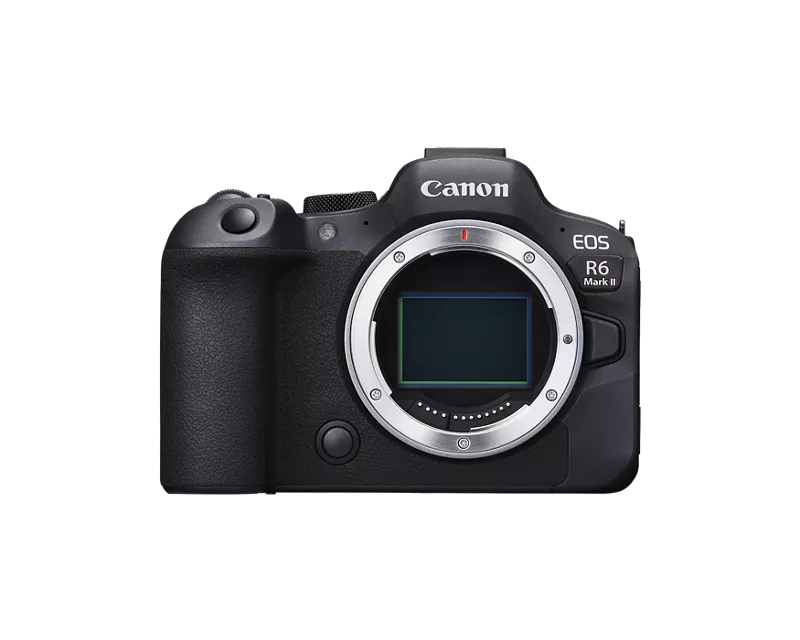
Hi! I recently bought a Canon EOS R6 mark II and was super excited! Today I went outside to do a photoshoot. The result is terrible, the focus is not sharp at all. Im using an EF-R adapter marked Canon and a Canon 24-70 2.8 USM, i have also tried with different lenses and cleaned the glass of the lenses. I have not missed focus since the focus point is viewed where i want it to be (at the persons face). Settings were 1/250, f/ 2.8 iso 100.
Anyone know what the issue could be? I spent my life savings on this camera :'(


32 REPLIES 32
Options
- Mark as New
- Bookmark
- Subscribe
- Mute
- Subscribe to RSS Feed
- Permalink
- Report Inappropriate Content
11-19-2025 11:54 AM
If you go to a camera store have them test the RF lens on your camera. Most stores would be happy to help.


Options
- Mark as New
- Bookmark
- Subscribe
- Mute
- Subscribe to RSS Feed
- Permalink
- Report Inappropriate Content
11-19-2025 12:21 PM
Glad we could help. It’s a great camera.
John Hoffman
Conway, NH
R6 Mark II, M200, Many lenses, Pixma PRO-100, Pixma TR8620a, Lr Classic
Conway, NH
R6 Mark II, M200, Many lenses, Pixma PRO-100, Pixma TR8620a, Lr Classic

Options
- Mark as New
- Bookmark
- Subscribe
- Mute
- Subscribe to RSS Feed
- Permalink
- Report Inappropriate Content
11-19-2025 01:20 PM
Thanks for sharing the RAW images, I can see the settings similar to John in DPP, but I have a couple of additional questions.
DPP info shows you have the drive mode set to self-timer which seems to be not needed unless you are attempting a self portrait.
As others have mentioned the Continuous AF setting is best switched off, you'll find it called Preview AF on the 3rd page of the AF menus. It sure drains batteries, and often makes focusing harder than it needs to be.
I cannot see the setting you have for Whole area tracking Servo AF, on page 1 of the AF menus. If this is turned off, the camera will not look outside of the area covered by the tiny Spot AF point to focus on the subject. I suggest you turn it on. For a straightforward subject like this scene with a single clearly visible face, your choice of spot AF point makes it harder than it needs to be as you have to be more precise on the placement of the spot than if you use a larger AF area.
You have the Subject to detect - page 1 of the AF menu - set to AUTO, I would change it to People for people photos.
I do have the EOS R6 Mark II myself and use it with a large range of older and newer EF lenses without a problem. Yes some focus slower than RF lenses, some limit the frames per second achievable in continuous shooting modes, but they all work with the AF capabilities in terms of subject detection and accuracy - I only use the Canon lens adapters, not one from another brand.
For me to take that kind of photo I would use the following settings for AF...
- AF operation - SERVO AF
- AF area - Flexible Zone AF 1 and position it near to where the person's head is
- Whole area tracking Servo AF - ON
- Subject to detect - People
- Eye detection - ON
- Preview AF - OFF
With that configuration I just need to aim the large square shape of the Flexible Zone AF 1 over or close to the person's head. The camera will then find the face and subjects eye even if they are outside of the AF frame. Think of the AF frame as more of a targeting tool to tell the camera where to look initially for the subject.
Brian
EOS specialist trainer, photographer and author
-- Note: my spell checker is set for EN-GB, not EN-US --
Options
- Mark as New
- Bookmark
- Subscribe
- Mute
- Subscribe to RSS Feed
- Permalink
- Report Inappropriate Content
11-19-2025 03:24 PM
@Jaanieh wrote:
Thankyou for all the answers and tips!
I do not have access to a RF lens, but I will contact a camera store to see if I can try a different adapter.
And unfortunately it sounds like i have to buy a new 24-70 lens aswell, i really didnt wanna have to do that.
thanx!
To reinforce Brian's posting:
I attached an EF-S 18-200mm zoom using the Canon brand adapter. I set SERVO AF, spot focus, Whole area tracking ON and H+ continuous shooting.
Since the lens couldn't shoot at that speed the H+ icon was blinking in the view finder, as did the H mode. Low speed did not blink. But the camera actuated when H+ was selected.
The camera is smart enough to select what it can do.
Unless something is dead still, like a scenic landscape, I set the camera at SERVO AF with Whole area tracking on. While area tracking works "both ways" in that if the camera is steady and the subject moves it tracks or you can select a subject and move the camera.
It is very possible that you won't need a new lens for now.
John Hoffman
Conway, NH
R6 Mark II, M200, Many lenses, Pixma PRO-100, Pixma TR8620a, Lr Classic
Conway, NH
R6 Mark II, M200, Many lenses, Pixma PRO-100, Pixma TR8620a, Lr Classic
Options
- Mark as New
- Bookmark
- Subscribe
- Mute
- Subscribe to RSS Feed
- Permalink
- Report Inappropriate Content
11-20-2025 07:12 AM
Thankyou for the detailed response! I have disabled continuous AF and the whoe area tracking servo was set to ON.
I will try those settings and also apparently i need to study all the new settings in this camera. Lets hope it works! thanx
Options
- Mark as New
- Bookmark
- Subscribe
- Mute
- Subscribe to RSS Feed
- Permalink
- Report Inappropriate Content
11-20-2025 07:13 AM
So would you recommend me to shoot concerts in low speed continuous or still use high speed even tho its blinking?
Options
- Mark as New
- Bookmark
- Subscribe
- Mute
- Subscribe to RSS Feed
- Permalink
- Report Inappropriate Content
11-20-2025 08:25 AM
Mine was blinking but still fired. Give it a try and if you have to just select the lower speed option. Your lens might be different than mine in that respect.
John Hoffman
Conway, NH
R6 Mark II, M200, Many lenses, Pixma PRO-100, Pixma TR8620a, Lr Classic
Conway, NH
R6 Mark II, M200, Many lenses, Pixma PRO-100, Pixma TR8620a, Lr Classic
Options
- Mark as New
- Bookmark
- Subscribe
- Mute
- Subscribe to RSS Feed
- Permalink
- Report Inappropriate Content
11-21-2025 04:41 AM
The blinking of the H+ icon is only to indicate that it is not shooting at the full speed. You don't need to select a slower continuous drive speed if you don't want to.
Check the manual page link below, and expand the caution note at the end of the page to see what frames per second the camera will shoot at with each of the shutter modes, when the H+ icon is green, white or blinking white.
https://cam.start.canon/en/C012/manual/html/UG-05_AF-Drive_0120.html
Brian
EOS specialist trainer, photographer and author
-- Note: my spell checker is set for EN-GB, not EN-US --
Options
- Mark as New
- Bookmark
- Subscribe
- Mute
- Subscribe to RSS Feed
- Permalink
- Report Inappropriate Content
11-21-2025 02:32 PM
Fogging can also occur in the reverse when a warm lens is taken outside into the cold without letting it cool down gradually in an unheated car for example. I shoot lots of Aurora images in Alaska, and in either case letting your lens and camera gradually cool down and warm up is advised. Before I bring my camera back in, I remove the batteries from the grip, as well as the memory cards, while I place my camera and lens in a dry bag and seal it so it can warm up gradually during the day inside while the batteries are charging and I can transfer the images to the laptop.
Options
- Mark as New
- Bookmark
- Subscribe
- Mute
- Subscribe to RSS Feed
- Permalink
- Report Inappropriate Content
11-21-2025 02:36 PM
Having IS and IBIS enabled on a tripod was an issue of the past with the old EF on DSLR, I can attest to this that this is no longer an issue with RF and mirrorless as I now leave my IS and IBIS on with the R6 II without detrimental effect on the images.


Announcements
11/20/2025: New firmware updates are available.
EOS R6 Mark III - Version 1.0.1
EOS R5 Mark II - Version 1.2.0
PowerShot G7 X Mark III - Version 1.4.0
PowerShot SX740 HS - Version 1.0.2
10/21/2025: Service Notice: To Users of the Compact Digital Camera PowerShot V1
10/15/2025: New firmware updates are available.
Speedlite EL-5 - Version 1.2.0
Speedlite EL-1 - Version 1.1.0
Speedlite Transmitter ST-E10 - Version 1.2.0
07/28/2025: Notice of Free Repair Service for the Mirrorless Camera EOS R50 (Black)
07/24/2025: New firmware updates are available.
07/23/2025: New firmware updates are available.
7/17/2025: New firmware updates are available.
05/21/2025: New firmware update available for EOS C500 Mark II - Version 1.1.5.1
02/20/2025: New firmware updates are available.
RF70-200mm F2.8 L IS USM Z - Version 1.0.6
RF24-105mm F2.8 L IS USM Z - Version 1.0.9
RF100-300mm F2.8 L IS USM - Version 1.0.8
RF50mm F1.4 L VCM - Version 1.0.2
RF24mm F1.4 L VCM - Version 1.0.3
01/22/2024: Canon Supports Disaster Relief Efforts in California
01/14/2025: Steps to resolve still image problem when using certain SanDisk SD cards with the Canon EOS R5 Mark II
Related Content
- Striping on RAW files using R5 Mark II in EOS DSLR & Mirrorless Cameras
- Lens elements rattle/shake on RF 70-200mm F2.8 L IS USM in EF & RF Lenses
- My 5D Mark IV Camera stopped taking RAW mid shoot in EOS DSLR & Mirrorless Cameras
- EOS R6 Mark II Should IS be 'ON' on both the camera and the lens? in EOS DSLR & Mirrorless Cameras
- EOS R6 Mark II - Shutter Button not working in EOS DSLR & Mirrorless Cameras

Ⓒ 2025
Canon U.S.A Inc. All Rights Reserved. Reproduction in whole or part without permission is prohibited.
